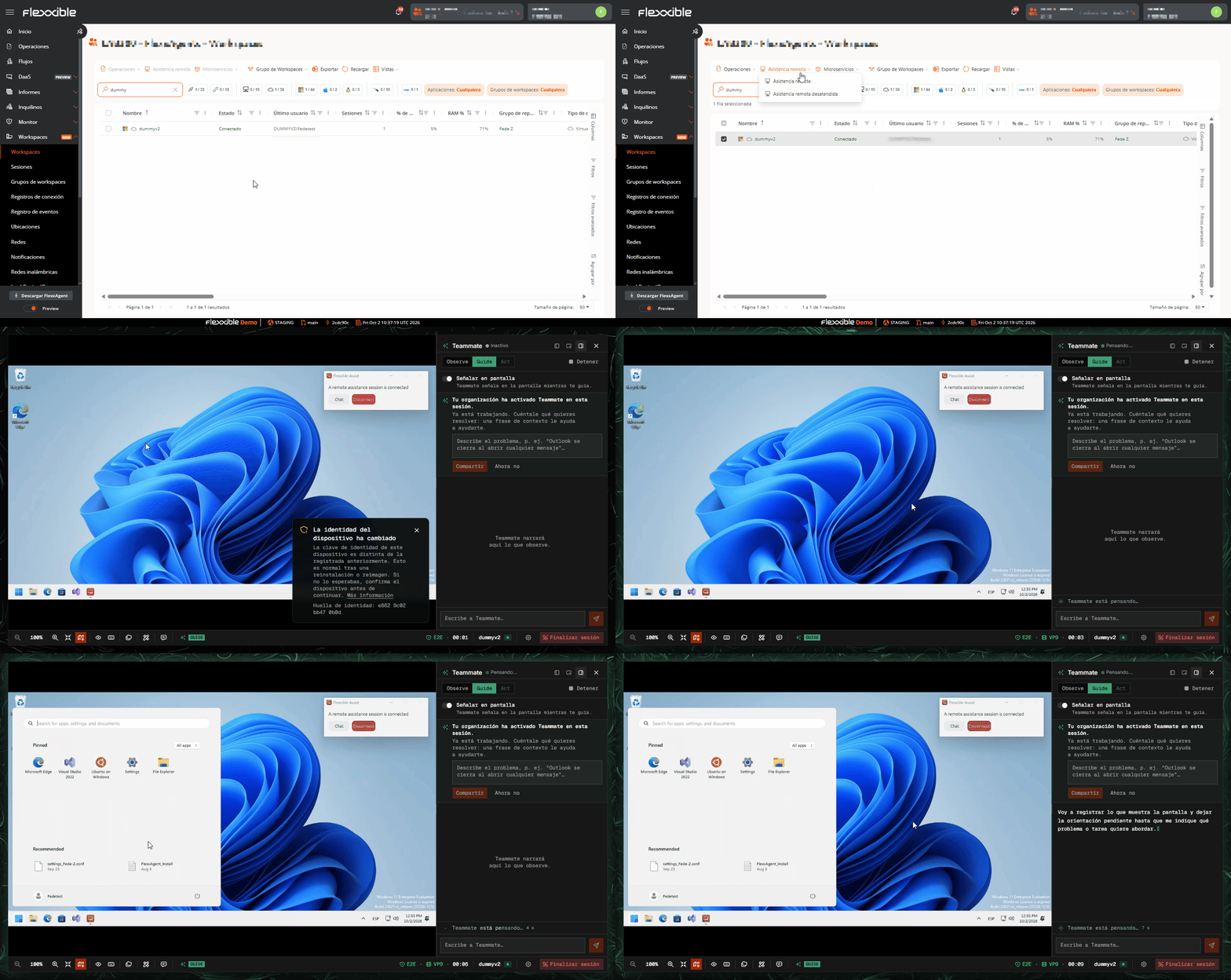
Connect remotely to devices and sessions to provide technical support to users.
You can provide remote assistance to a user through Flexxible Assist from two sections:
Workspaces
Sessions
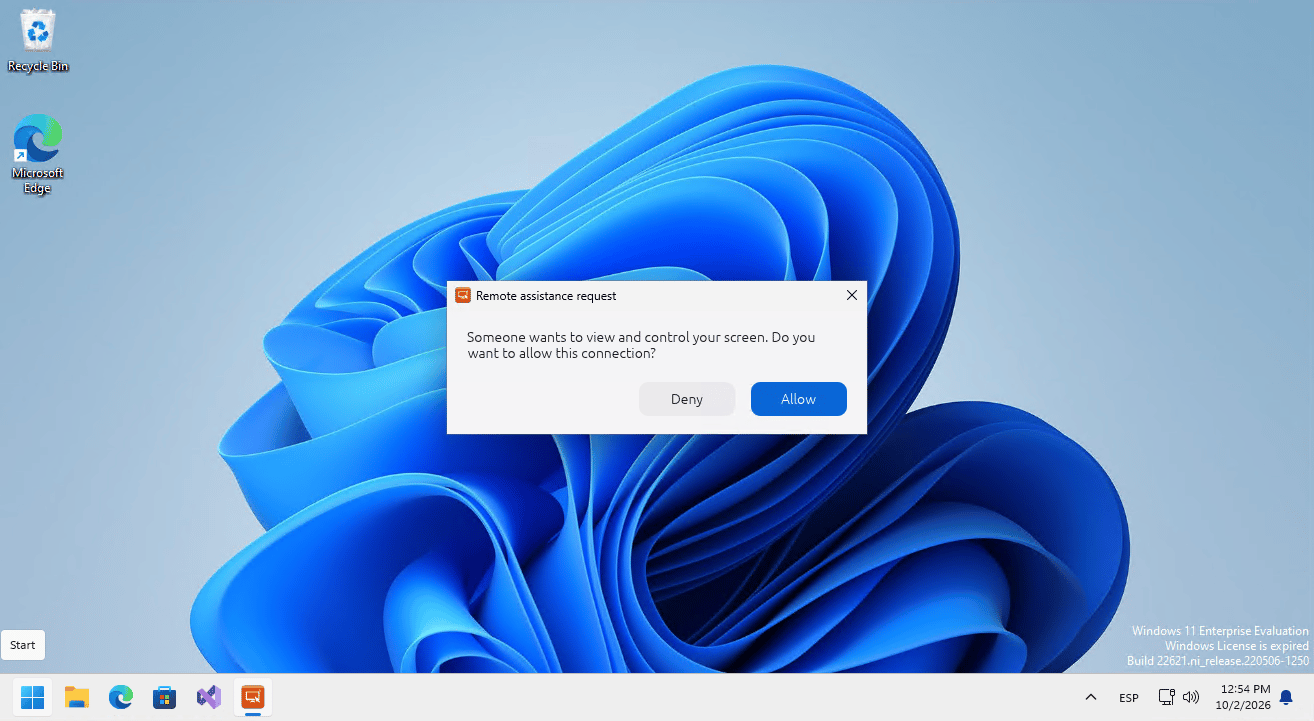
From either of these views, you only need to select the session or the device and launch the remote assistance operation:Important: if the device has interactive remote assistance configured, the user’s consent is required for the support operator to take control of the session. This consent is shown to the user as a pop-up window and adapts to the language the user has set on the device being controlled:For more information about remote assistance, see here.
⌘I
Assistant
Responses are generated using AI and may contain mistakes.