The content of the table in the Workspaces section can be filtered to contain only devices that meet certain filtering criteria. You can also customize the columns shown in the table, which makes it easy to get all the important information at a glance. On a filtered view, you can perform multiple actions such as Operations (power and management actions), running microservices, and several more. Among them are options that let you save the current list and its filters as a custom view or as a device group (static or dynamic).

Save a filtered list as a custom view
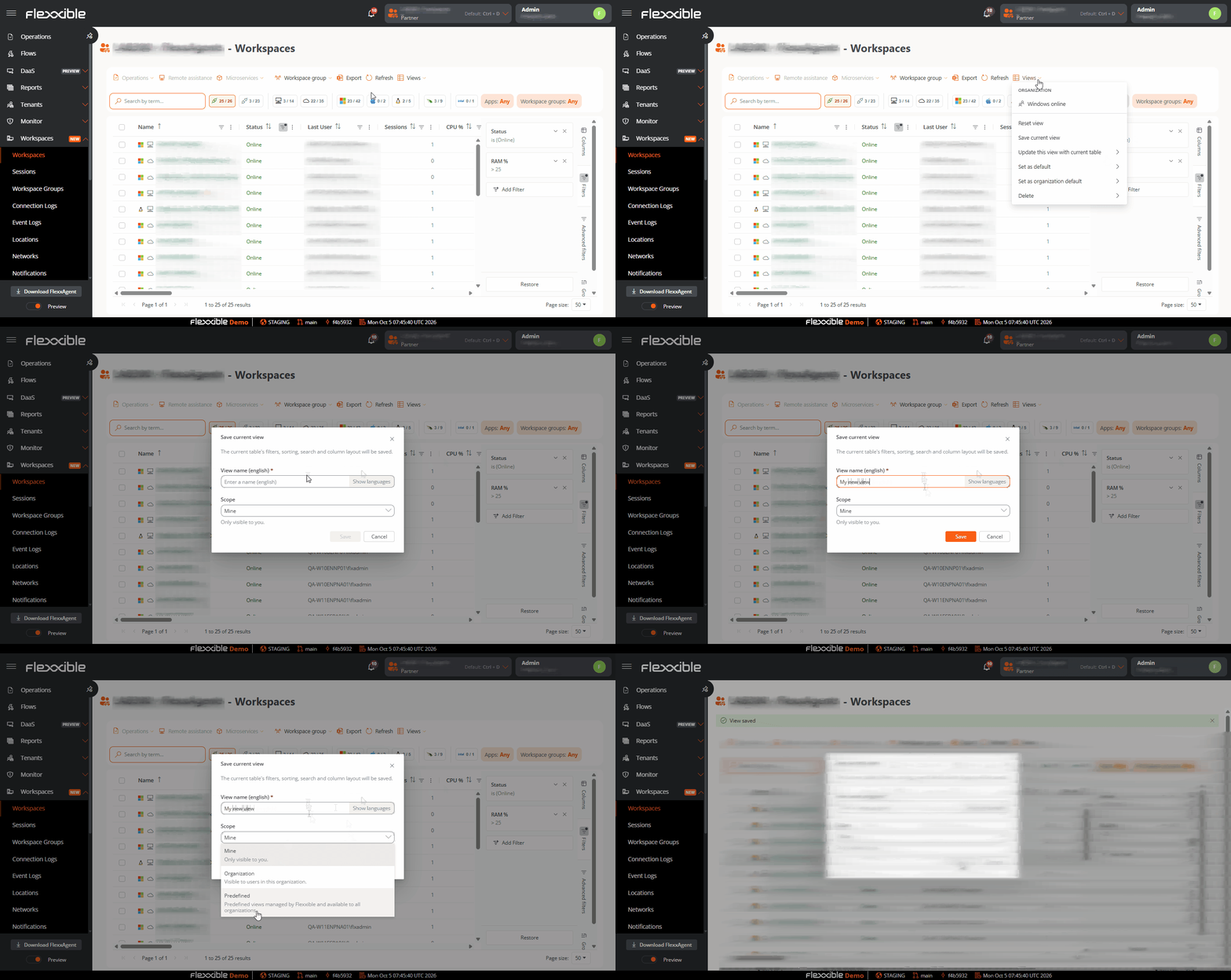
saveview The Views button at the top of the table lets you Save the current view, which lets you treat the current view as:
  • Mine: saves the view only for the current user.
  • Organization: saves the view for all users in the current organization.
  • Default: saves the view as the current user’s default view.
For more information about filtering options and view configuration, see Workspaces