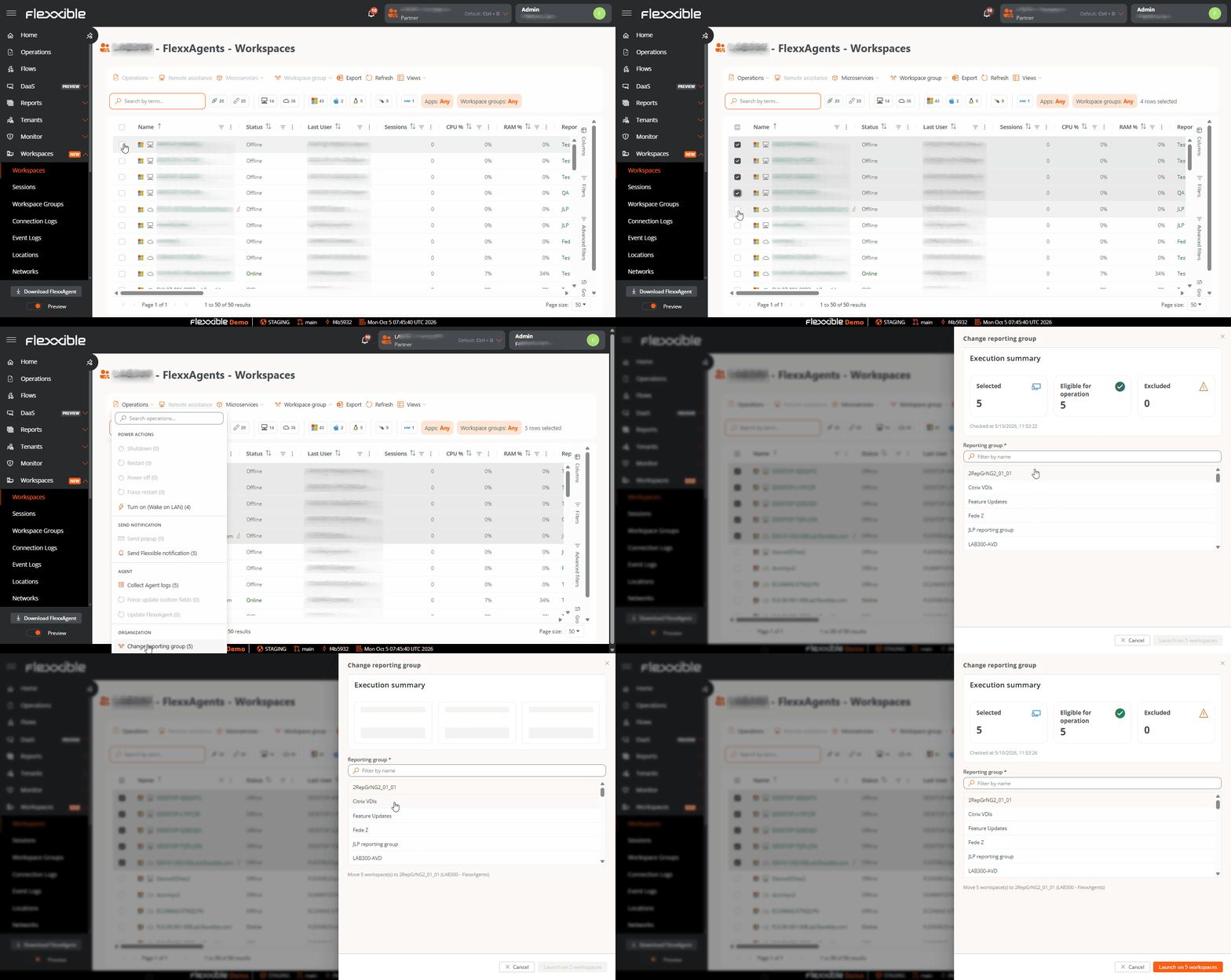
- Manually, by running the change reporting group operation in the Workspaces section
- Automatically, by using the Fishing pattern feature
Change the reporting group manually
To perform the change reporting group operation, use the Change reporting group button in the Workspaces section