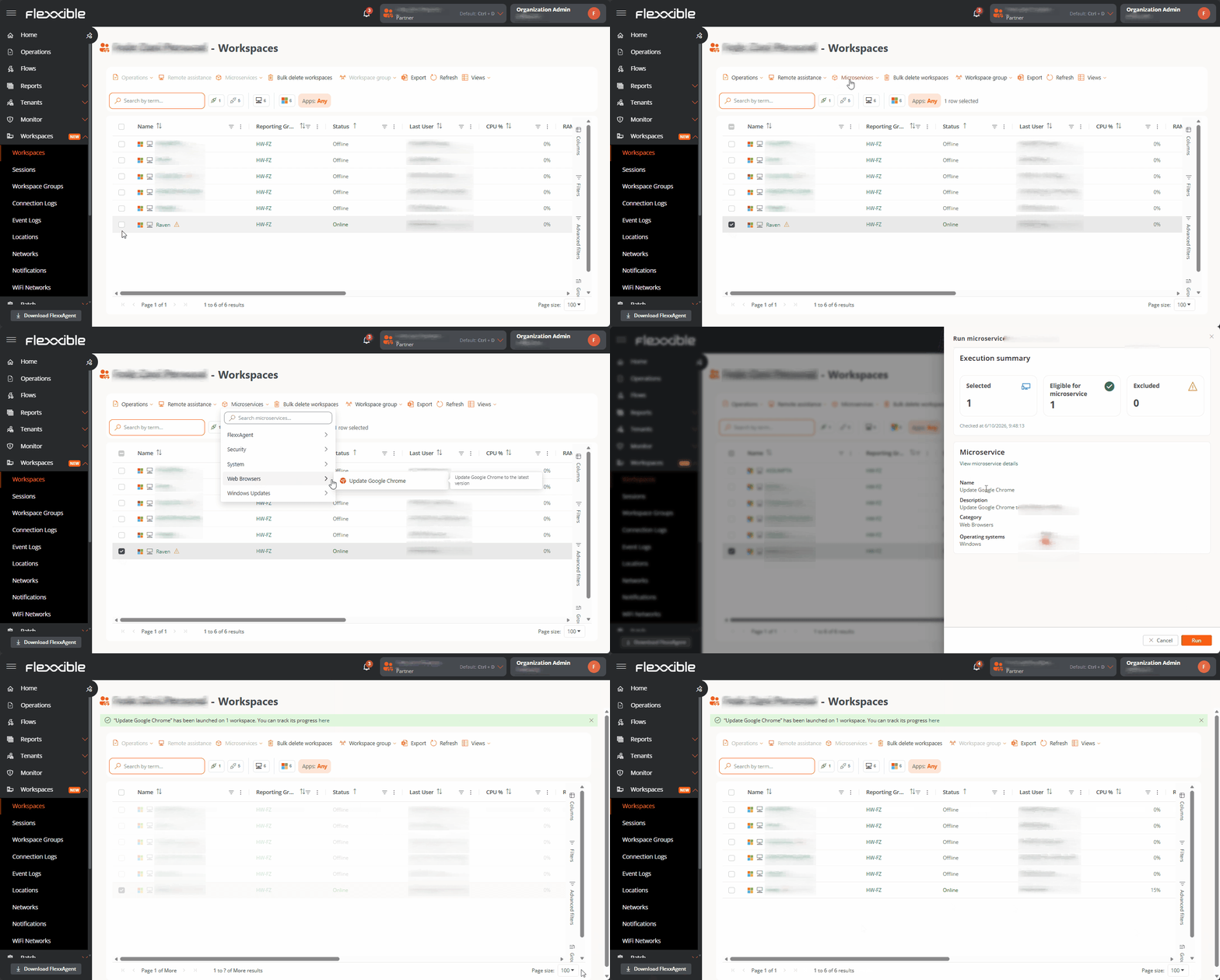
Microservice execution lets you run code securely on both devices and sessions. When microservices are run from the Workspaces view, they are system-type microservices. This means they run under the local\system identity, with low-level administrative permissions.For a microservice to be visible in the Workspaces view, it must meet two conditions:
Have the System context configured
Be in the Enabled state
To run a microservice on one or more devices from Workspaces:
Select the device or devices on which the microservice will run.
Open the microservices menu and select the desired microservice.
Confirm the operation.
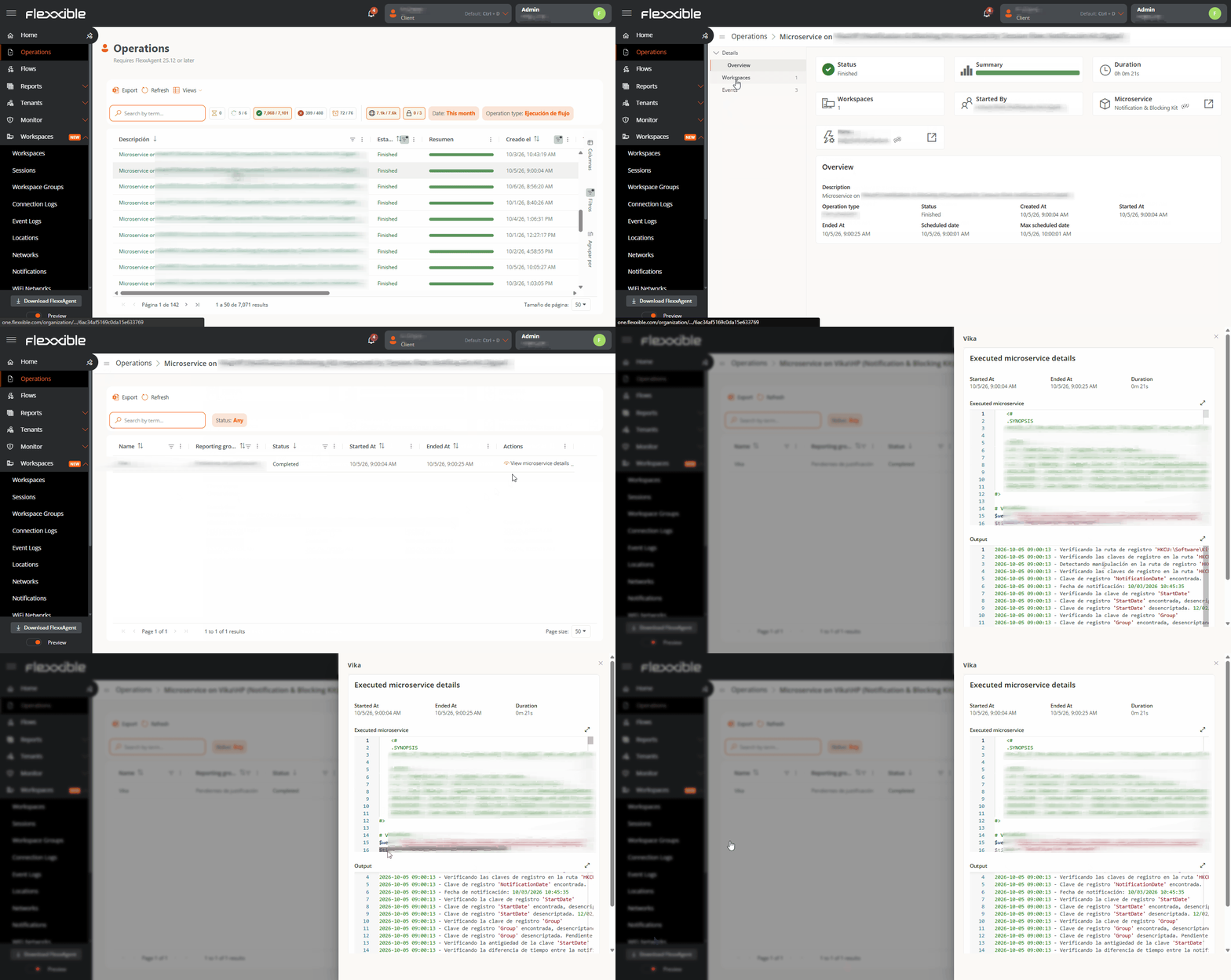
You can monitor the result of the execution in the Operations section.You can view the script output from the operation details within the Workspaces tab.
⌘I
Assistant
Responses are generated using AI and may contain mistakes.