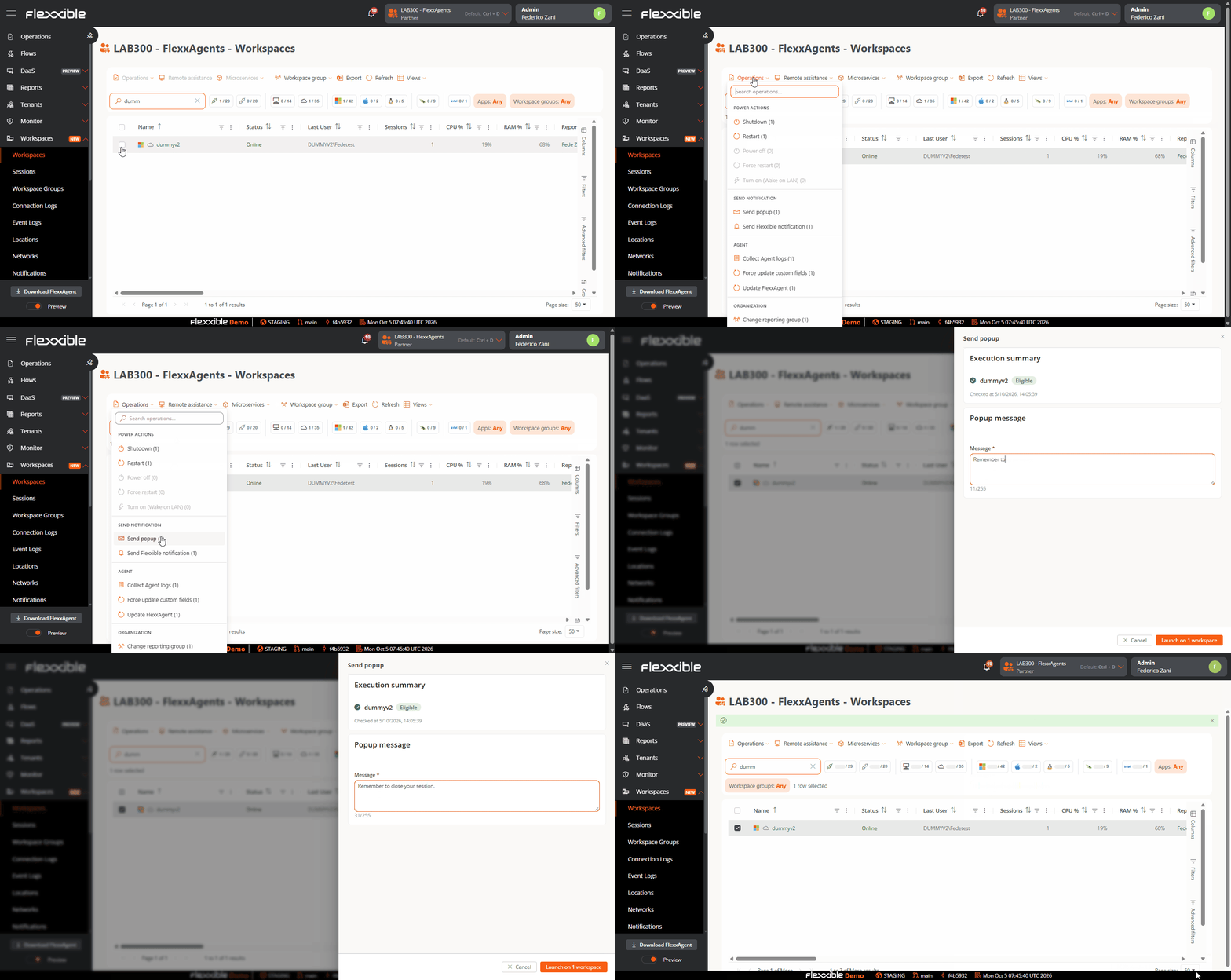
Portal offers two types of notifications to communicate messages to users effectively:
  • Pop-up messages
  • Notifications
Notification operations are available in both the Sessions and Workspaces sections.

Pop-up messages

They show the user a window that appears over the interface and can be closed with a single click. They are useful for communicating brief or one-off information without permanently interrupting work. The user in the session will receive the message through a pop-up window. userpop This type of notification is based on Windows system tools. If all devices or sessions are selected and a pop-up message is sent, it will only reach users who are working (in session) at that moment. If a user signs in to their session after the message was received, it will not be visible. On Windows, the pop-up message will remain visible until the user closes it or the session reaches a maximum of three days of activity. Time does not count while the session is locked or disconnected.
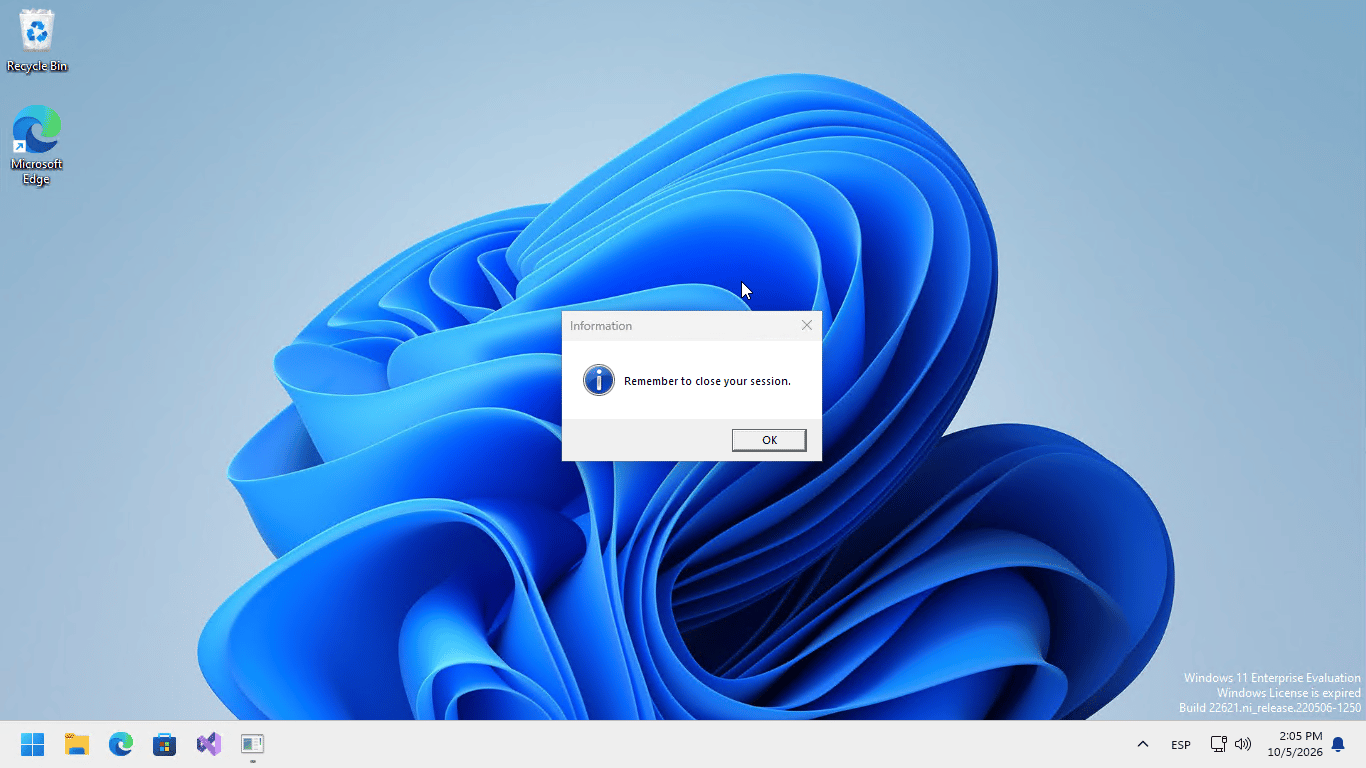
On Windows, the pop-up message will remain visible until the user closes it or the session reaches a maximum of three days of activity. Time does not count while the session is locked or disconnected.

Send pop-up messages

userpop From the Sessions or Workspaces view, after selecting the items (sessions or devices) to send the notification to, you can run the notification operation from the Operations menu: Once launched, you can monitor its result in Operations The user will receive a pop-up window with the content of the message: userpop For more information, see Notifications