

New releases
Workspaces
All the features available in the FWS module are now available in the new Workspaces view, including all filtering, administration, and device management features, and much more.New views added to Workspaces
All the views previously included in FWS are now included, with a refreshed look, improved features, and multiple options:New releases
Flexxible Assist
Flexxible Assist is Flexxible’s new remote assistance, based on HTML5 and run directly from the browser. Unlike remote assistance (FRA), which is only available on Windows systems, Flexxible Assist supports:- Windows 10 1809 or later
- Windows Server 2019 or later
- Fedora 40 or later
- Ubuntu 22.04 or later
- Debian 12 or later
- macOS 15 or later
Remote assistance (FRA) is still available as another option for helping users, and you can now choose the type of remote assistance through product settings or reporting groups.
Improvements
Improvements
Improvements
Sessions
This section includes new customization and analysis tools that allow you to tailor the tables to each user’s needs. You can now configure which columns are visible, apply filters and advanced filters, create data groupings, and use aggregated metrics to facilitate analysis and help locate information in environments with a large number of sessions.New releases
Digital Activity
This new feature is designed to analyze user activity and device usage to provide a comprehensive view of the digital experience within the organization.Digital Activity allows you to monitor usage indicators, identify usage patterns, and track changes in activity through consolidated metrics. The functionality is organized into different specialized views and allows you to configure the critical processes included in the analysis.Improvements
API Gen 2
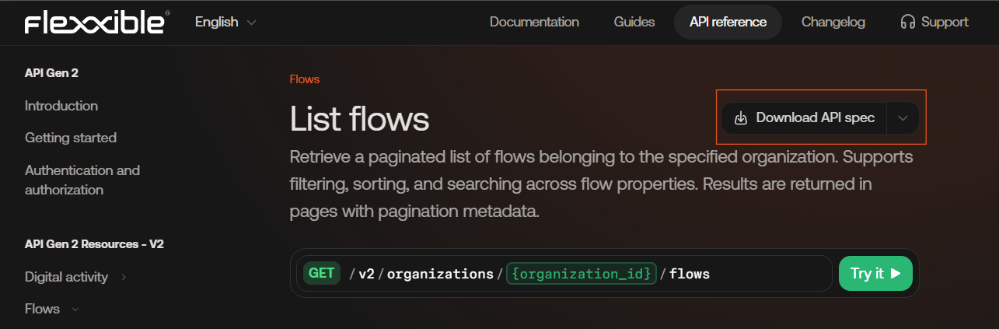
- New endpoints have been added for Users, Roles, Workspace Subresources, and Audits.
- The description of the Create operation endpoint in the OpenApi documentation has been improved.
- A new endpoint has been added to obtain the monthly support report by Reporting Group.
- All endpoints available in version 1.0.0 have been incorporated into version 2.0.0.
New releases
Web App license per user
You can now create Web Apps licenses per user to track the consumption of web applications based on the number of unique users that access them and to analyze potential optimizations from SAM.New releases
FlexxAgent
Version 26.6
Improvements
- Download buttons for the Linux and macOS agents have been removed from FlexxWorkspaces.
- Traffic to IoT Hub has been reduced on devices running Windows 7.
- The connection type is now preserved when a workspace goes offline.
- The MAC Address column has been renamed to MAC Address (WoL).
- The AnyDesk service is now configured to start manually.
- FlexxAgent Cross-Platform information has been added to infrastructure sync jobs.
- Backend support has been added for agent operations.
- Error handling for connections to IoT Hub has been improved.
- Critical events are now collected as errors.
- Detection of attended and unattended sessions in Flexxible Remote Assistancehas been improved.
- The PowerScheduleId and WorkspaceGroupId fields have been added to the operation audit records.
- The Owner column has been added to workspace notification details.
- Improvements have been made to the scheduled restart functionality.
- Excessive traffic to IoT Hub caused by errors in the agent’s automatic update has been reduced.
- API queries have been optimized.
- The CMDB configuration has been disabled and hidden.
Bug fixes
- Limited the repetitive resending of the agent configuration.
- Optimized the processing of MaxParallelMicroserviceExecutedNotification.
- Fixed an issue that caused Change Rep Group jobs to remain in Pending state.
- Improved Wake on LAN (WoL) performance through bulk script distribution.
- Fixed inaccuracies in the percentage of devices powered on via WOL.
- Fixed incorrect values in the notification date of alerts.
- Resolved mixed process information in diagnostics.
- Fixed the Secure Boot and BIOS Mode information shown in SystemSummary.
- Fixed errors during deployment and update via the API.
- Alerts are again generated correctly under low-performance conditions.
- Fixed Flexxible Remote Assistance notifications in unattended mode when multiple operators were connected.
- Resolved null reference errors in the Event Viewer.
- Added metrics on the duration of Flexxible Remote Assistancesessions.
- Fixed microservice jobs that were marked as completed before their execution had finished.
- Improved the moment at which the workspace’s last user field is updated.
- Fixed an issue that prevented microservice execution from completing when the target device was offline at launch time.
- Resolved issues during agent initialization when WARP is enabled.
- Fixed issues detected during regression testing of version 26.6.
- Fixed a bug that prevented the Network field from being cleared after a network change.
- Fixed display issues in workspace filters.
- Restored the Accept and Cancel buttons in attended Flexxible Remote Assistance sessions.
- Fixed incorrect results in Active Directory searches.
- Deleted non-unified agents are now updated to the latest available version.
- Resolved Event Log errors caused by duplicate machines.
- Fixed the behavior of FullTextSearchCriteria in dynamic workspace groups.
- Fixed an issue that returned empty responses in the job status of the getTaskStatus API.
- Reduced the time between the end of a Flexxible Remote Assistance session and the recording of the information in the database.
- Fixed an issue that prevented the Flexxible Remote Assistance form from closing when a Flexxible form was opened.
- Resolved infinite notifications of connected technicians caused by special characters.
- Fixed a bug that kept microservice execution forms shown to end users indefinitely in progress.
- Fixed an issue that prevented disk alerts from being generated on Ubuntu devices.
- Fixed the visibility of workspace operations related to sessions on Linux devices.
- Added support for the comma (,) character in workspace group names.
- Fixed an issue that prevented automatic patching from running in certain scenarios.
- Added validation for unsupported session microservice alerts.
- Fixed negative values in workspace uptime.
- Fixed the calculation of totals and averages of sign-in information.
- Fixed an issue where the Workspace Status filter included devices with Unknown status.
- Resolved issues related to the High Storage Flexxible alert.
- Fixed the visibility of Get Pending Changes jobs.
- Fixed issues during the bulk upload of reports to the platform.
- Fixed the inventory of installed updates after an update was removed.
- Fixed column sorting from the ListView context menu.
- Fixed an issue that caused Wake on LAN (WoL) jobs to remain indefinitely in In Progress state when multiple brokers were present.
New releases
Microsoft 365
Two new views have been added for managing and optimizing Microsoft 365 licensing:- Microsoft 365 Summary. Provides a global view of the organization’s license consumption and usage.
- Microsoft 365 Pricing. Lets you consult and manage the costs associated with each license type.
Improvements
Managing integrations with Microsoft Entra ID
The Microsoft Entra ID integration has been moved to the Organization section, centralizing the configuration of Microsoft Entra ID and Microsoft 365 services in a single location.Current location: Settings → Organization → IntegrationsThe new experience simplifies the management of integrations and is the entry point for enabling Microsoft 365 related functionality, such as the Microsoft 365 Summary and Microsoft 365 Pricing views available in the Software section.Previous location: Settings → IntegrationsNew releases
Web Apps
You can now monitor the behavior and performance of web applications from the end user’s perspective.Web Apps lets you detect latency issues, access errors, and service degradations, as well as analyze failure patterns and segment the information by network or reporting group.The functionality requires FlexxAgent 25.7.1 or later and a compatible extension for Google Chrome and Microsoft Edge.Improvements
Table customization in Workspaces
The Workspaces view incorporates new customization and analysis tools that let you adapt tables to each user’s needs.You can now configure the visible columns, apply filters and advanced filters, create data groupings, and use aggregated metrics to make it easier to analyze and locate information in environments with a large number of devices.Access settings - Reports
New controls have been added to manage the creation of private reports, read-only access to other users’ private reports, and automatic report scheduling based on the user’s role.New releases
FlexxAgent Cross-Platform
Version 26.01.501.211
- Antivirus detection is automatic only on Windows Client.
- Fixes an issue in the device identification cache that could affect virtual machines created from templates.
Version 26.01.501.208
Includes the following fixes:- UWP (Universal Windows Platform) applications are now correctly reported as installed applications.
- Fixed an issue where the initialization of Flexxible Remote Assistance could fail in certain scenarios after a clean system boot.
- Improved tolerance and optimized execution of session-level operations to avoid timeouts.
- Fixed the sending of initial microservice preparation logs that could cause confusion in diagnostics.
New releasesImprovements
Flexxible Remote Assistance
Remote assistance can now be launched directly from the platform, both from the Workspaces and Sessions views.Two new capabilities are also introduced:- Simplified security. Reduces the time required to start a remote assistance session by 50% to 85%, speeding up support work.
- Silent unattended FRA. Lets you perform remote assistance sessions without displaying on screen that the operation is being carried out.
Flexxible API Gen 2
The new version of the Flexxible API has been released, available in preview mode. This new generation is designed to offer:- A more consistent interface that is easier to integrate.
- Better security standards.
- Greater scalability
- Alignment with current integration needs.