

Before you begin
Verify that this feature is enabled at the Products and Reporting groups level.Start assistance from Workspaces
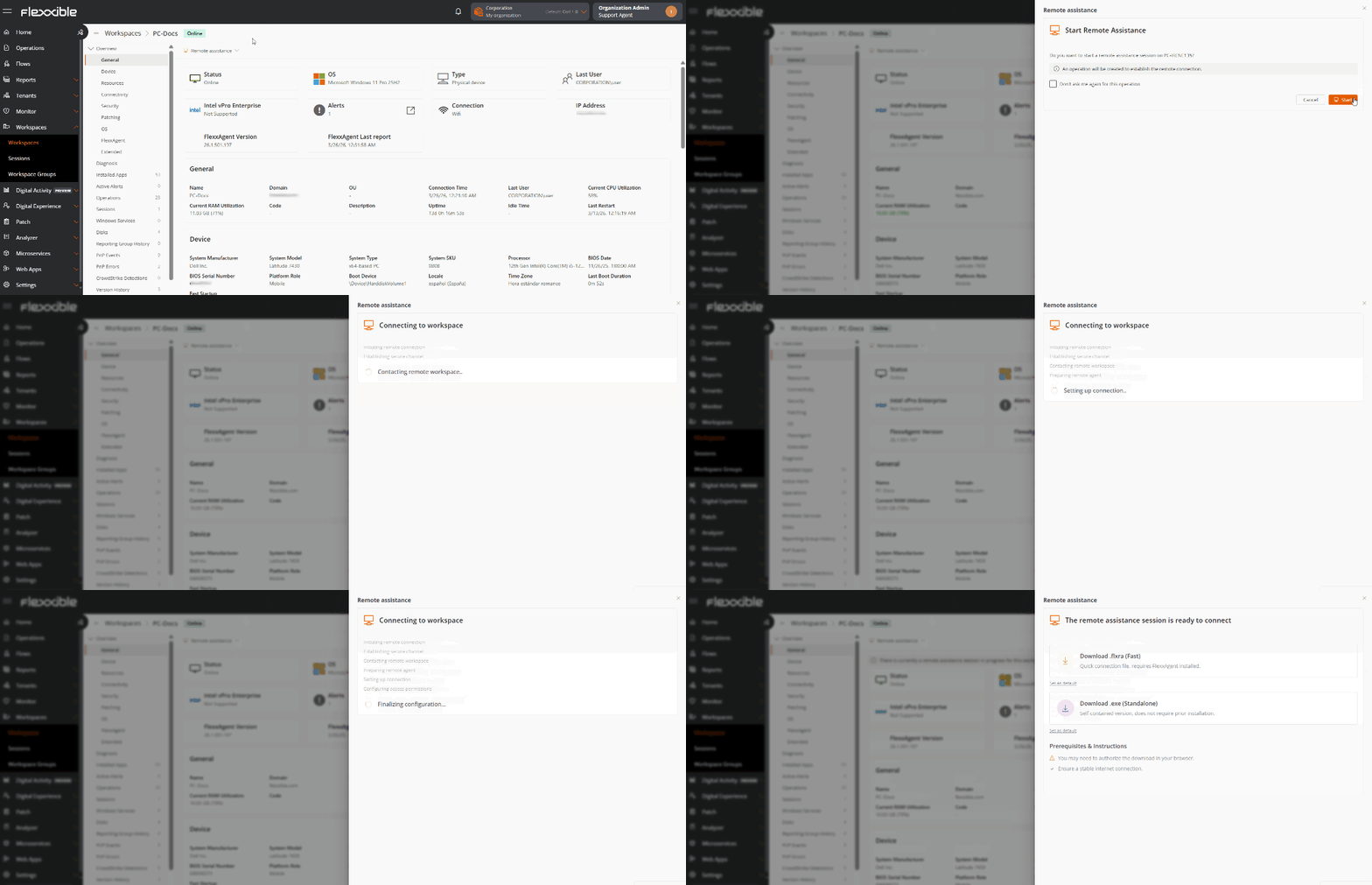
- Go to Workspaces.
- Select the device you want to connect to.
- Click Remote assistance.
- Select the connection mode you want.
- Download the generated connection file.
-
Run the downloaded file to start the remote session.
Start assistance from Sessions
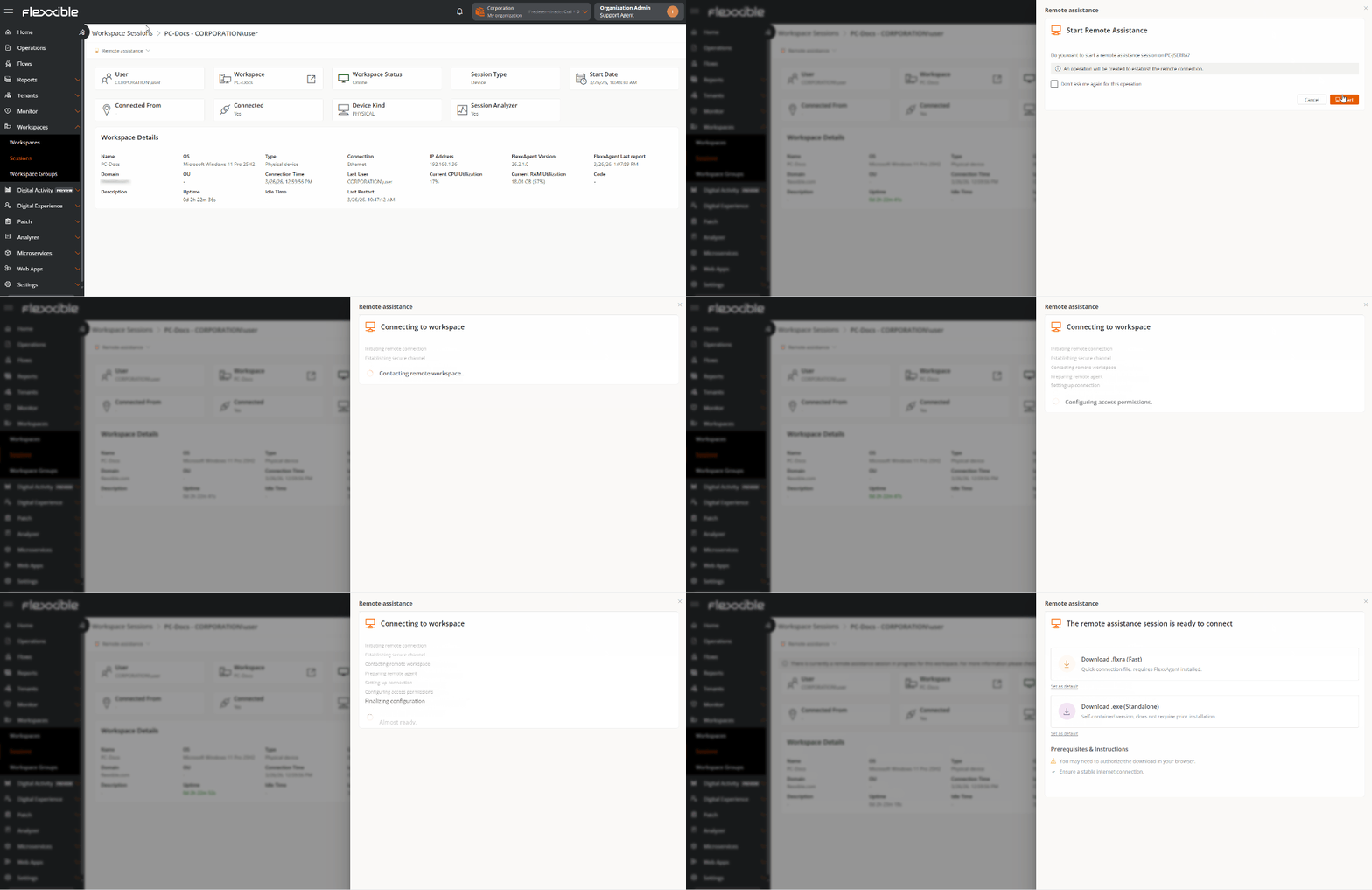
- Go to Sessions.
- Select the session you want to connect to.
- Click Remote assistance.
- Select the connection mode.
- Download the generated connection file.
-
Run the downloaded file to start remote assistance.
Connection modes
Flexxible Remote Assistance offers different connection modes based on the support scenario.Interactive (attended)
Requests the user’s authorization before starting the remote connection. This mode is suitable when you need to interact with the user while resolving the incident.Interactive and unattended
Lets you connect to the device without requiring user intervention. Geared toward devices such as servers or kiosks, it is especially useful for maintenance, administration, or support tasks outside of business hours.Dynamic
Automatically selects the most appropriate connection mode based on the device’s status:- If there is an active user session, an interactive connection is used.
- If there is no active session, an unattended connection is used.