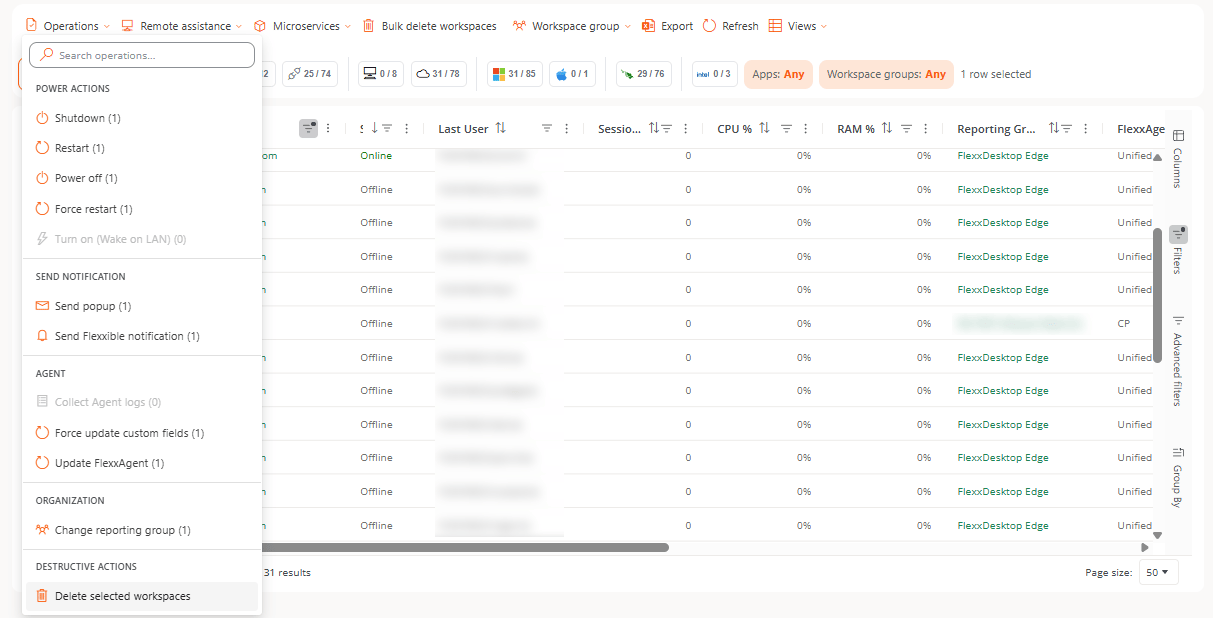
To delete one or more selected workspaces, use the corresponding option in the Operations button of the Workspaces section:Once you confirm the operation, you can check its result in the Operations section.
To prevent accidental mass deletions, this operation is limited to 50 devices.
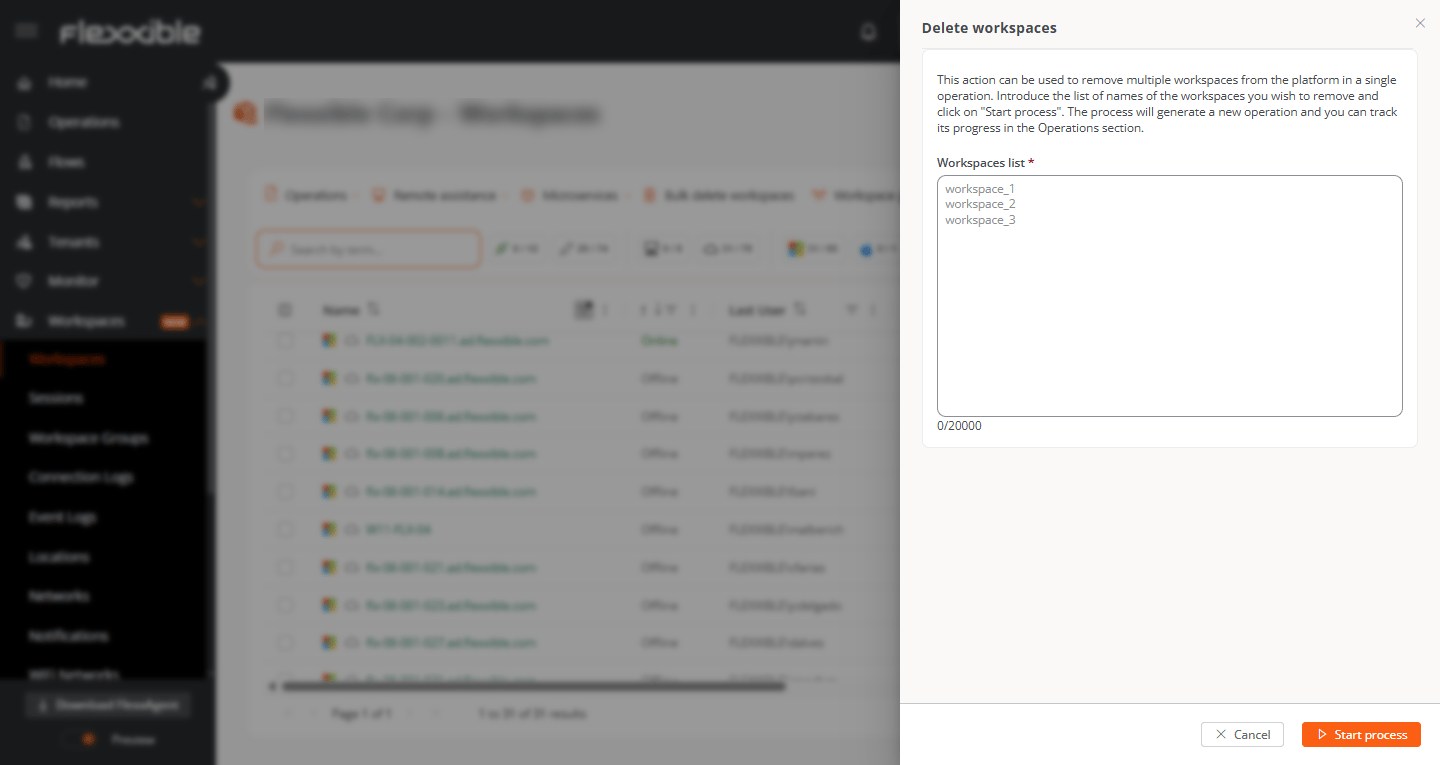
To delete multiple workspaces in bulk, once you enable the button for this option, enter a list of the names of the workspaces to delete:Once you confirm the operation, you can check its result in the Operations section.
Device deletion is not immediate. After you request the deletion, it may take a few minutes for the process to complete and for the device to stop appearing on the platform.
Even if you delete a device, if it has FlexxAgent installed and continues reporting, the device will appear on the platform again.
If you delete devices from several suborganizations, a separate operation is generated for each suborganization.
⌘I
Assistant
Responses are generated using AI and may contain mistakes.