

Available only in FXXOne environments, for users with the Organization Administrator role in partner-type organizations.
- Access link generation
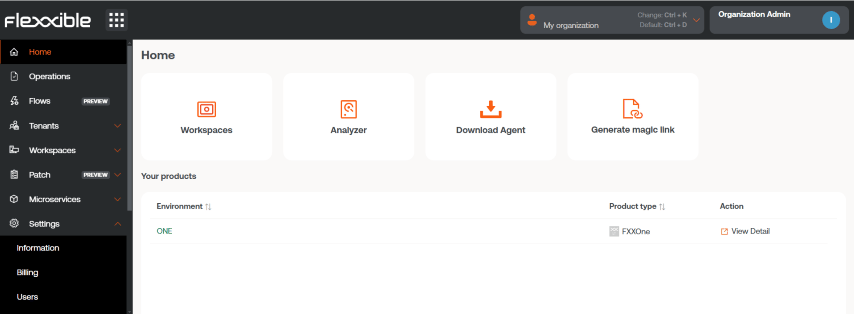
- Go to Home from the platform menu.
- Click Generate a magic link.
- Complete the form
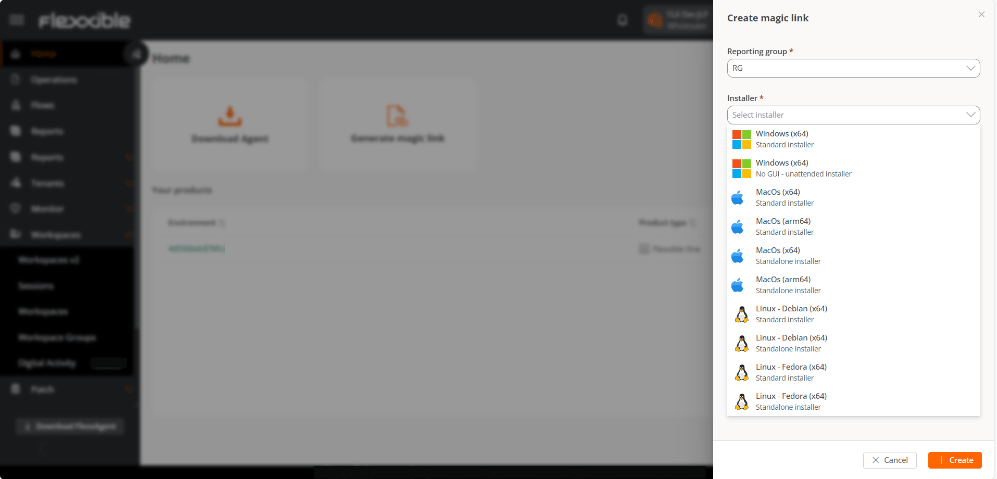
Specify:
- The reporting group associated with the link.
- The platform for which the installer is required.
- The number of days during which the link will remain active.
- Generate and copy the link
- Click New.
- Copy the generated link and click OK.
- Share and use the link
Share the link with the end user. To use it, simply copy it and paste it into the address bar of a web browser: the installer download will start and a confirmation page will be displayed.
- Revoke a magic link
If you need to invalidate a link before it expires:
- Go to Settings → Reporting groups and select the same reporting group chosen when creating the magic link.
- In the group details, select the Magic links tab.
- In the Action column of the table, click Revoke.
- Confirm the action by clicking OK.