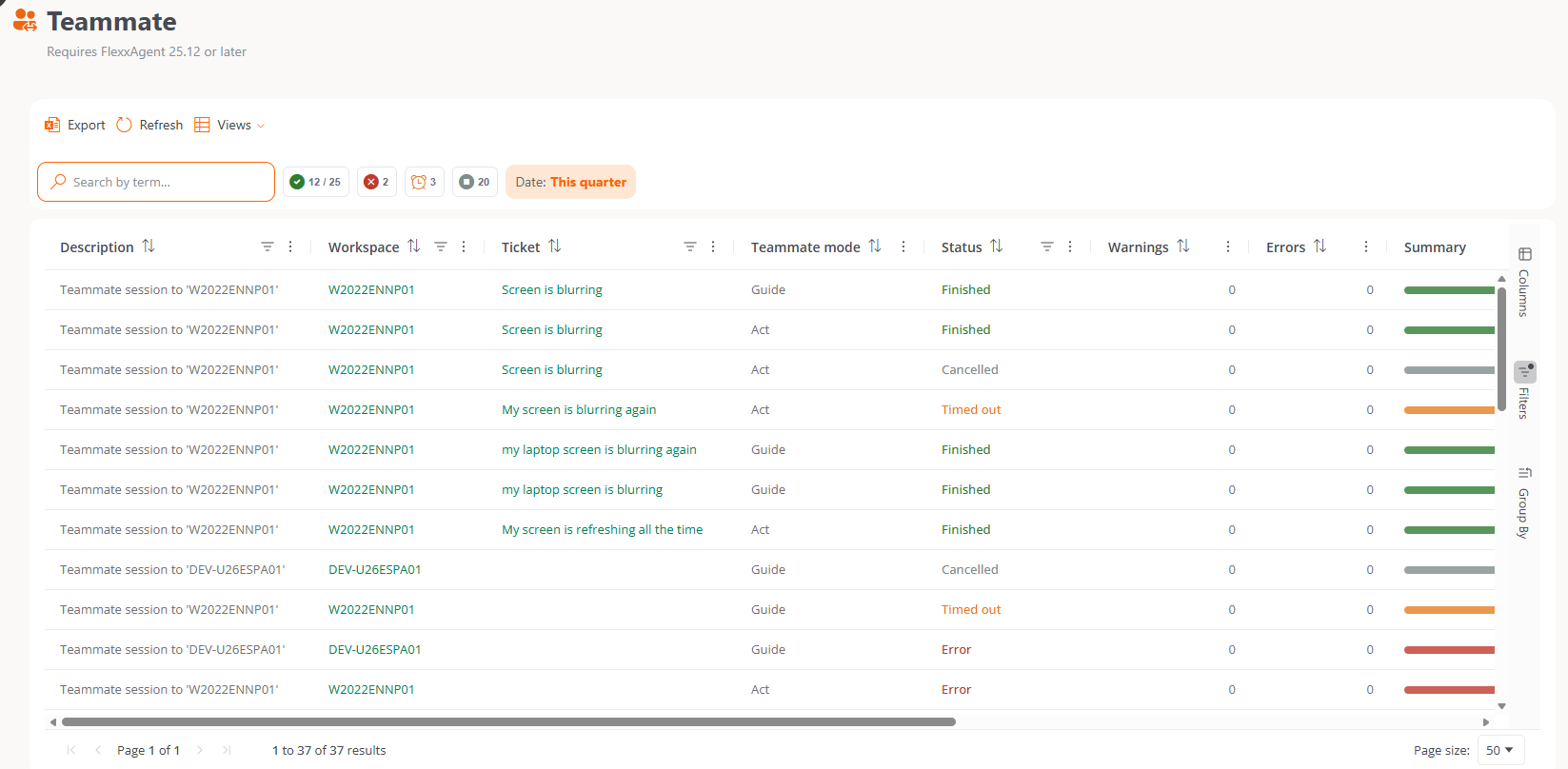
In the Flexxible Assist interface and documentation, the person providing assistance appears as the technician or operator.
Teammate Guide and Teammate Act
Teammate Guide
Teammate Guide points out elements on the screen and suggests the next steps. It doesn’t touch anything on the device: the engineer decides on and performs each action. In the settings and in the session toolbar, this mode appears as Guide. In the assistance report, it’s identified as Flexxible Assist Teammate Guide.Teammate Act
Teammate Act uses the mouse and keyboard to solve the problem and can run commands in the background. The engineer stays in control:- They approve each action before it runs.
- They can take control at any time.
Observe mode
Observe mode watches the screen and summarizes what is happening. It appears under that name in the settings and in the session toolbar.Session control
- The user authorizes the remote assistance. When the assistance requires consent, the user receives the remote assistance request and chooses Allow or Deny. See the remote session flow.
- The settings set the maximum. The Teammate maximum mode option determines the maximum Teammate level allowed in the session.
- The engineer approves each Teammate Act action and can take control at any time.
- The engineer can disable Teammate during the session if the Technician can disable Teammate option is enabled.
Requirements
Assist Teammate works within Flexxible Assist and has the same requirements: a supported operating system on the assisted device and FlexxAgent CP installed. Teammate is only available in Flexxible Assist, not in Remote Assistance (FRA). The Remote assistance page compares the two options.Configuration
Teammate is configured in the Teammate (AI) block of the remote assistance settings, at the organization or reporting group level:- Organization: Settings → Organization → Remote Assistance → Teammate (AI). The configuration applies to all reporting groups in the organization.
- Reporting group: Settings → Reporting groups → the group’s actions menu (···) → Remote Assistance. The configuration applies only to that reporting group.
- Teammate maximum mode. Maximum Teammate level allowed in the session: Observe, Guide, or Act.
- Teammate auto-start. Mode in which Teammate starts automatically when the session begins, or whether it does not start automatically.
- Technician can disable Teammate. Allows the technician to disable Teammate during the session.
All Flexxible Assist configuration changes are recorded in the audit log. See Flexxible Assist.
Cost
The cost terms for each Teammate mode are described in Teammate cost.Assistance report
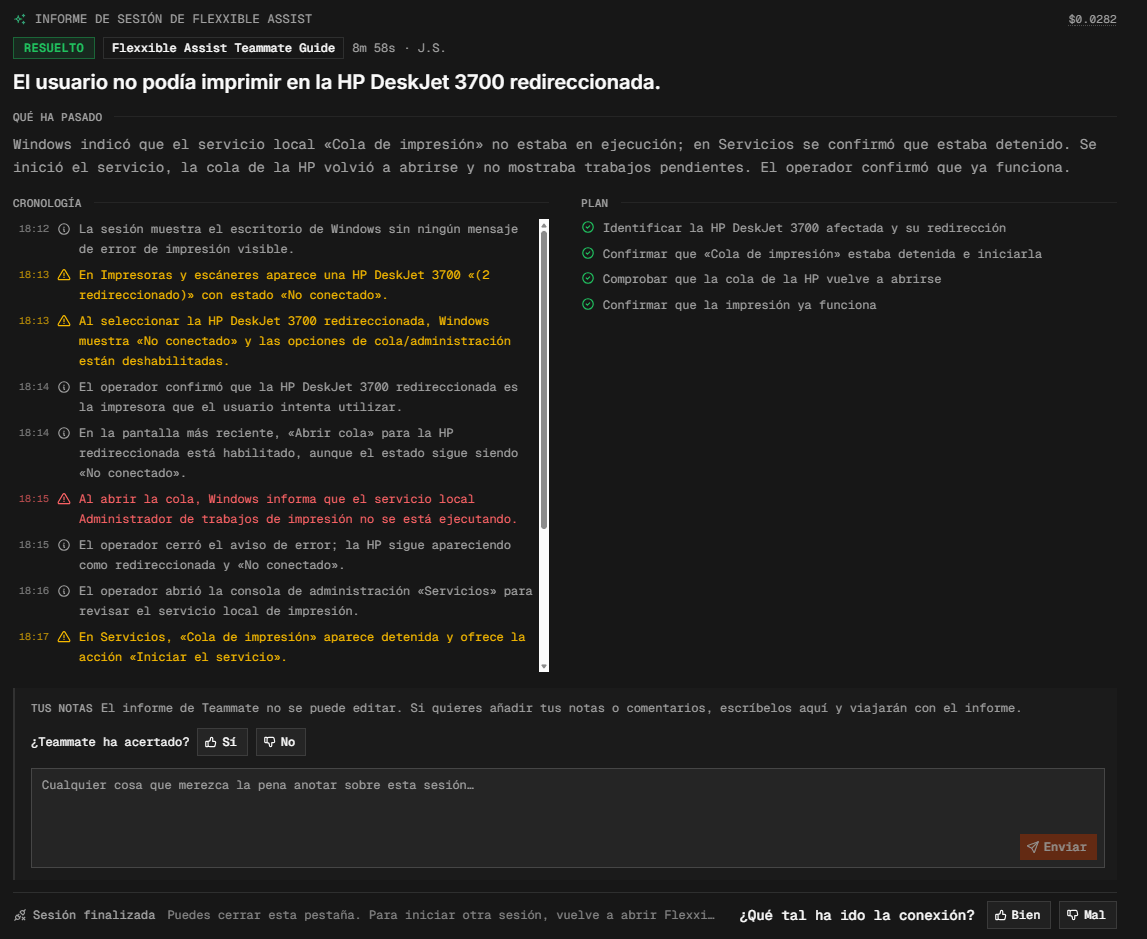
If Teammate is activated in Observe or Guide mode during the session, a report with the session summary is generated when the assistance ends:- A header with the cost, the status (for example, Unresolved or Resolved), the mode used, the duration, and the technician’s initials.
- A title summarizing the reason for the assistance.
- A “What happened” paragraph.
- The timeline of actions performed by the operator, with timestamps.
Session list