

G key followed by S.
/ key) finds any setting by its words. Back to the app, or the Esc key, takes you back to where you were.
Changes are saved instantly. Toggles show who last changed them and when.
Your account
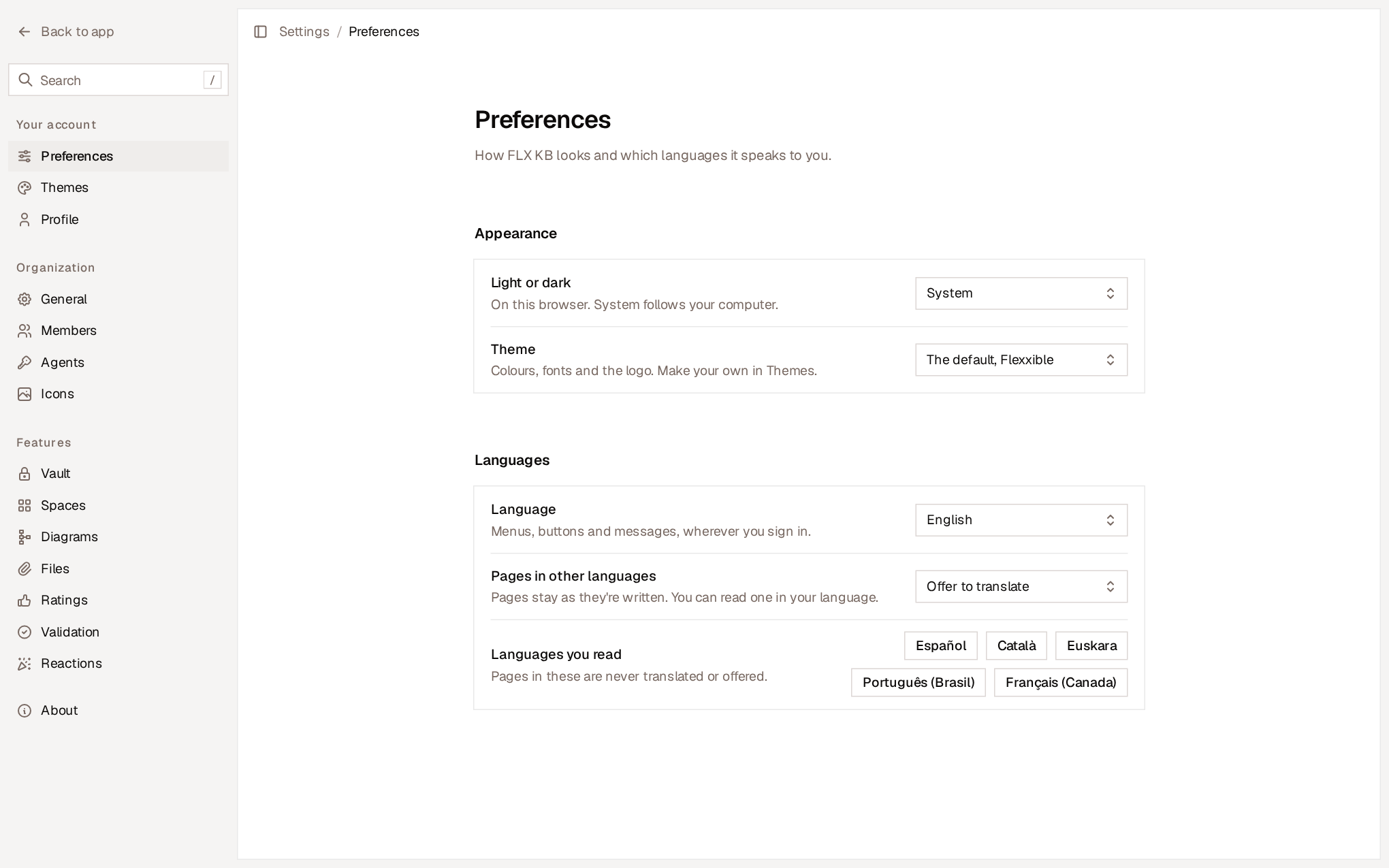
These settings are personal and don’t affect anyone else.Languages
- Language changes the menus, buttons and messages, on all your devices. Pages stay as they were written.
- Pages in other languages decides whether Flexxible KB offers to translate a page written in another language or translates it directly.
- Languages you read lists the languages you understand. Pages in those languages are never translated or offered for translation.
Organization
General
- Name. The organization’s name, which appears in the sidebar and in the organization menu.
- Address. The segment that all links to the organization’s pages start with, for example
kb.flexxible.com/tu-equipo.
Members
Members lists the people in the organization who have signed in to Flexxible KB, with their email address, role and date joined. Access is granted in Flexxible Portal: anyone with the right role on the organization gets in, and does so as an administrator of its knowledge base. To grant or revoke a person’s access, change their role in Portal. See Access and first steps. Agents don’t appear here, but in Agents.Agents
Agents contains:- The toggles for Flexxible Assist’s Teammate, Solve and Bot. See Flexxible Assist agents.
- Your agents and their keys, and the Connect an agent section. See Connect your own agents.
- Activity, with every call agents make to the knowledge base.
Icons
Icons manages the organization’s custom icons: a logo, a system’s brand mark or an animated GIF. Once added, anyone can use them in pages, spaces and reactions, from the Custom tab of the icon picker.- Add an icon. Anyone in the organization can add one, including by dragging or pasting the image.
- Formats. PNG, JPEG, GIF or WebP, up to 256 KB and from 16 to 256 pixels per side. GIFs can be animated.
- Rename and Delete. The list shows who added each icon and how many times it’s used. When you delete an icon, the pages, spaces and reactions that used it go back to their default icon.
Features
Each feature in this section has a toggle that turns it on or off for the whole organization. Only owners and administrators can change it.Turning off a feature never deletes data. What was there is kept and comes back as it was when the feature is turned on again.
Files
Files controls the files attached to pages and shows their limits:- File storage. How much space the organization’s attached files take up out of the total available. Images in pages don’t count.
- Largest file. The maximum size of a file.
- What can be attached. The supported file types.