

Ratings
Rate a page
With ratings turned on, every page asks its reader: Was this page helpful?- Select Helpful or Not helpful.
- If you choose Not helpful, you can add a comment about what was missing or what was wrong. The people who write the pages see it in Ratings, with your name.
- You can change your rating at any time. If the page changes after you rated it, it lets you know so you can rate it again.
The Ratings screen
Ratings, in the sidebar, shows what readers said and what’s worth fixing first.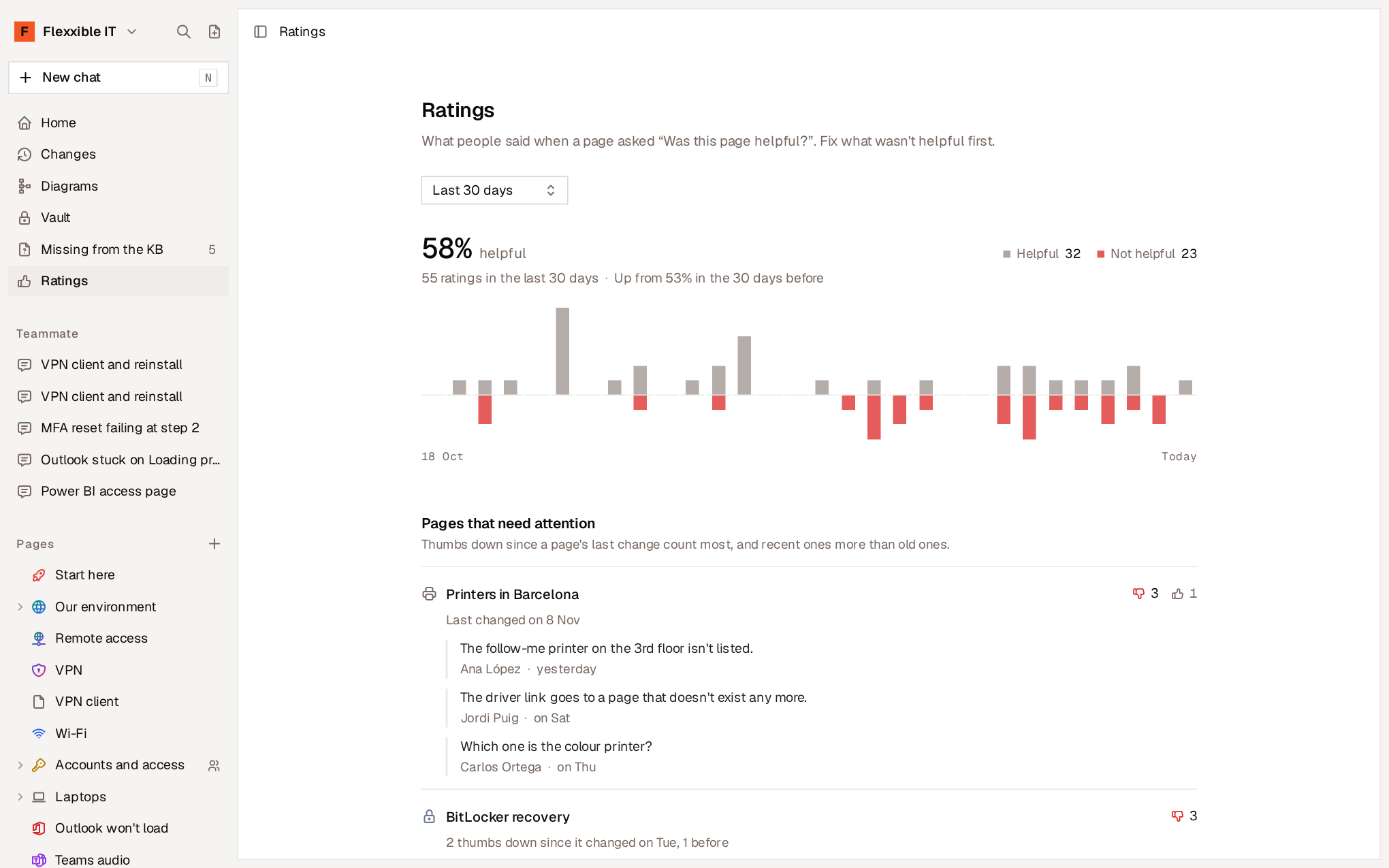
You can filter by Period (last 7, 30 or 90 days) and, if you use spaces, by Spaces.
Turn ratings on or off
In Settings → Ratings, select Turn on ratings. When you turn them off, pages stop asking and Ratings disappears from the sidebar, but no rating is deleted.Reactions
Give a reaction
With reactions turned on, each person has a number of reactions to give to the pages that have helped them. Reactions are given from the page itself, in Reactions.- Each person receives an allowance at the start of each day, week or month. Whatever isn’t given doesn’t carry over.
- The page shows how many you have left and when you’ll get more.
- Select a reaction again to take it back.
- You can’t give a reaction to a page written only by you.
The Leaderboard
Leaderboard, in the sidebar, shows who wrote the pages that received the most reactions, and which pages those are.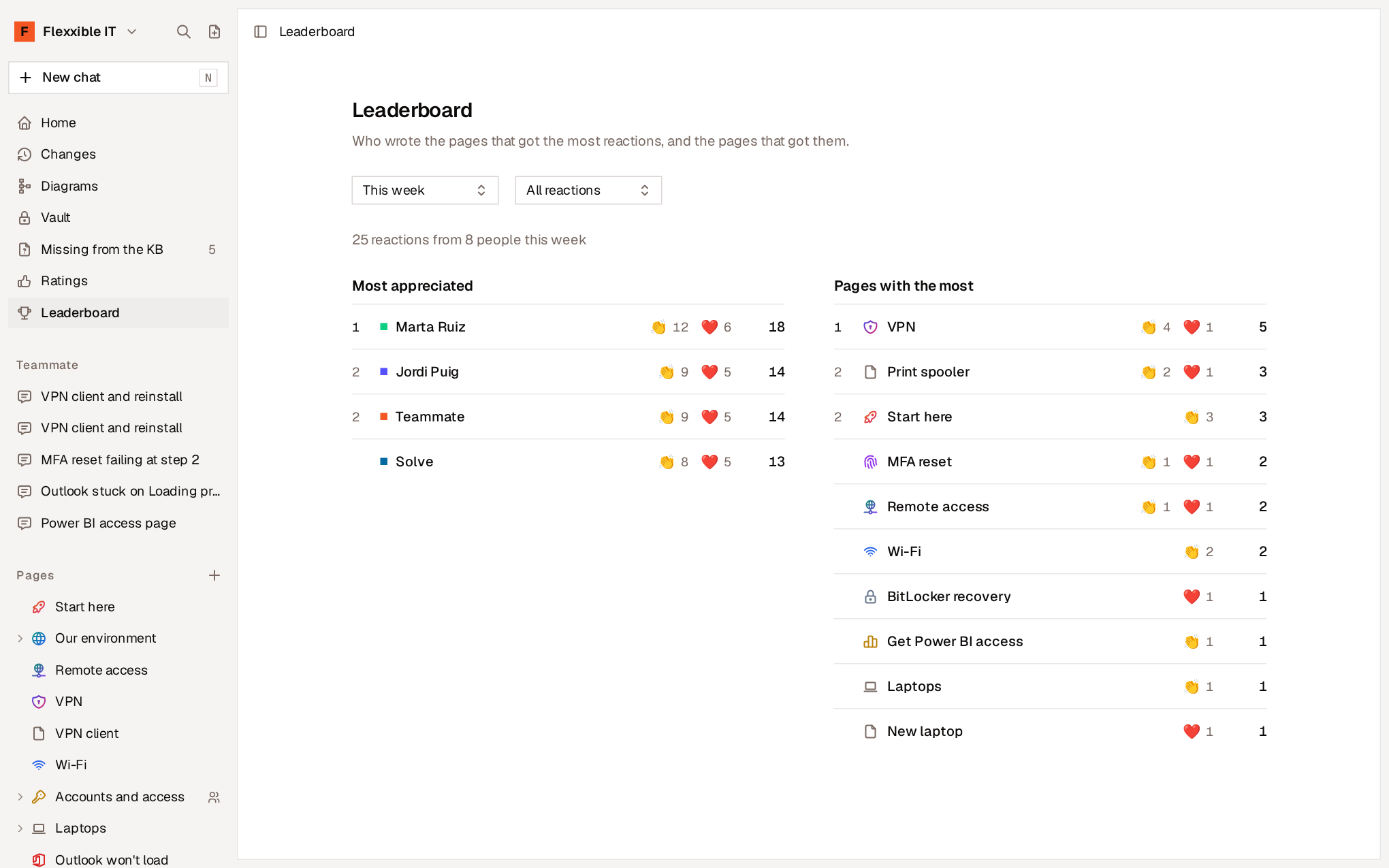
- Top rated. The people and agents whose pages received the most reactions.
- Pages with the most reactions.
Configure reactions
In Settings → Reactions, an owner or administrator decides which reactions exist. The first one is created when the feature is turned on. For each reaction you can define:- Name and icon. The icon can be an emoji or one of your organization’s custom icons.
- Amount each person receives and period: per day, per week or per month.
- Unlimited. An unlimited reaction has no amount: each person can give it to as many pages as they want, once per page.
- You can reorder reactions and remove the ones you don’t use. What was given with a removed reaction still counts in the Leaderboard.
- A change to the amount or period applies right away: each person has the new amount in the current period, minus what they’ve already given. Nothing already given is taken back.
- Periods start based on UTC time.