

What has changed since you read it
Flexxible KB remembers which version of each page you last read. If someone changes it afterwards:- The page tree shows a green square next to the page.
- Pick up where you left off, in Home, shows who changed it and in which section.
- When you open the page, below the title you can see who has changed it since you read it, and the text that changed is highlighted, with a label showing the author and the time.
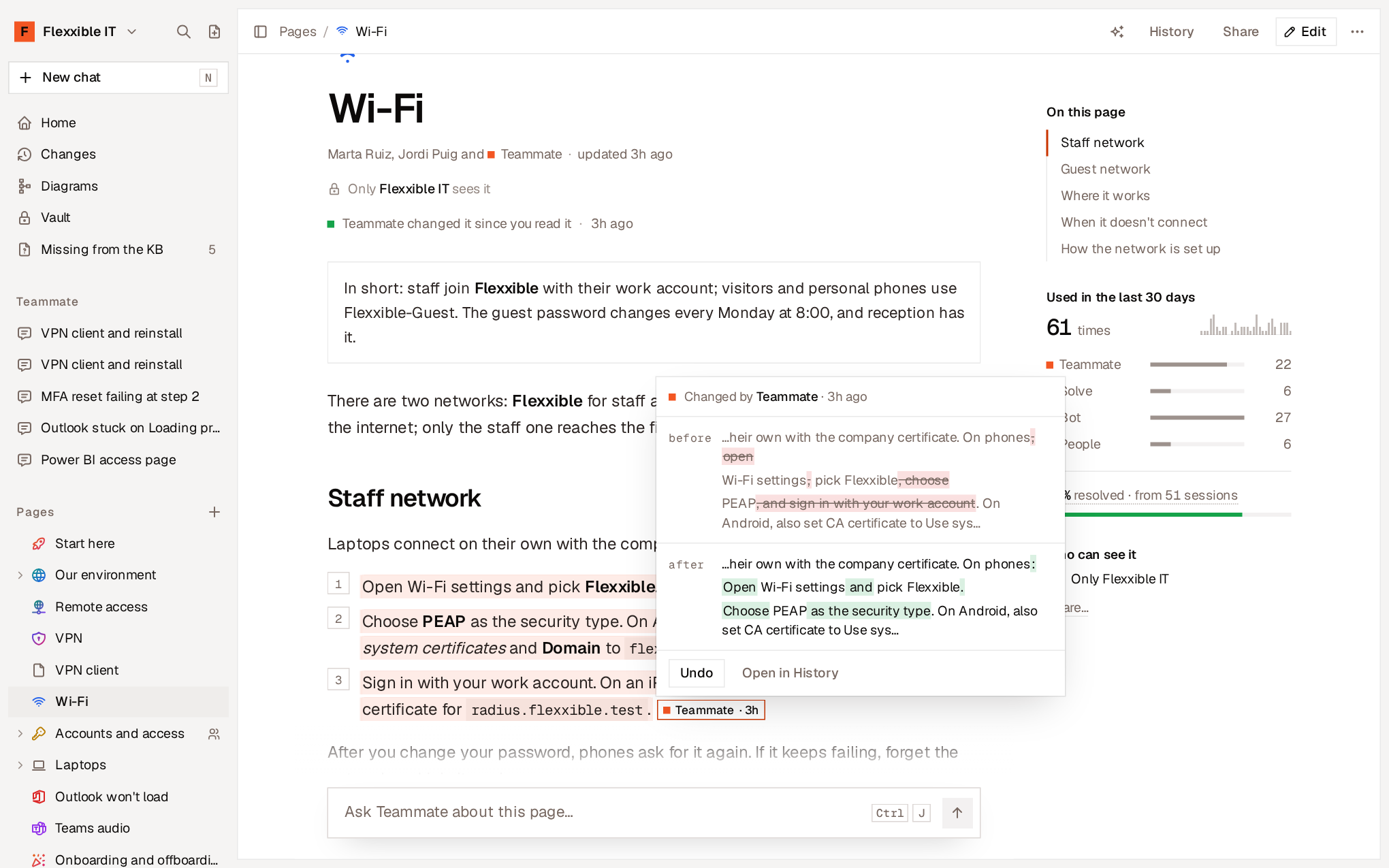
- Undo reverts that change instantly. The card then shows Undone and offers Redo.
- Open in History takes you to that change within the page’s history.
R key), which brings in the already marked changes.
Page history
History, in the page header or with theH key, shows all the changes people and agents have made to it, from newest to oldest.
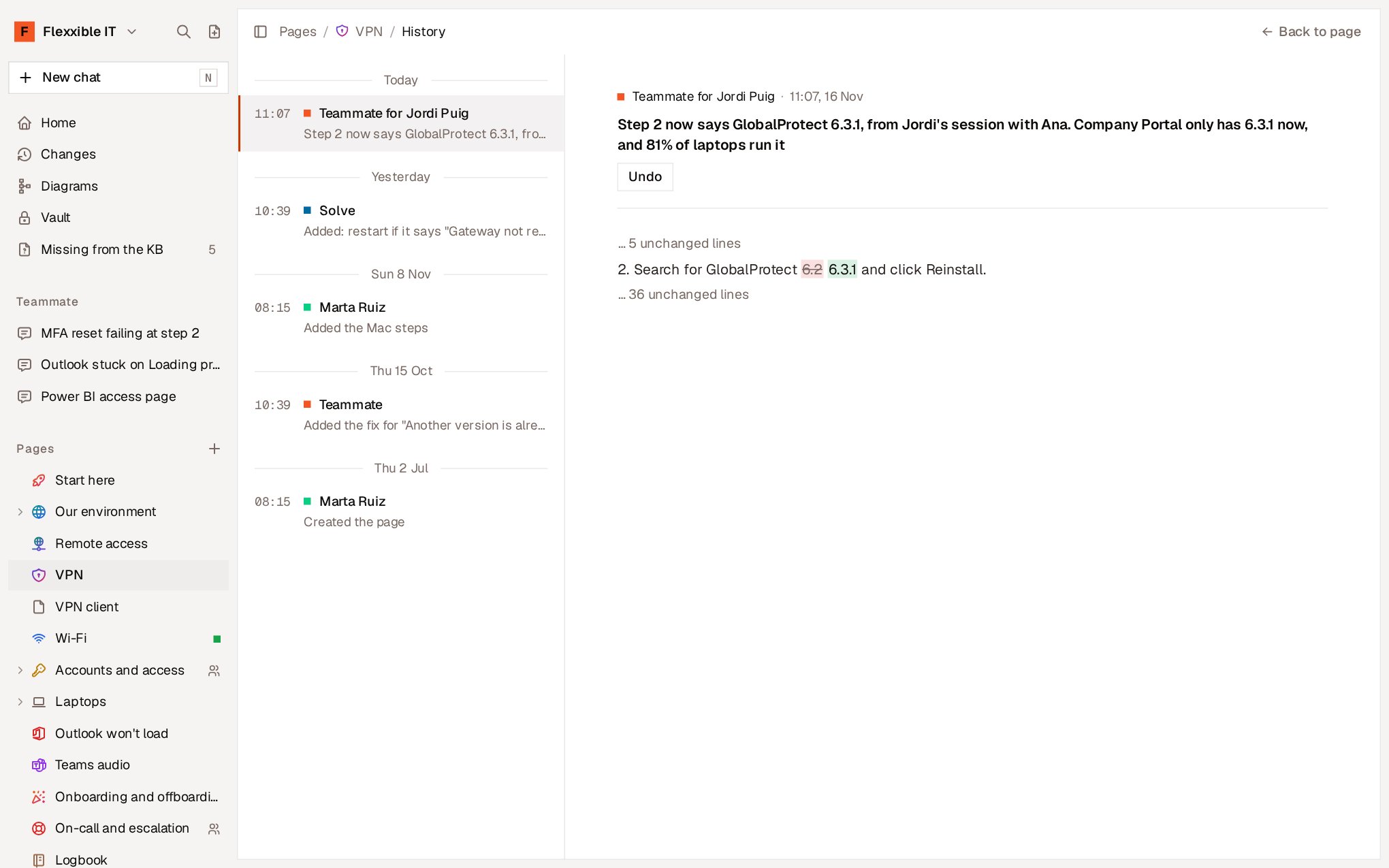
- Undo that specific change, leaving later ones intact (
Ukey). - Restore this version, so the page says again what it said then (
Rkey).
J and K move to the next and previous change. Esc returns to the page.
Restoring a version is itself one more change in the History. Nothing is lost: it can also be undone.
When a change can’t be undone cleanly
If later changes have touched the same text, Flexxible KB can’t undo the change without overwriting them and says so: “Couldn’t undo cleanly: later changes touched the same text”. In that case, restore the version you want to recover or edit the page by hand. The change that created a page can’t be undone from the History: to do that, delete the page.Organization-wide changes
Changes, in the sidebar, gathers every edit to every page, by people and agents, with the most recent first.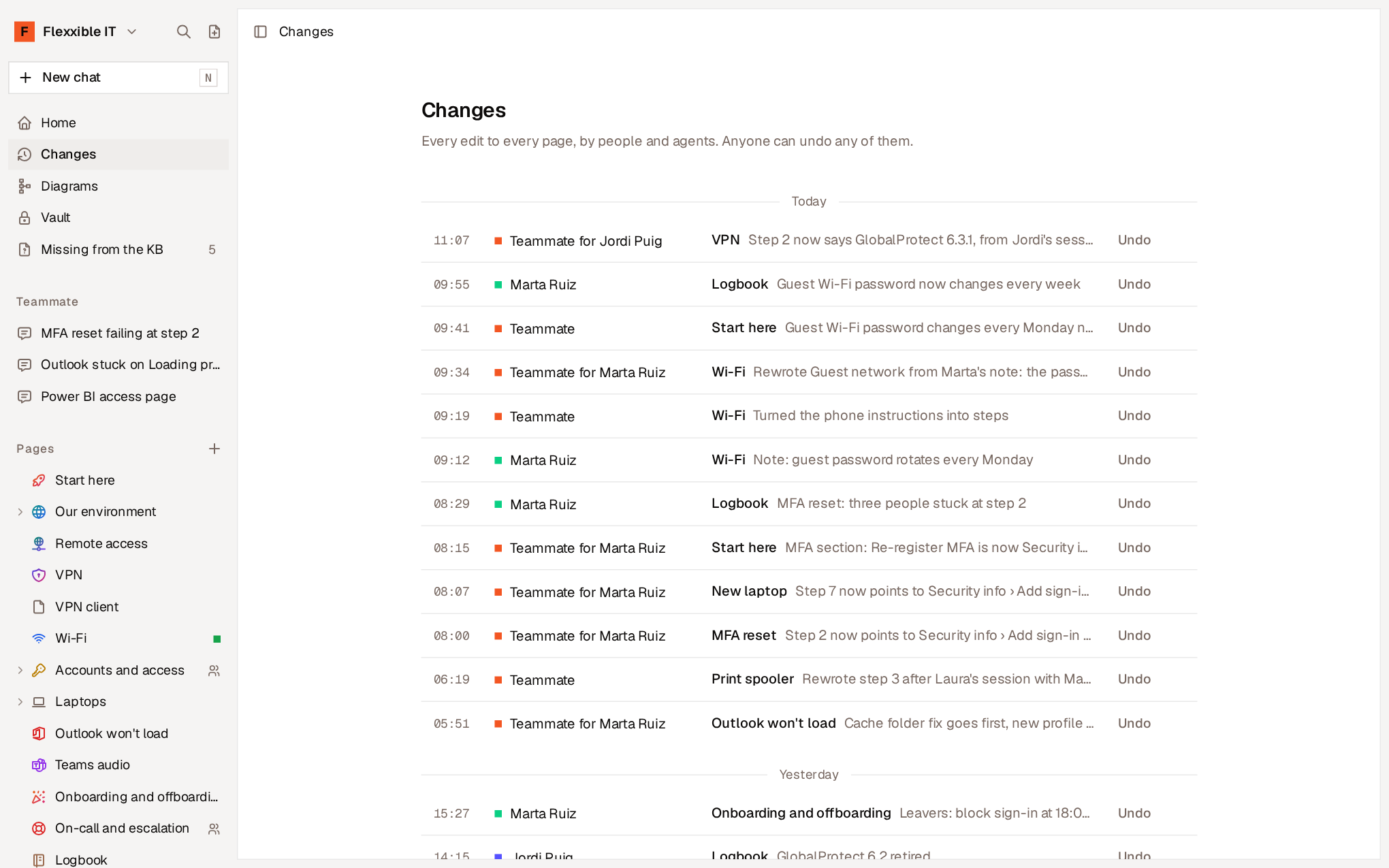
Deleted pages
Deleting a page can also be undone:- The notice that appears when you delete it includes Undo.
- Later on, the page’s address shows that it has been deleted and offers Restore, along with the pages it had inside.