

Ctrl + K (⌘ + K on Mac) or with Search, in the sidebar.
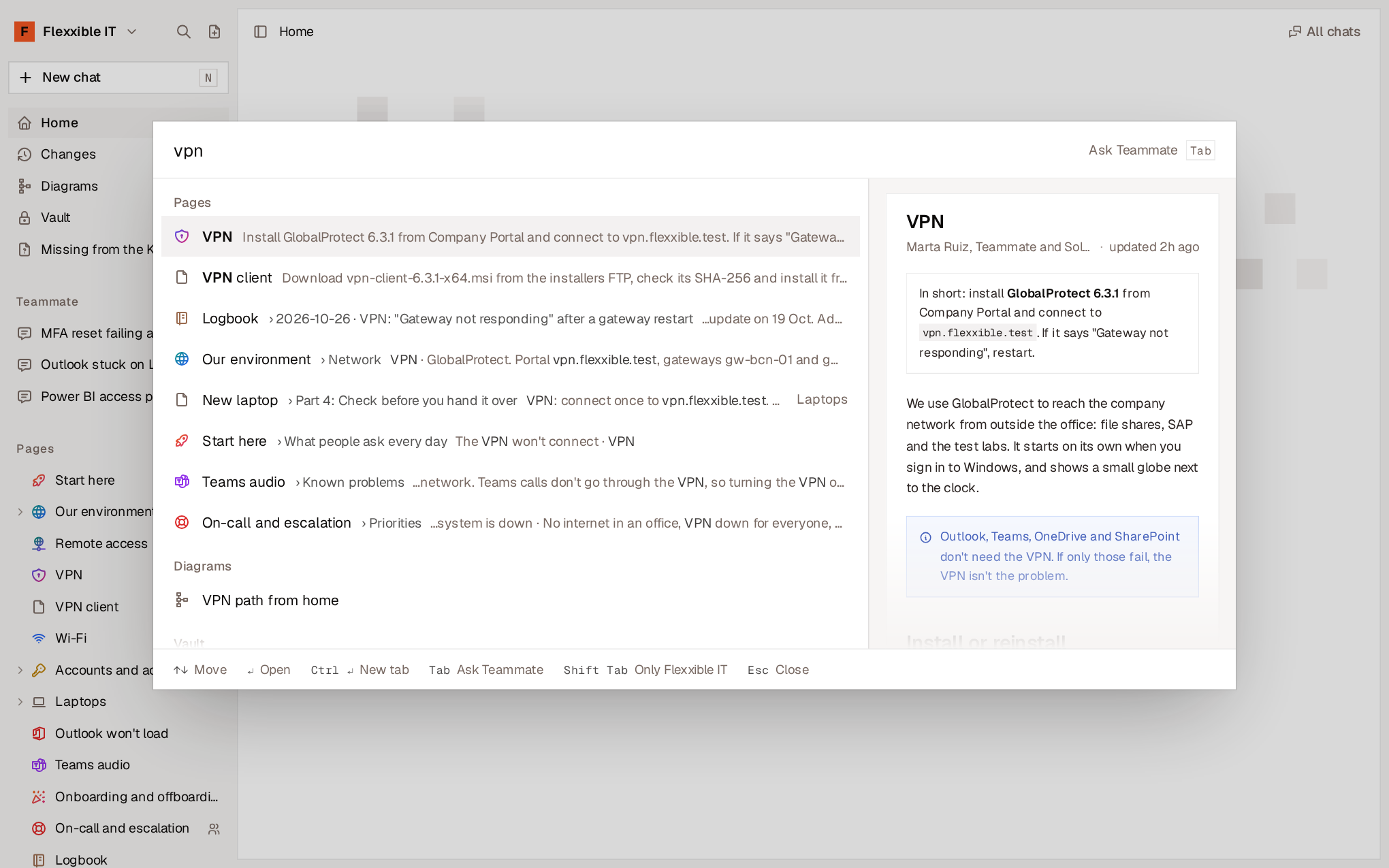
Search pages
Type what you’re looking for. Search combines two criteria:- By meaning. Finds pages about what you’re asking even if they don’t share words with your search.
- By words. Finds exact matches, such as a team name, an error code or a version.
Enter opens the page at that section and Ctrl + Enter opens it in a new tab.
Besides pages, the palette finds:
- Credentials in the Vault, by their name, host or user. Never by their value.
- Diagrams, by their title, their words or the pages they’re on.
- Your chats with Teammate.
Shift + Tab limits the results to your organization’s pages.
Ask Teammate
If you type a question instead of a few words, the palette offers Ask Teammate. PressTab to ask what you’ve typed. Teammate answers in a new chat, based on your pages. See Teammate.
If no page matches, Enter asks Teammate directly.
Run commands
Without typing anything, the palette shows the available commands, grouped, each with its keyboard shortcut. Some depend on what you have on screen.Other places to search
- Settings has its own search box, which finds any setting by its words (
/key inside Settings). - The Vault and the Chats list have their own filter (
/key). - Diagrams includes a search by title, by words in the diagram or by the page it’s on.