

Control elements
Per-category handling
Triage classifies each ticket into a category. Solve coordinates actions based on the case, the category, and the policies you’ve configured. When deciding on the handling, keep in mind that a category isn’t the same as a guaranteed repair. See What it means for an issue to belong to a category. Per-category handling doesn’t affect the direct help of Assist Chatbot, which doesn’t depend on triage or the ticket category and remains subject to its action limits and permissions.Approvals
Approvals let a person review an action before it runs. In Teammate Act, the engineer approves each action and can take control at any time. Teammate Act assists the engineer during remote assistance; it doesn’t perform unattended repairs. See Assist Teammate. An action waiting for approval hasn’t run yet. See Interventions and results to interpret what happened in each case.Consumption control
Solve includes consumption control concepts such as the model tier, the per-ticket allocation, and the monthly spending limit. In the Solve trial, consumption is measured in interventions. See Interventions and results. Using Assist Teammate has its own cost terms.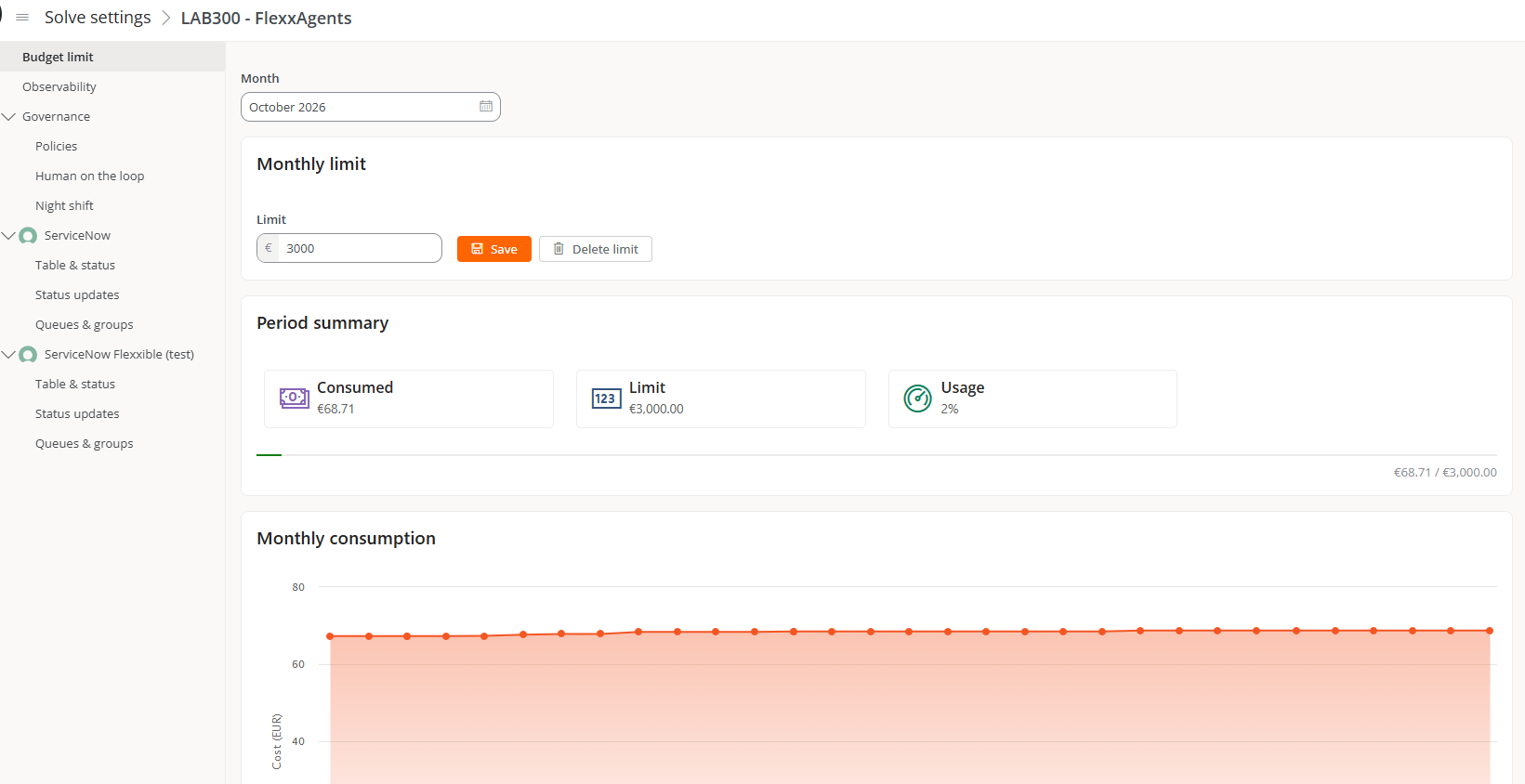
Off-hours support
Many employees work when the Service Desk isn’t available: at night, on weekends, or during other periods outside regular hours. Without coverage, their issues wait until the next support period. Solve’s off-hours mode extends coverage to those periods and lets you apply a specific configuration outside regular hours.What it does by default
By default, off-hours mode applies automatic self-remediation to the categories, except for specific exclusions.What doesn’t change outside regular hours
- Limits stay in place. The technical and action limits of each case still apply. An out-of-scope issue doesn’t become repairable just because it’s nighttime.
- Exclusions are respected. Automatic self-remediation isn’t applied to what’s excluded.
- It’s not a guarantee. Off-hours coverage extends support, but it doesn’t guarantee that every case will be resolved, nor is it an availability commitment.
What to review before using it
- Which exclusions apply.
- The applicable approvals.
- The consumption control concepts.
Proactive support with Flows
Solve’s proactive support uses Flows. Flows run microservices and currently require FlexxClient. Assist Autonomous agentic repairs are a separate capability. Each flow’s configuration offers its own controls, including:- Detection only, to evaluate the conditions without running the microservice.
- Reuse time, to set the minimum time before re-evaluating a condition that has already been met.
- Target, to choose the devices or groups it runs on.
- Enabled, to turn the flow on or off.