Microsoft 365 Pricelist
This section allows you to check and manage the prices used to calculate the costs and potential savings related to Microsoft 365 licenses.
The amounts configured in this table are used as reference in the informational panels of the Microsoft 365 Summary section and in the reports generated for license optimization categories.
By enabling Microsoft 365 licensing, the platform automatically creates a table with default prices for the detected licenses. However, these values can be modified to match the organization's actual costs.
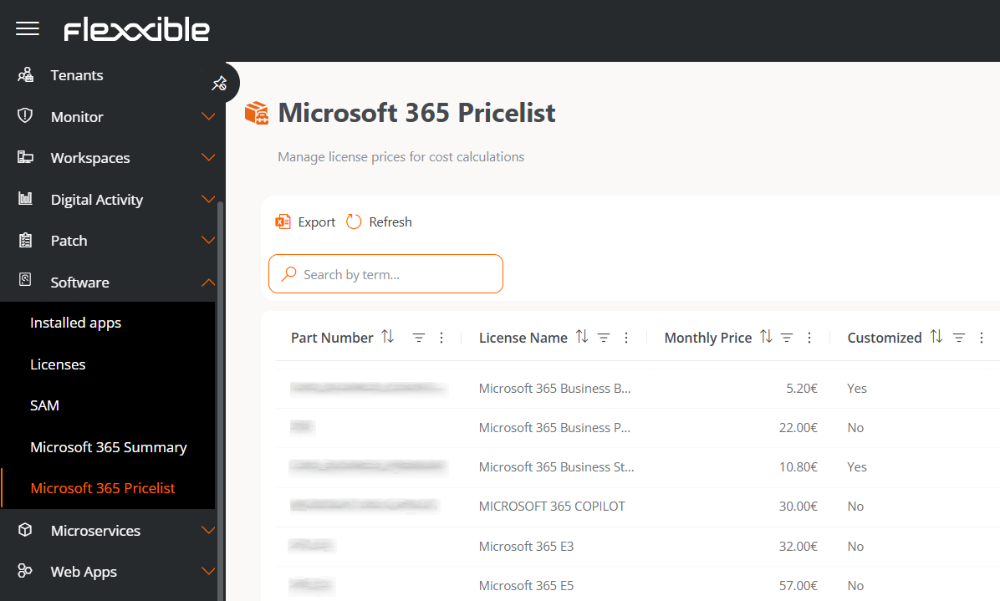
Table info
The table shows the following information:
- Product Code. Reference code for the license.
- License. Name of the license.
- Monthly Price. Monthly price used for savings and optimization calculations.
- Default Price. Indicates whether the price corresponds to the default value provided by the platform or a custom value defined by the organization.
Modify the monthly price
The Monthly Price column allows direct editing of the amount used for cost and potential savings calculations.
To modify a value, double-click the relevant cell and enter the new amount.
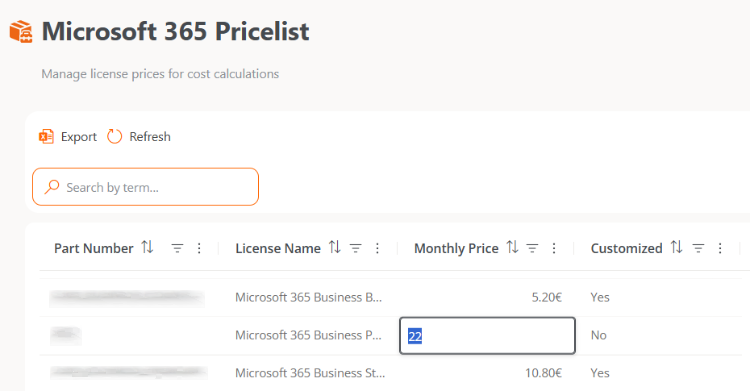
Changes made to prices are not immediately reflected. The new values will be applied during the next synchronization process, which runs automatically once a week.
Synchronization runs are logged in the Operations section.