Microservices Marketplace
Marketplace provides a wide list of microservices that can be used without deep computer knowledge, as they are ready to be enabled and executed right away.
The overview of Marketplace offers microservices in block or table format. In both cases, if the microservice shows a green dot it means that it is enabled and can be run directly from the Workspaces module, if the dot is gray, it means that it is not.
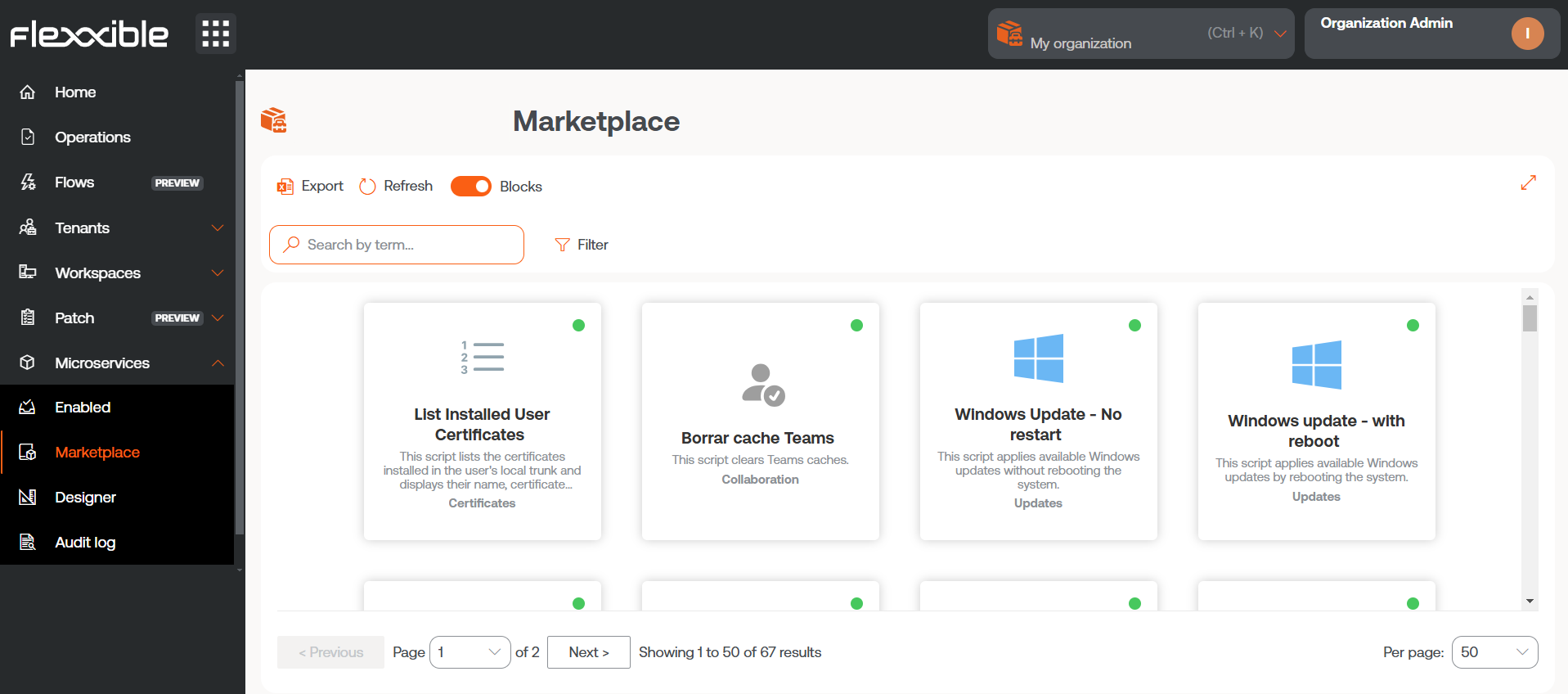
Microservice detail
Clicking on a microservice in the table allows access to its detailed view, divided into seven tabs:
Overview
It displays general information about the microservice, including its description, development language, compatible operating system, execution context, author, and creation date, among other relevant data.
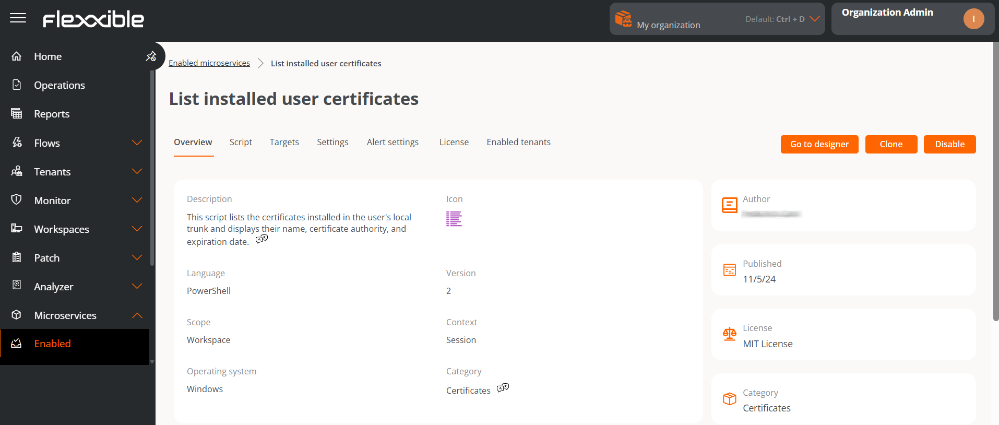
From this tab, three main actions are available:
-
Go to designer
Opens the Designer section. Allows editing the microservice configuration through the following tabs:
- Overview. General data of the microservice.
- Code. Source code of the microservice.
- Privacy. Information about the visibility of the microservice.
- Targets. Conditions for the execution of the microservice.
-
Execution of FlexxWorkspaces
Shows roles with permissions to execute the microservice in the Workspaces module. The column Allow execution indicates the roles authorized to execute it at the Workspace group level, while Allow execution (individual) shows roles with permission for execution on individual devices. Both can be modified using theEditbutton. -
Execution by the end user
Specifies whether the microservice is enabled to be executed directly by the end user. This permission can also be modified using theEditbutton.
-
- License. Allows configuring the microservice's license type.
-
Clone
Open the microservices creation form with fields preloaded with the cloned microservice's information, allowing you to create a new one from that configuration.
Suborganizations can clone a microservice from their environment to the main organization, which can then publish it and make it available to the rest of the suborganizations.
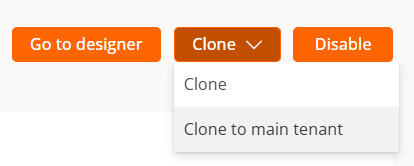
-
Enable/Disable
Shows the current status of the microservice. When enabled, the microservice becomes visible and can be executed from the Workspaces module: in the
Workspacessection (context System) and in theSessionssection (context Session), according to the configuration defined in the Designer section.
Code
Displays the source code of the microservice, including the logic and instructions that define its behavior.
Targets
Defines the conditions for the execution of the microservice.
-
Execution of FlexxWorkspaces
Shows roles with permissions to execute the microservice in the Workspaces module. The column Allow execution indicates the roles authorized to execute it at the Workspace group level, while Allow execution (individual) shows roles with permission for execution on individual devices. Both can be modified using the
Editbutton. -
End-user execution
Specifies whether the microservice is enabled to be executed directly by the end user. This permission can also be modified using the
Editbutton.infoA configuration change in an existing end-user microservice can take up to 15 minutes to apply to all linked devices.
Settings
Reports the estimated time (in minutes) that the use of the microservice has saved the user compared to a manual solution for the same situation.
Alert Configuration
Presents a table with alerts linked to the microservice. For more information, please consult the documentation on Alert Settings.
License
Displays the currently configured license type for the microservice.
Enabled Tenants
Presents a list of tenants and sub-organizations to which the microservice can be enabled/disabled en masse.
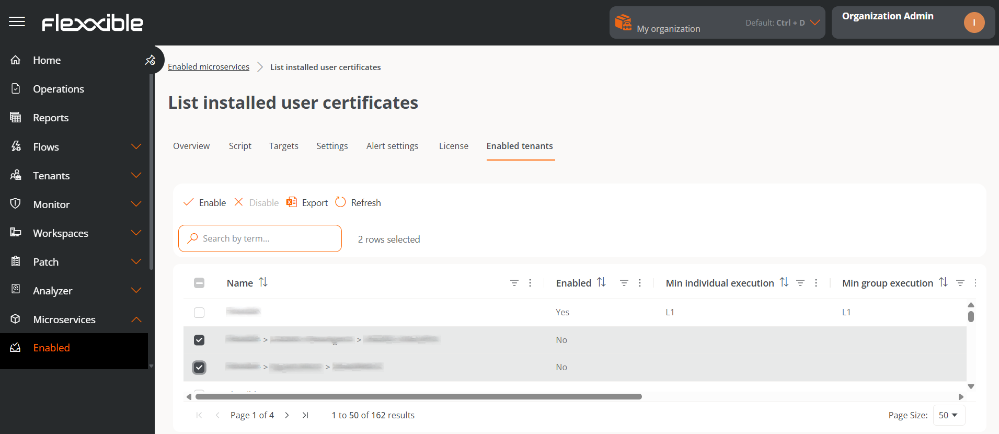
The table contains the following information:
- Name. Tenant name. If it has sub-organizations they are presented in tenant*>*sub-organization format.
- Enabled. Displays if the microservice is enabled for the tenant.
- Minimum individual execution. Minimum roles with execution permissions in Workspaces at the level of individual devices.
- Minimum group execution. Minimum roles with execution permissions in Workspaces at the level of Workspaces Groups.
- Enabled on. Date and time when the microservice was enabled for the tenant.
- Enabled by. Name and email address of the user who enabled the microservice for the tenant.
- Disabled on. Date and time when the microservice was disabled for the tenant.
- Disabled by. Name and email address of the user who disabled the microservice for the tenant.
The list of available tenants depends on the privacy configuration of the microservice and the permissions the user has.
Although the microservice can be enabled/disabled, the configuration of Targets is done independently for each tenant.
Enable/Disable a microservice for tenants
- Go to
Portal->Enabled. - Go to the
Enabled Tenantstab. - Select the desired tenants in the table.
- Click
EnableorDisable, as applicable. - Read the warning message.
- Click on
Confirm.