FlexxAgent generates activity logs that let you perform diagnostic, audit, and troubleshooting tasks related to the installation and execution of the agent. Logs can be viewed both from the platform and directly from the device, which makes it easier to analyze issues even when the device does not have connectivity with the platform.

FlexxAgent logs

The agent logs are available in the device’s detail view. To access them:
  1. Go to WorkspacesWorkspaces.
  2. Select the corresponding device in the table.
  3. Click FlexxAgent logs in the side menu.
This section shows the log files generated by FlexxAgent and collected from the device.

Available information

The logs table includes the following information: flexxagent-log
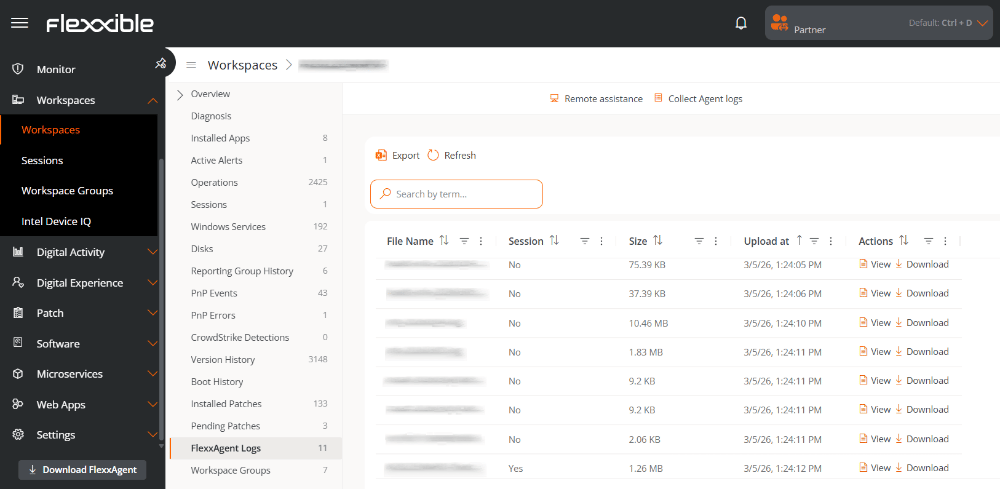
  • File name. Name of the log file generated by FlexxAgent.
  • Session. Identifier of the installation or execution session the log belongs to.
  • Size. Size of the log file.
  • Uploaded on. Date and time when the log was uploaded to the platform.
  • Actions. Operations available for the log file.
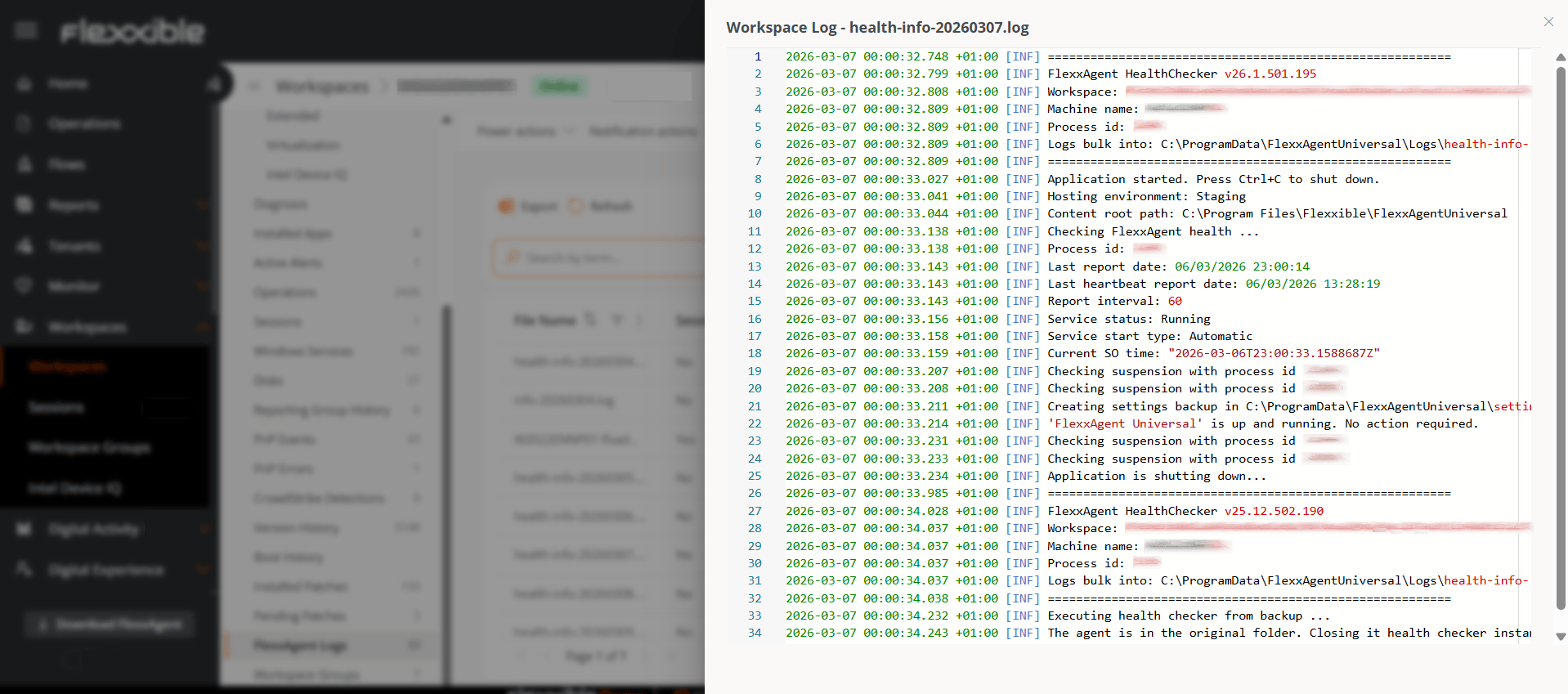
    • View. Displays the log contents.
    • Download. Downloads the file for local analysis.
    flexxagent-logfile

Log collection

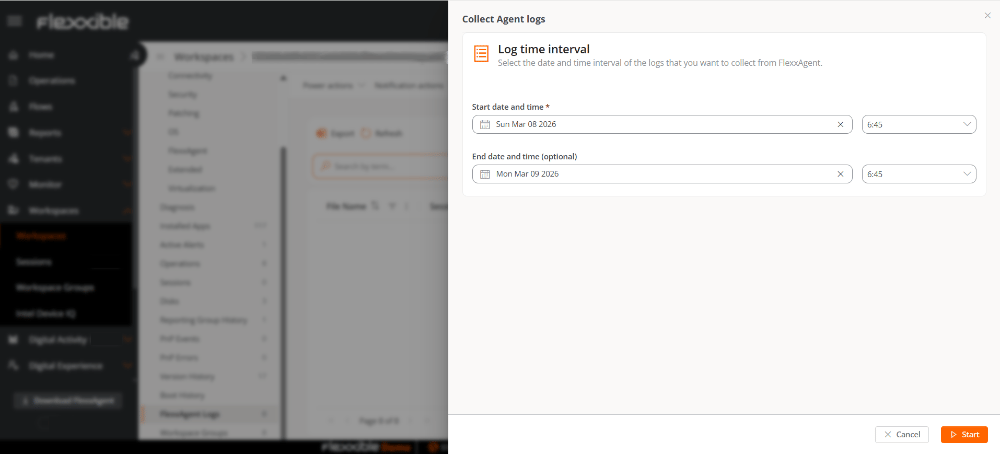
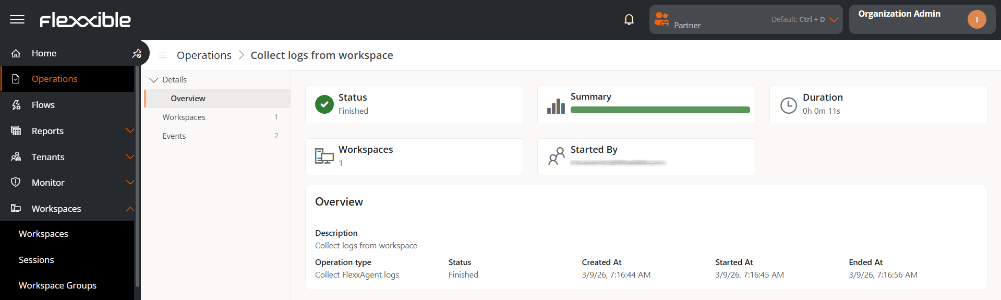
The Collect agent logs button, available at the top of the table, lets you request log collection from the device for a specific time interval. collect-agent Collection generates an operation that can be monitored from the Operations section. oper-collectLog
Log retention

FlexxAgent stores logs locally on the device for a maximum period of five days. After this period, older files are automatically deleted.

Log location on the device

In addition to being viewable from the platform, logs are also available locally on the device where FlexxAgent is installed.
Log typePathDescription
Installation logs%systemroot%\Temp\FlexxibleIT\FlexxAgentUniversal\InstallerContain information generated during agent installation or update processes.
System agent logsC:\ProgramData\FlexxAgentUniversal\LogsCapture the activity of the main FlexxAgent service, running at the system level.
Session agent logs%localappdata%\FlexxAgentUniversal\LogsInclude events associated with FlexxAgent execution within the user session.