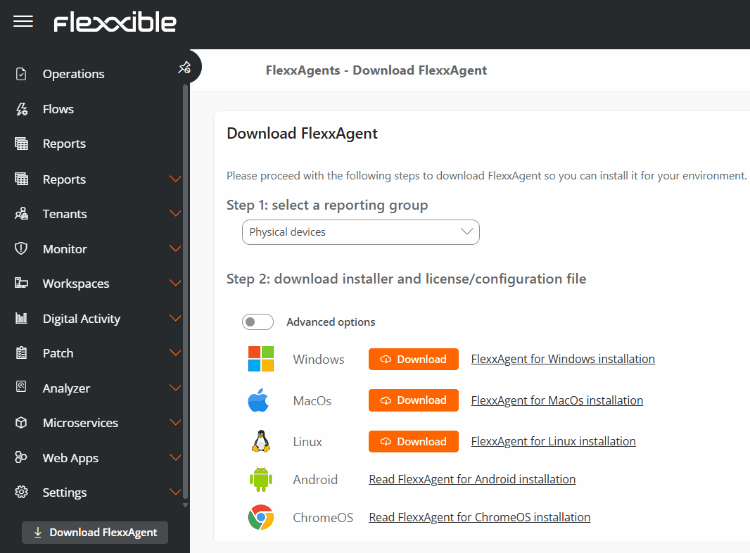
FlexxAgent is the Flexxible agent installed on managed devices. It acts as the local component of the solution, collecting information about the operating system, hardware, and applications, and transmitting it securely to the platform for monitoring, administration, and automation. It is distributed as a lightweight binary that, once installed, establishes end-to-end encrypted communications with Flexxible services. FlexxAgent is compatible with Windows, Linux, macOS, ChromeOS, and Android operating systems. agent-download

Capabilities

  • It must be installed for a device to be inventoried, monitored, and managed from the platform.
  • Collects information about the status, configuration, use, performance, and incidents of devices.
  • Provides metrics on the use of system resources and applications.
  • Allows remote execution of on-demand or automated actions.
  • Runs self-remediation actions to automatically resolve known incidents.
  • Enables user self-service through autonomous execution of support actions, without users having to leave their work session.
  • Provides a secure interface for remote assistance to end users and unattended remote access for authorized administrators.
  • Allows advanced operations on managed devices, such as remote power-on via Wake on LAN (WoL).

Functional compatibility

The available functionality may vary depending on the capabilities and restrictions of each operating system. The following table shows the compatibility level of FlexxAgent on each of the supported platforms.
FeatureWindowsLinuxmacOSAndroidChromeOS
Storage information⭐⭐⭐⭐⭐⭐⭐⭐⭐⭐⭐⭐⭐
Network information⭐⭐⭐⭐⭐⭐⭐⭐⭐⭐⭐⭐⭐
Hardware information⭐⭐⭐⭐⭐⭐⭐
System performance⭐⭐⭐⭐⭐⭐⭐
User session performance⭐⭐⭐⭐⭐⭐⭐
Device diagnostics⭐⭐⭐⭐⭐⭐⭐
User notifications⭐⭐⭐⭐⭐⭐⭐
Installed applications
FlexxAgent self-updateManaged through Google PlayManaged through Google Play
Session and power actionsn/an/a
Proxy support
Operating system update informationn/an/a
Microservice executionn/an/a
Operating system update managementn/an/a
User processes
System processes
System eventsn/an/an/an/a
Applied group policies (GPO)n/an/an/a
Plug and Play devices and errorsn/an/a
Custom fieldsn/an/a
Compliance informationn/an/a
Wake on LAN (WoL)n/an/a
System servicesn/an/a
End-user microservicesn/an/a
Flowsn/an/a
CrowdStrike integration
Application and system errors
User experience surveys
Flexxible Remote Assistance (interactive)
Flexxible Remote Assistance (unattended)
Flexxible Remote Assistance (dynamic)

Level of detail of the collected information

  • ⭐ Basic information.
  • ⭐⭐ Intermediate information.
  • ⭐⭐⭐ Advanced information.

Legend

  • ✅ Feature available.
  • — Feature not available.
  • n/a Feature not applicable to the operating system.

Data retention

The data collected by FlexxAgent is stored for different periods depending on its type. The following table shows the retention periods applied by default.
Data typeDescriptionRetention
AlertsAlerts generated by monitoring rules.Indefinite
Connection logsUser session start, disconnect, reconnect, and logoff events.30 days
Boot timeInformation about the duration of the device’s boot process.31 days
SessionsInformation and performance metrics for user sessions.2 hours
WorkspacesInformation, inventory, and statistics for managed devices.3 months
Non-reporting devicesTime a device can remain without reporting before being removed from the console.Configurable (31 days by default)
Event logsEvents collected from the system logs configured in FlexxAgent.7 days
Plug and Play eventsInformation and events related to peripheral devices.7 days
JobsHistory of actions executed from the platform.90 days
NotificationsHistory of notifications generated in the environment.3 months