

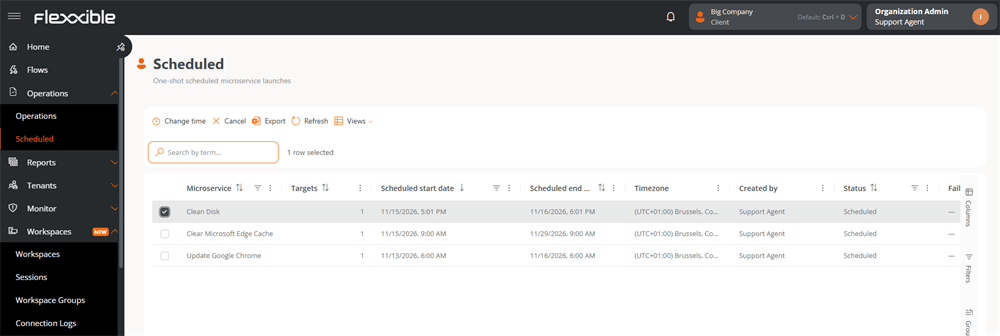
Table information
Each record in the table represents a schedule and includes the following fields:- Microservice. Name of the scheduled microservice.
- Target. Number of devices on which the operation will run.
- Scheduled start date. Date and time when the execution will start.
- Scheduled end date. Deadline for the execution. If it couldn’t run before that time, the operation won’t be performed.
- Time zone. Time zone in which the start and end dates are interpreted.
- Created by. User who scheduled the execution.
- Status. Current state of the schedule.
- Failure reason. Reason why the schedule couldn’t run, if applicable.
Available actions
The top bar of the table includes the following controls:- Change time. Lets you modify the scheduled date and time of the execution.
- Cancel. Cancels the scheduled execution.
- Export. Exports the list to an Excel file.
- Reload. Refreshes the information shown in the table.
- Views. Lets you save and retrieve the table configuration (columns, filters, and groupings).