- Which users are connected.
- Which virtual desktop they are using.
- Which catalog and delivery group they belong to.
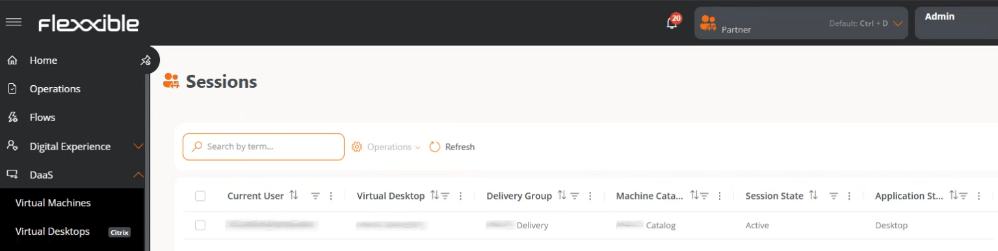
Table information
- Current user. Name of the connected user.
- Virtual desktop. Name of the assigned virtual resource.
- Delivery group. Associated group.
- Machine catalog. Name of the associated catalog.
- Session status. Active or Disconnected.
- Application type. Type of resource used by the user.
Available operations
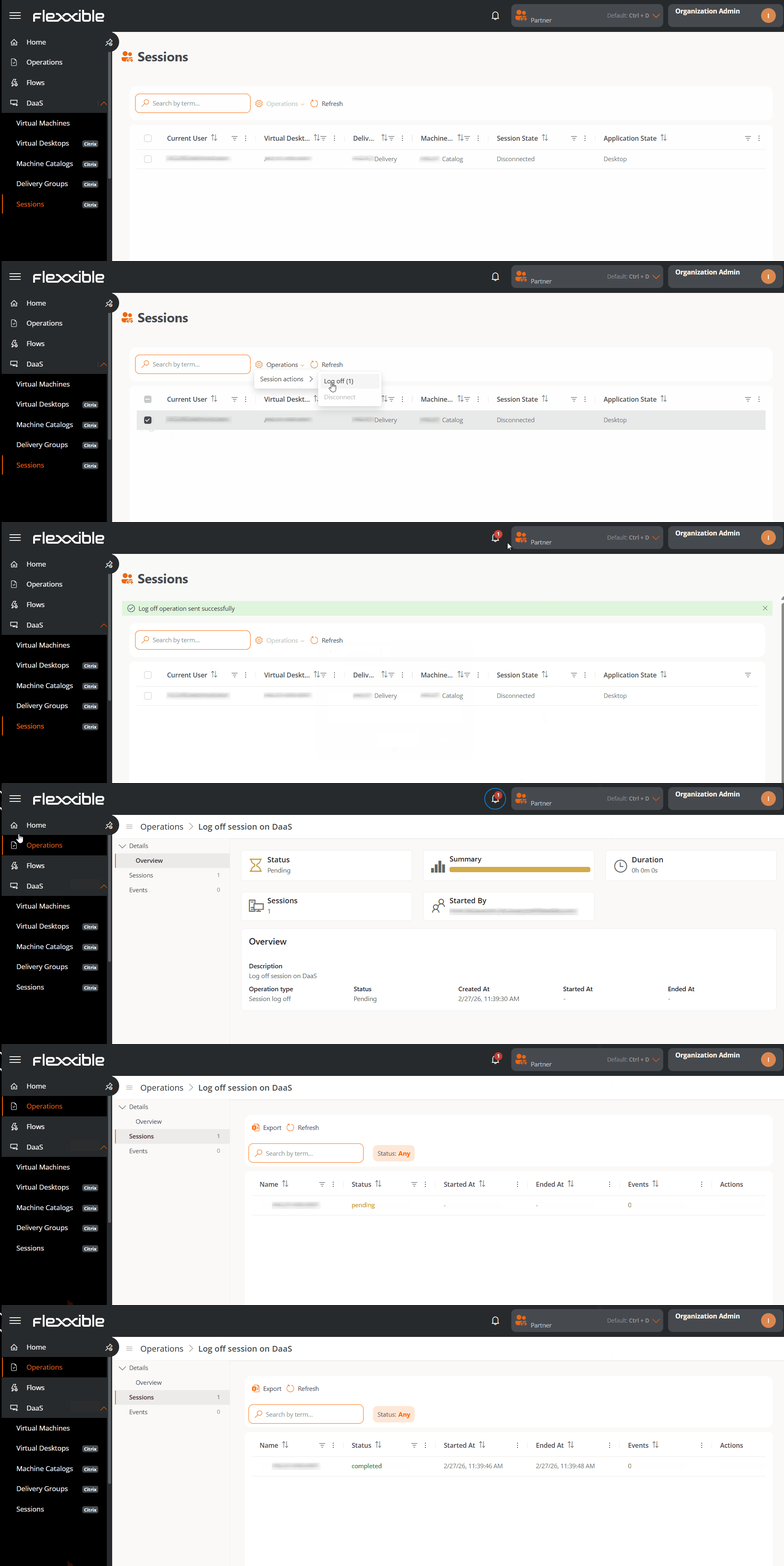
This view lets you run actions on one or more selected sessions.Steps to run an operation
- Go to DaaS → Sessions.
- In the table, select one or more sessions to run the action on.
- Click the Operations button.
- Select the corresponding action. The number in parentheses next to each action indicates the number of sessions it can be applied to.
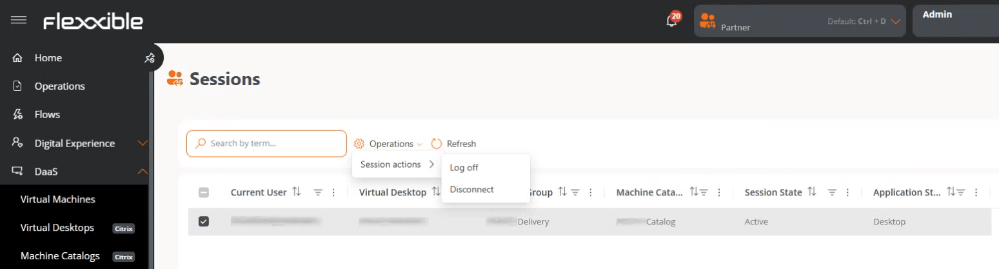
- Confirm the operation in the pop-up window.
Tracking operations
Once the action is confirmed, you can check its status by clicking the notifications icon (bell) located next to the organization name. Each action generates a separate entry per session in the Operations section.