Event Logs
Event Log is a diagnostic tool designed to centralize the collection of system-generated events. It exclusively shows Critical and Error events in Windows environments, coming from the Application, Security, and System logs.
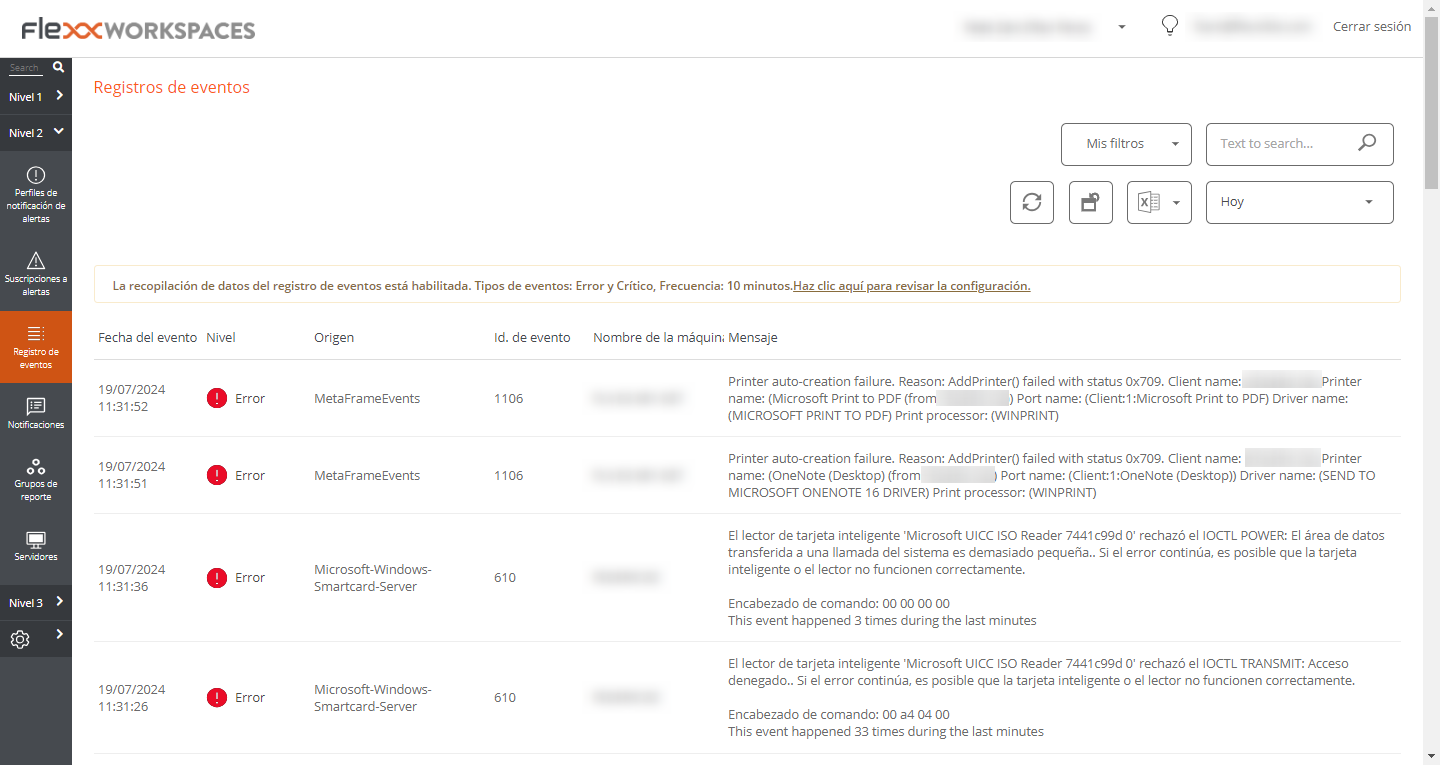
Events are recorded every 10 minutes, though this time can be manually configured through Workspaces settings.
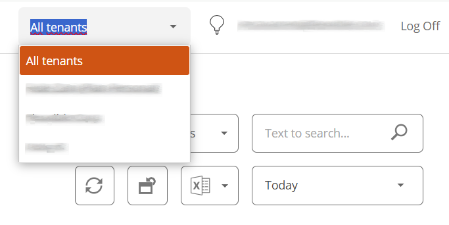
At the top of the interface, you will find the organization dropdown. If a user has access to more than one tenant, they can choose to view the event log for the selected tenant.
Filtering options
Event filtering allows you to view and select only the items that meet specific criteria, temporarily hiding the rest. The event list supports the same filtering options available in the Workspaces view.
An example would be to filter by an event with a specific ID to obtain a list of affected devices, subsequently applying corrective actions.
My filters
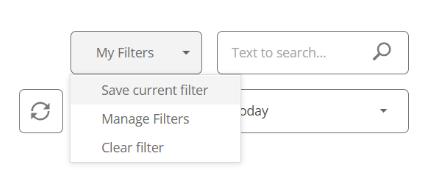
In the top menu, the option My filters allows access to three filter configuration options.
Save the current filter
Opens a modal window with a form that prompts for the necessary information to assign a name to the filters applied to the event list so that it is available whenever you want to use it.
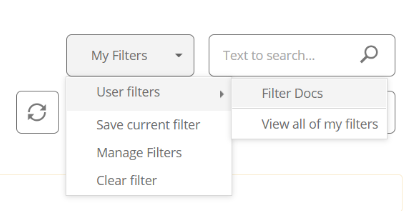
When the filter is saved, it appears as a new dropdown option.
Manage filters
Allows you to apply value filtering on the event list and also edit or delete user saved filters.
Delete the filter
Allows you to delete the filters applied to the registered event list.
Temporary filter
In the top menu is the temporary filter, which by default shows the events recorded on the current day.
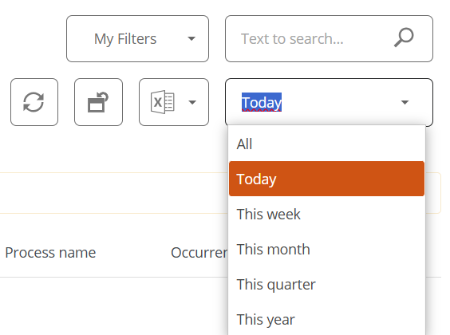
Available filters
- Today
- This week
- This month
- This quarter
- This year
Detail view
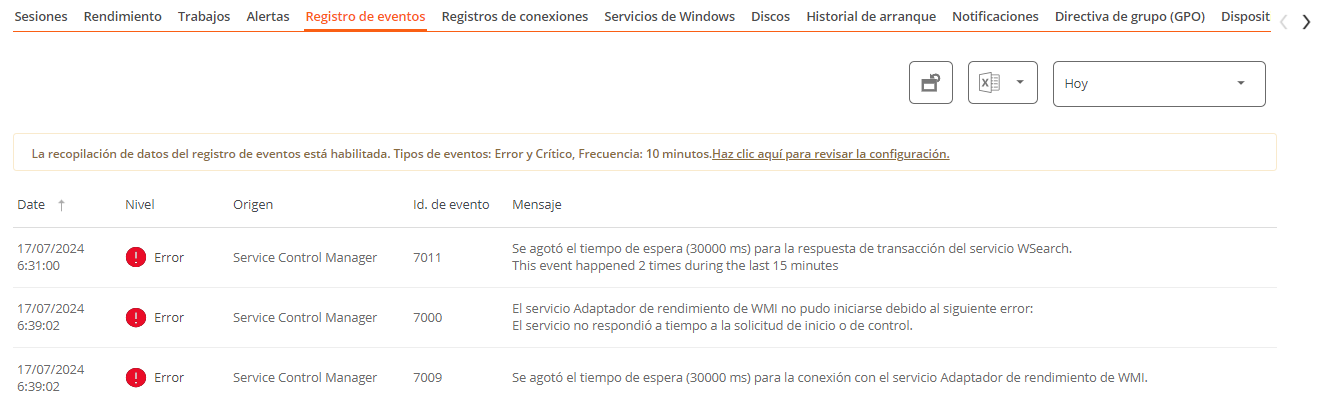
The detail view contains detailed event information:
- Event date. Date of event logging in day and time format.
- Level. Severity of the event.
- Source. Source of the event.
- Event ID. Numeric identifier of the event.
- Log file. Event log file hosting the event.
- Machine name. Hostname of the device logging the error.
- Message. Content of the event message.
Event log information on a device
The detail view of a Windows device allows viewing of event logs for a specific device.
Additional event settings
Users with the Organization Administrator role can add events that do not meet the default filtering conditions to, for example, add events with a specific ID that, although they have an informational severity level, are relevant to the organization, as well as change the log update time.