

Create an API key
- Go to Organization.
- In the menu, select the API keys tab.
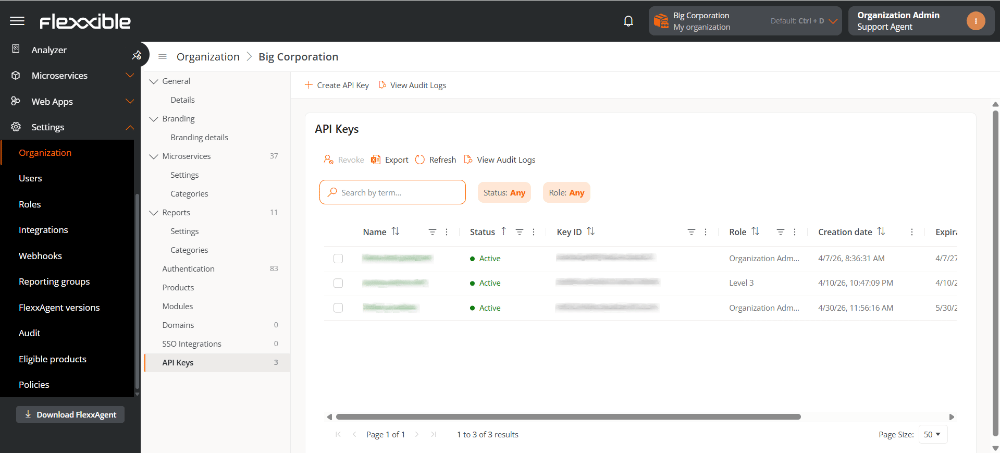
- Click Create API key.
- Fill in the form:
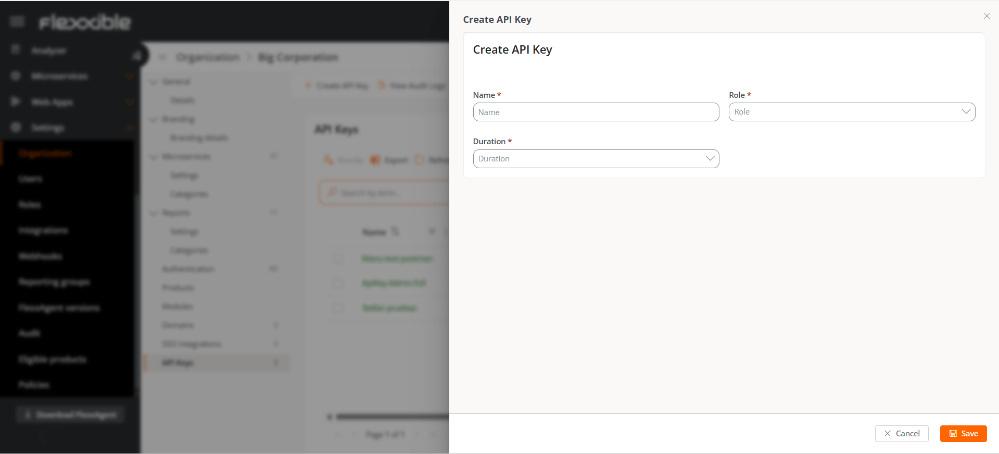
- Name. API key identifier.
- Role. Role assigned to the user on the platform.
- Duration. Validity period of the key.
- Click Save.
Table information
The fields contain the following information:- Name. Name assigned to the API key.
- Status. Can be Active, Expired, or Revoked.
- Key ID. ID corresponding to the API key.
- Role. Role of the user who will access the API.
- Creation date. Date and time the key was created.
- Expiration date. Date and time the key expires.
- Revocation date. If it has been revoked, date and time of revocation.