

View from a partner-type organization
The billing view for a partner-type organization is divided into the following sections:- Overview
- Tenant consumption details
- Client identification
Overview
This tab provides information about the FXXOne subscription and the consumption associated with both the organization and its tenants.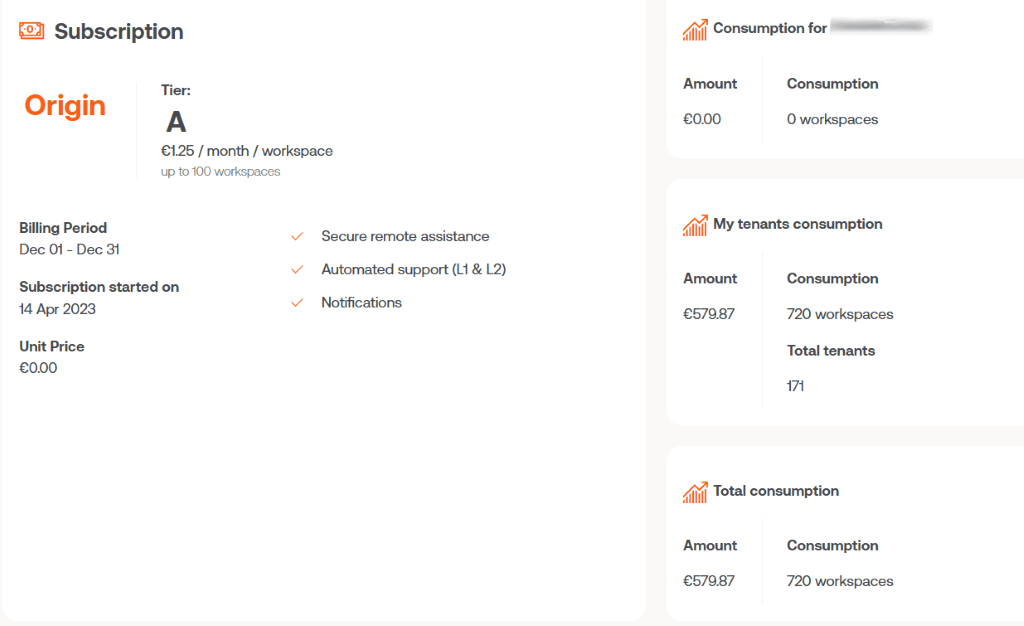
- Subscription
- Consumption for the organization
- Consumption of my tenants
- Total consumption
Subscription
Shows general information:- Contracted plan
- Billing period
- Subscription start date
- Unit price per device
Consumption for the organization
Shows the number of subscribed devices belonging to the partner-type organization and the billable amount. A device will continue to count for billing purposes while it belongs to a reporting group, even if FlexxAgent has been uninstalled. To remove it immediately, see the Removing a device section.Consumption of my tenants
Shows the total number of subscribed devices belonging to the tenants managed by the organization, as well as the billable amount.Total consumption
Shows the aggregated consumption of the organization and all its tenants, along with the total billable amount.Tenant consumption details
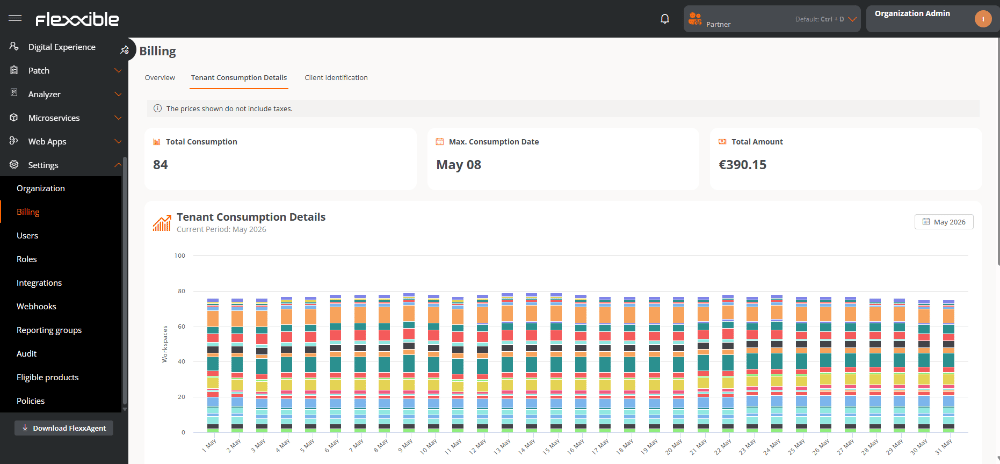
This tab shows an analysis panel of device consumption for each tenant during the current billing period. The lower part includes a table with detailed information about each subscription:- Tenant. Tenant name.
- Plan. Contracted subscription plan.
- Parent. Partner-type organization it belongs to.
- Consumption. Indicates the level of service consumption. It is based on the number of devices that have reported to Workspaces.
- Consumption date. Date on which the highest number of devices reporting was recorded.
- Unit price. Price applied per device.
- Billing period. Current billing period.
- Total. Total billable amount.
Client identification
This tab shows the list of tenants managed by the organization and lets you assign a custom internal code to each one, which is useful for identification, classification, or integration with the organization’s own systems and processes.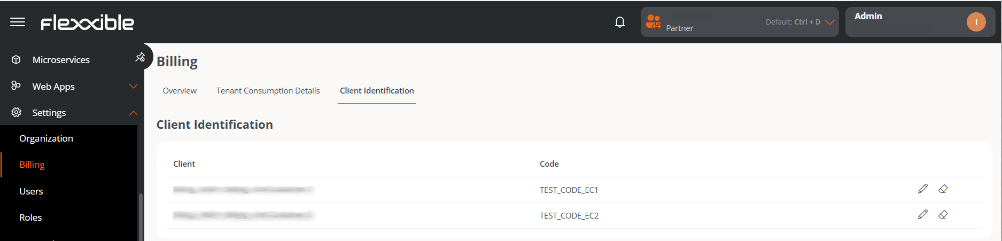
- Client. Tenant name.
- Code. Unique identifier assigned by the organization. This value is editable.
View from a client-type organization
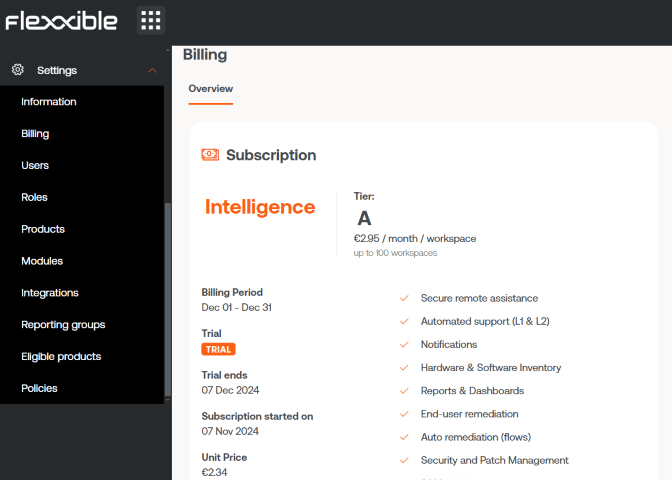
Users with the Administrator role in client-type organizations only have access to the Overview tab.Overview
Shows general information about the contracted subscription:- Contracted plan.
- Billing period.
- Subscription start date.
- Unit price per device.
FlexxAgent consumption
FlexxAgent consumption is calculated using the maximum number of devices that have reported in Workspaces during a single day within the billing period. For a device to stop being counted for billing purposes, two conditions must be met:- FlexxAgent must be uninstalled.
- The device must not belong to any reporting group.
Removing a device
To manually remove a device, follow these steps:- Go to Workspaces → Workspaces.
- In the table, select the devices you want to remove.
- Click Delete selected workspaces.
- Confirm the operation in the pop-up window.