> ## Documentation Index
> Fetch the complete documentation index at: https://docs.flexxible.com/llms.txt
> Use this file to discover all available pages before exploring further.
# Provide remote assistance with Flexxible Assist
> Connect remotely to devices and sessions to provide technical support to users.
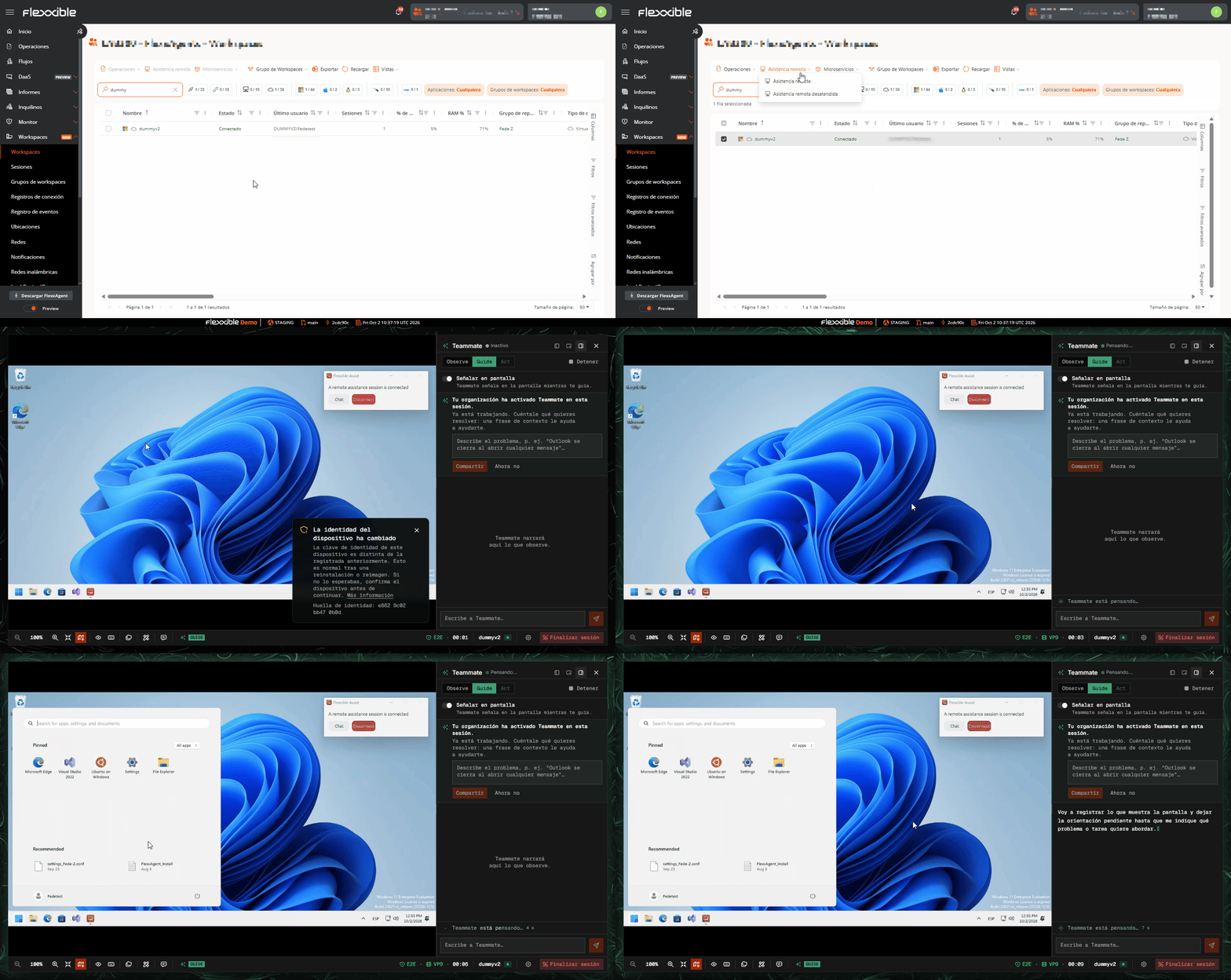
You can provide remote assistance to a user through Flexxible Assist from two sections:
* Workspaces
* Sessions
From either of these views, you only need to select the session or the device and launch the remote assistance operation:
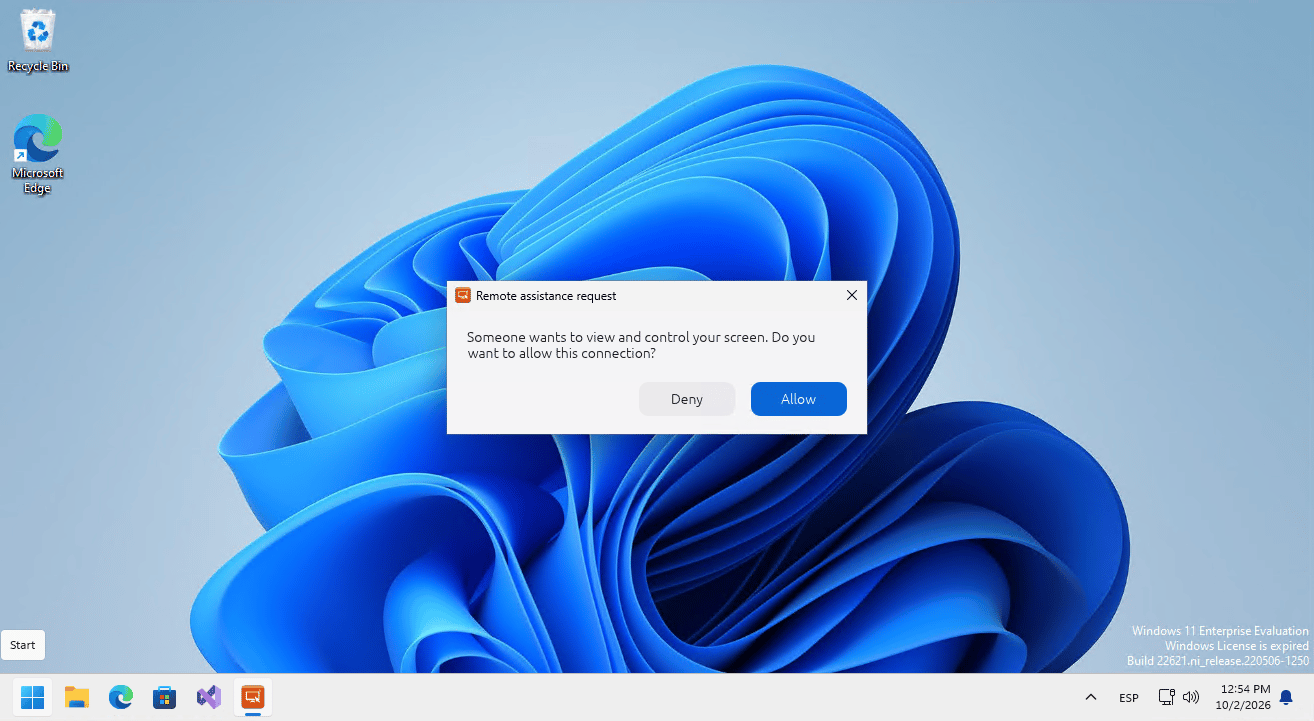
 Important: if the device has interactive remote assistance configured, the user's consent is required for the support operator to take control of the session. This consent is shown to the user as a pop-up window and adapts to the language the user has set on the device being controlled:
 For more information about remote assistance, see [here](/en/features/flexxible-assist/Asistencia-remota-main).