> ## Documentation Index
> Fetch the complete documentation index at: https://docs.flexxible.com/llms.txt
> Use this file to discover all available pages before exploring further.
# Create a location
> This guide explains how to create a location and link it to networks to organize devices based on the place they connect from.
Locations let you organize devices based on the physical place they connect from, by associating geographic coordinates and linking them to the networks detected by FlexxAgent.
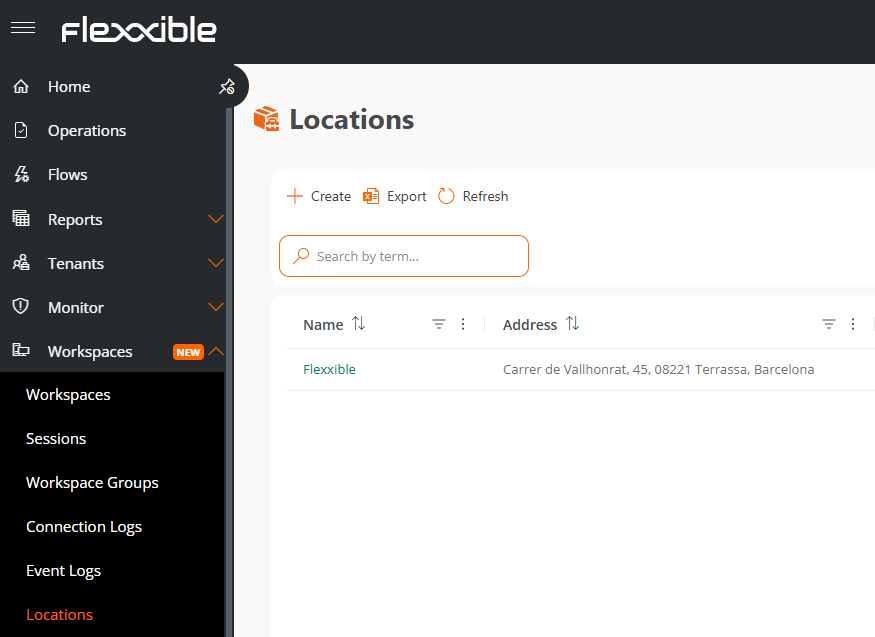 ## Create a location
1. Go to **Workspaces** → **Locations**.
2. Click **Create**.
3. Fill in the form fields:
* **Name.** Name that will identify the location.
* **Address.** Postal address of the location.
* **Latitude** and **Longitude.** Geographic coordinates that determine its position on the map.
4. Click **Save**.
Once created, the location will appear in the main **Locations** list.
## Link networks to the location (optional)
To associate the location with the networks detected by FlexxAgent:
1. Go to the location's detail view.
2. Select the **Networks** tab.
3. Click **Link**.
4. Select the networks you want to associate.
## Create a location
1. Go to **Workspaces** → **Locations**.
2. Click **Create**.
3. Fill in the form fields:
* **Name.** Name that will identify the location.
* **Address.** Postal address of the location.
* **Latitude** and **Longitude.** Geographic coordinates that determine its position on the map.
4. Click **Save**.
Once created, the location will appear in the main **Locations** list.
## Link networks to the location (optional)
To associate the location with the networks detected by FlexxAgent:
1. Go to the location's detail view.
2. Select the **Networks** tab.
3. Click **Link**.
4. Select the networks you want to associate.
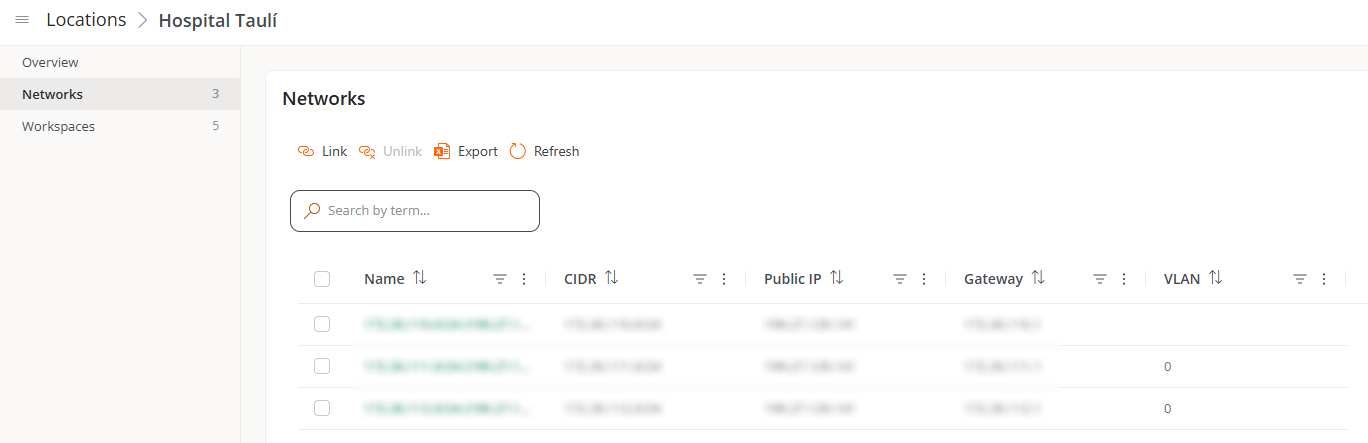 You can only link networks that have already been detected by FlexxAgent with a minimum of 5 devices.
## Result
Once the location is created and configured, you can:
* View the devices connected to its linked networks, from the **Workspaces** tab.
* See its position on the map and edit its general data from the **Overview** tab.
## Related information
For more information, see the [Locations](../features/workspaces/locations) section.
You can only link networks that have already been detected by FlexxAgent with a minimum of 5 devices.
## Result
Once the location is created and configured, you can:
* View the devices connected to its linked networks, from the **Workspaces** tab.
* See its position on the map and edit its general data from the **Overview** tab.
## Related information
For more information, see the [Locations](../features/workspaces/locations) section.