> ## Documentation Index
> Fetch the complete documentation index at: https://docs.flexxible.com/llms.txt
> Use this file to discover all available pages before exploring further.
# Change reporting group automatically
> Change the reporting group of one or more devices programmatically and unattended
There are two ways to change the reporting group of one or more devices:
* Manually, by running the change reporting group operation in the *Workspaces* section
* Automatically, by using the *Fishing pattern* feature
## Change the reporting group using the fishing pattern
The fishing pattern lets you define regular expressions (RegEx) compatible with Java 8 to automatically add devices to a reporting group.
The configured expression is compared against the content (value) of the attribute selected in the Search pattern field, whether text, numbers, or any other string represented in that field. It can be used to search for exact matches, texts that start or end in a specific way, or more advanced patterns. For partial matches, `*` can be used as a wildcard to indicate preceding or following content.
#### Examples:
| RegEx | Matches... |
| - | - |
| `.*2023$` | any text ending in **2023**. |
| `.*abc.*` | any text containing **abc**. |
| `^item` | texts starting with **item**. |
| `\d{3}` | strings made up of exactly three digits. |
| `^(10\.10\.1\.0\|192\.168\.1\.0)` | Subnets that begin with 10.10.1.0 or 192.168.1.0 |
| `^(?:10\.10\.1\|192\.168\.1)\.(?:25[0-5]\|2[0-4]\d\|1\d\d\|[1-9]?\d)$` | Any IP address within subnets that begin with 10.10.1.0 or 192.168.1.0 |
To create and test regular expressions before configuring them in the production environment, Flexxible recommends using specialized tools such as [Regex101](https://regex101.com).
#### Considerations
* The system runs an automatic process **every hour** that searches for devices whose attribute value matches the configured expression. If it finds them, it adds them to the corresponding reporting group.
* Regular expressions can have a maximum length of 250 characters.
* It is recommended to periodically review active expressions to avoid overlaps and conflicts between groups.
### Search pattern field
This field determines which device attribute the regular expression defined in the fishing pattern will be applied to.
#### Available options
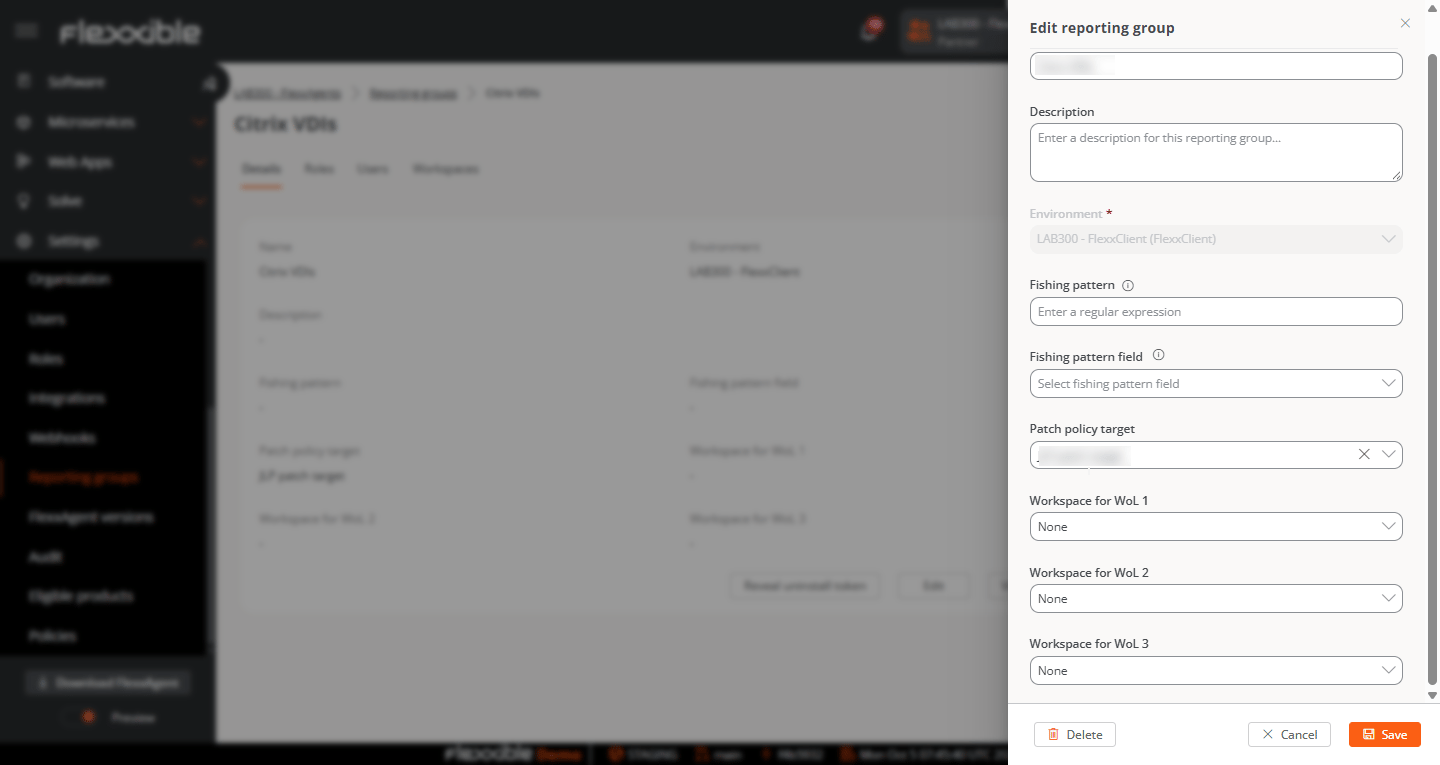 * **Full name.** Applies the expression to the device's full name.
* **Description.** Applies the expression to the content of the device description field.
* **OU.** Applies the expression to the organizational unit.
* **Current subnet.** Applies the expression to the current subnet string of the device.
The **Search pattern field** is available starting with FlexxAgent version 25.10. In earlier versions, the fishing pattern is applied only to the device name.
* **Full name.** Applies the expression to the device's full name.
* **Description.** Applies the expression to the content of the device description field.
* **OU.** Applies the expression to the organizational unit.
* **Current subnet.** Applies the expression to the current subnet string of the device.
The **Search pattern field** is available starting with FlexxAgent version 25.10. In earlier versions, the fishing pattern is applied only to the device name.