> ## Documentation Index
> Fetch the complete documentation index at: https://docs.flexxible.com/llms.txt
> Use this file to discover all available pages before exploring further.
# Android
The Android agent lets you include devices running this operating system in the service consoles, giving support teams full visibility over both users' desktop computers and their mobile devices.
## Requirements
To deploy FlexxAgent on Android devices, you need a mobile device management (MDM) platform, such as Google Admin or Microsoft Intune. These platforms let you distribute and install the application centrally.
Once the MDM solution is set up, FlexxAgent can be installed from Google Play.
## Supported versions
FlexxAgent is compatible with devices running Android 9.0 or later.
## Limitations
Due to the restrictions inherent to mobile operating systems, some features are not available on Android devices, such as running power actions, Flexxible Assist, flows, or end-user microservices.
Some devices, to save battery, stop services or cannot connect to the internet while the screen is locked. When this happens, the device may stop reporting for a while until its screen is unlocked. This behavior varies by manufacturer and operating system version.
## Configuration
The FlexxAgent configuration is managed through [Managed Configurations](https://support.google.com/work/android/answer/6257696?sjid=521342624552494559-EU) to work correctly.
This configuration will be provided by a Flexxible contact during the implementation process and depending on the application distribution solution used. For example, for Microsoft Intune the configuration is provided in JSON format, but for Google Admin the configuration is supplied with individual values.
## Distribution
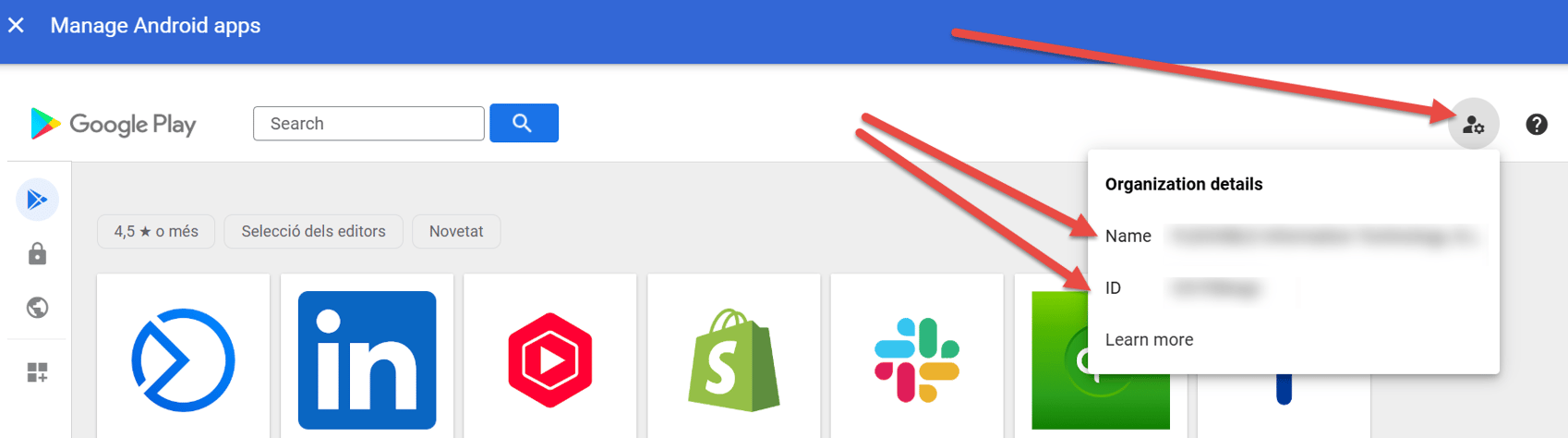
Flexxible will grant access to FlexxAgent in the Managed Google Play console provided by the customer's MDM solution during the implementation process, as well as the data required for its configuration.
In order for Flexxible to grant access to the application, the customer must provide the **Name** and **ID** of their Managed Google Play.
 ## Download and installation
FlexxAgent is available as a private Android application on Google Play.
For the FlexxAgent configuration to be applied correctly, you must manually open the application on each device at least once after installation. We recommend following these steps:
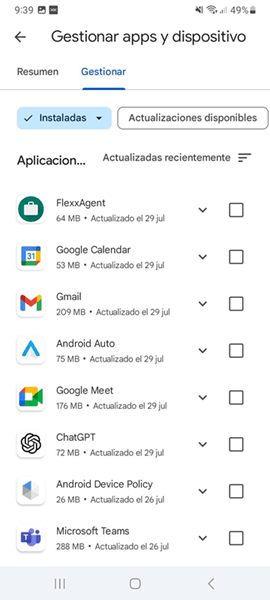
1. Go to Google Play and then to **Manage apps & devices**.
2. Go to the **Manage** tab and click the FlexxAgent app.
## Download and installation
FlexxAgent is available as a private Android application on Google Play.
For the FlexxAgent configuration to be applied correctly, you must manually open the application on each device at least once after installation. We recommend following these steps:
1. Go to Google Play and then to **Manage apps & devices**.
2. Go to the **Manage** tab and click the FlexxAgent app.
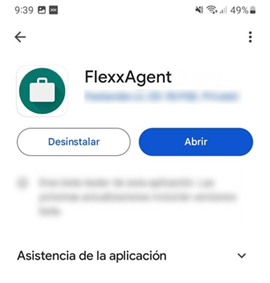
 3. On the application detail screen, click **Open**.
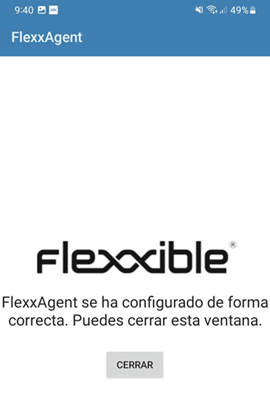 FlexxAgent requires some special permissions, such as access to the device's files. If this permission has not been granted in the app configuration in your MDM solution, the user will be asked to provide it. When they do, a message will appear indicating that the application has been configured correctly.
4. Close the window.
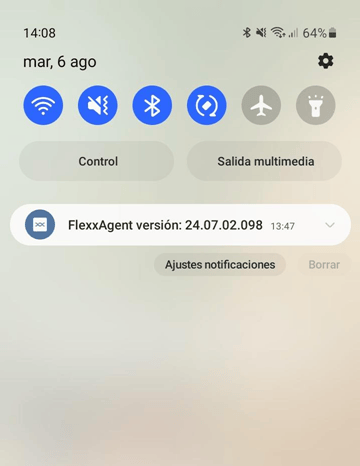
When FlexxAgent runs on an Android device, a persistent notification will indicate that it is installed and running.
FlexxAgent requires some special permissions, such as access to the device's files. If this permission has not been granted in the app configuration in your MDM solution, the user will be asked to provide it. When they do, a message will appear indicating that the application has been configured correctly.
4. Close the window.
When FlexxAgent runs on an Android device, a persistent notification will indicate that it is installed and running.
 ## Updates
FlexxAgent is updated automatically from Google Play.
## Updates
FlexxAgent is updated automatically from Google Play.