> ## Documentation Index
> Fetch the complete documentation index at: https://docs.flexxible.com/llms.txt
> Use this file to discover all available pages before exploring further.
# Wireless networks
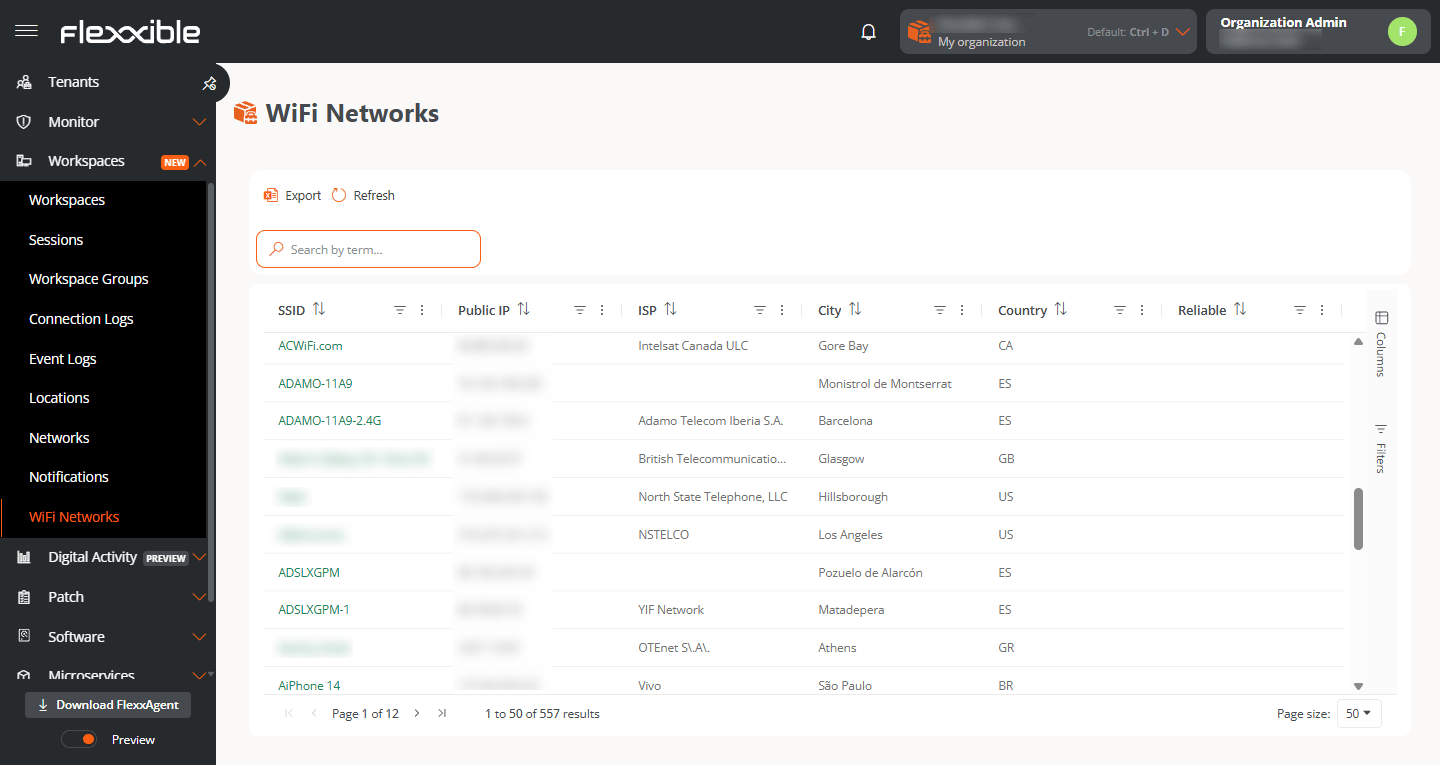 This view groups all the wireless networks used by the devices and reported by FlexxAgent. For each one it includes:
* SSID.
* ISP.
* Public IP.
* Device that first reported it.
* Whether the network is trusted or not.
* City.
* Country.
* Linked network.
By opening the detail of a wireless network, you can edit it.
This view groups all the wireless networks used by the devices and reported by FlexxAgent. For each one it includes:
* SSID.
* ISP.
* Public IP.
* Device that first reported it.
* Whether the network is trusted or not.
* City.
* Country.
* Linked network.
By opening the detail of a wireless network, you can edit it.
 ## Available actions:
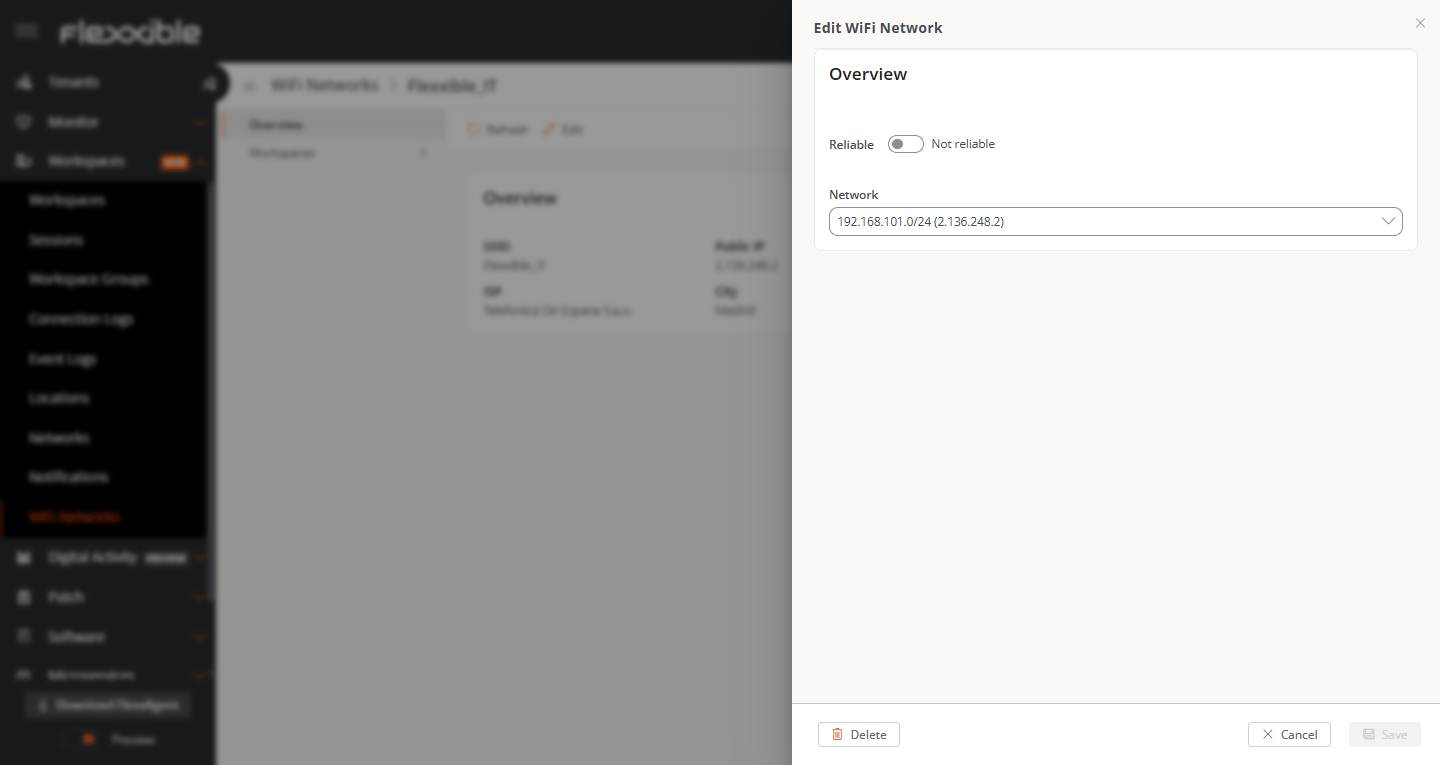
The available editing actions are:
* Mark as trusted using the switch at the top.
* Link a Network: this action lets you link one or multiple wireless networks to a physical network.
## Available actions:
The available editing actions are:
* Mark as trusted using the switch at the top.
* Link a Network: this action lets you link one or multiple wireless networks to a physical network.