> ## Documentation Index
> Fetch the complete documentation index at: https://docs.flexxible.com/llms.txt
> Use this file to discover all available pages before exploring further.
# Templates
A user's virtual resources are cloned from a template. In that sense, templates define the machine's contents in terms of operating system, installed applications, configurations, and optimizations.
This view shows the templates available in the environment, along with their status and configuration, including assigned resources, operating system, and domain membership.
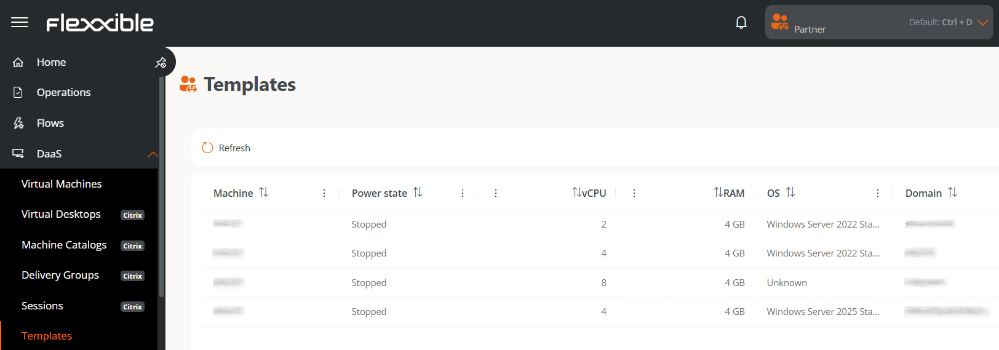 The **Templates** and [**Virtual machines**](virtual-machines) views are only available for organizations with an active subscription to [**FlexxDesktop**](https://www.flexxible.com/en/product/flexxdesktop).
## Table information
* **Machine.** Template name.
* **Power state.** *Running* or *Stopped*.
* **vCPU.** Number of virtual CPUs.
* **RAM.** Amount of RAM assigned.
* **OS.** Operating system.
* **Domain.** Domain the machine belongs to.
The **Templates** and [**Virtual machines**](virtual-machines) views are only available for organizations with an active subscription to [**FlexxDesktop**](https://www.flexxible.com/en/product/flexxdesktop).
## Table information
* **Machine.** Template name.
* **Power state.** *Running* or *Stopped*.
* **vCPU.** Number of virtual CPUs.
* **RAM.** Amount of RAM assigned.
* **OS.** Operating system.
* **Domain.** Domain the machine belongs to.