> ## Documentation Index
> Fetch the complete documentation index at: https://docs.flexxible.com/llms.txt
> Use this file to discover all available pages before exploring further.
# Web Apps
This section provides access to the list of web applications available in the organization. It includes both applications created by the organization itself and applications added from the [Marketplace](wa-marketplace) catalog, regardless of whether they are enabled or disabled.
Web Apps lets you:
* View the details and historical data of each application, even if it is disabled.
* Create custom web applications.
* Enable or disable applications at the organization or sub-organization level.
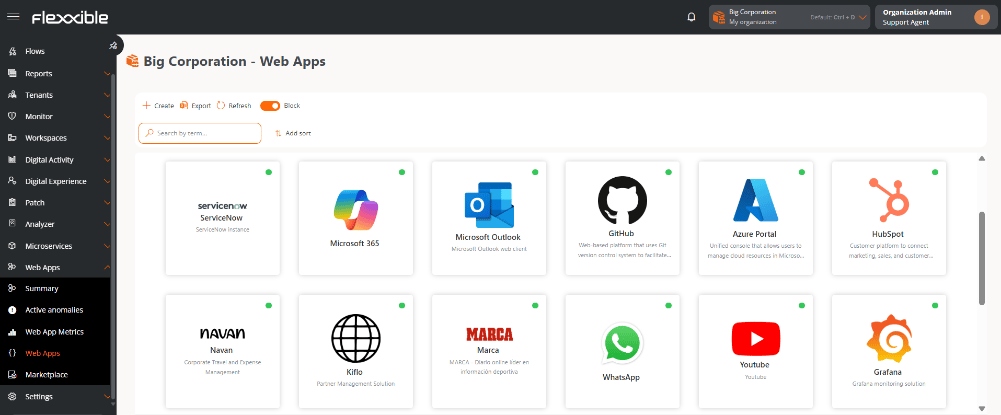 Web applications can be displayed in list or block format. The status is indicated by a color dot:
* Green: application enabled in the organization.
* Gray: application disabled in the organization.
## Application details
Selecting an application from the list opens its details view, which shows advanced metrics and specific information about its behavior and usage.
For more information, see Details of a web application.
## Create a web application
1. Go to **Web Apps** → **Web Apps**.
2. Click **New**.
3. Complete the form with the application's information:
* **Name.** Main identifier of the application.
* **Description.** Descriptive summary of the application.
* **URL.** Linked addresses.
* **Logo.** Identifying image.
1. Click **Save**.
Once created:
* The application will appear in the Web Apps list and in Marketplace.
* The application will remain disabled by default until it is enabled manually.
### Enable or disable a web application in the organization
1. Go to **Web Apps** → **Web Apps**.
2. Select an application from the list.
3. Click **Enable** or **Disable**, as applicable.
Web applications can be displayed in list or block format. The status is indicated by a color dot:
* Green: application enabled in the organization.
* Gray: application disabled in the organization.
## Application details
Selecting an application from the list opens its details view, which shows advanced metrics and specific information about its behavior and usage.
For more information, see Details of a web application.
## Create a web application
1. Go to **Web Apps** → **Web Apps**.
2. Click **New**.
3. Complete the form with the application's information:
* **Name.** Main identifier of the application.
* **Description.** Descriptive summary of the application.
* **URL.** Linked addresses.
* **Logo.** Identifying image.
1. Click **Save**.
Once created:
* The application will appear in the Web Apps list and in Marketplace.
* The application will remain disabled by default until it is enabled manually.
### Enable or disable a web application in the organization
1. Go to **Web Apps** → **Web Apps**.
2. Select an application from the list.
3. Click **Enable** or **Disable**, as applicable.

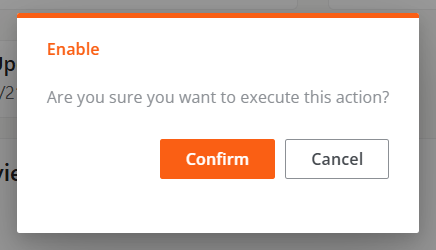 Data collection will start the next time the browser is launched.