> ## Documentation Index
> Fetch the complete documentation index at: https://docs.flexxible.com/llms.txt
> Use this file to discover all available pages before exploring further.
# Desplegar a Android amb Intune
> Guia per desplegar l'agent en dispositius Android.
Abans d'iniciar el desplegament, cal que Microsoft Intune estigui connectat a Android Enterprise.
Per configurar la integració, s'ha de seguir el procediment oficial de Microsoft:
```
https://learn.microsoft.com/en-us/mem/intune/enrollment/connect-intune-android-enterprise
```
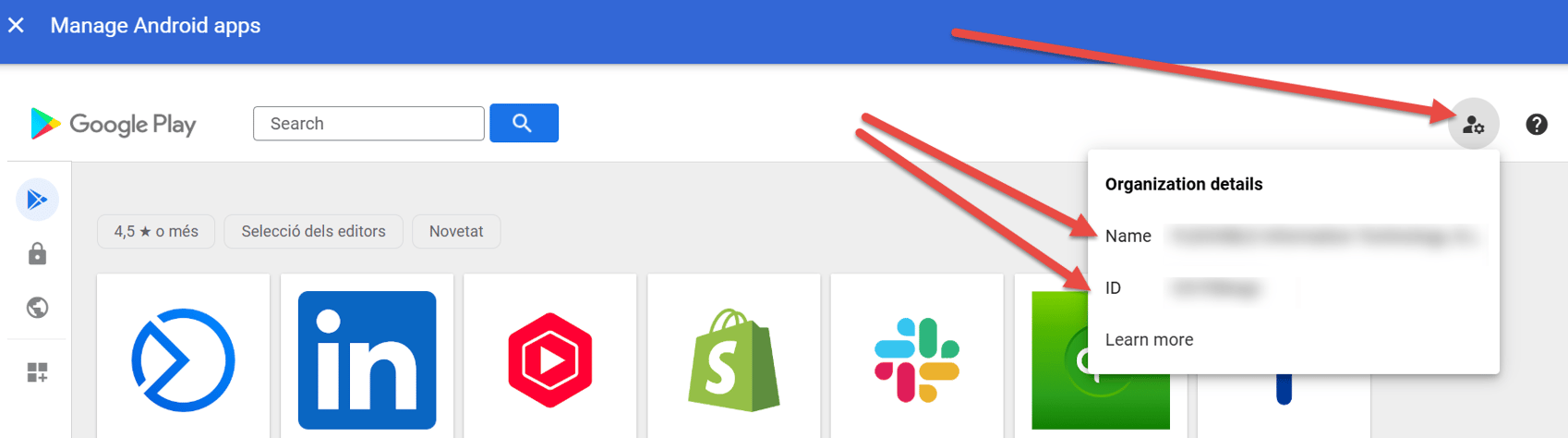
Així mateix, Flexxible haurà d'habilitar l'aplicació a l'entorn de Managed Google Play del client.
Per a això, cal proporcionar a Flexxible les dades següents:
* Nom de Managed Google Play.
* ID de Managed Google Play.
 ### Sincronitzar l'aplicació a Microsoft Intune
Un cop habilitada l'aplicació a Managed Google Play:
1. Accedir al centre d'administració de Microsoft Intune.
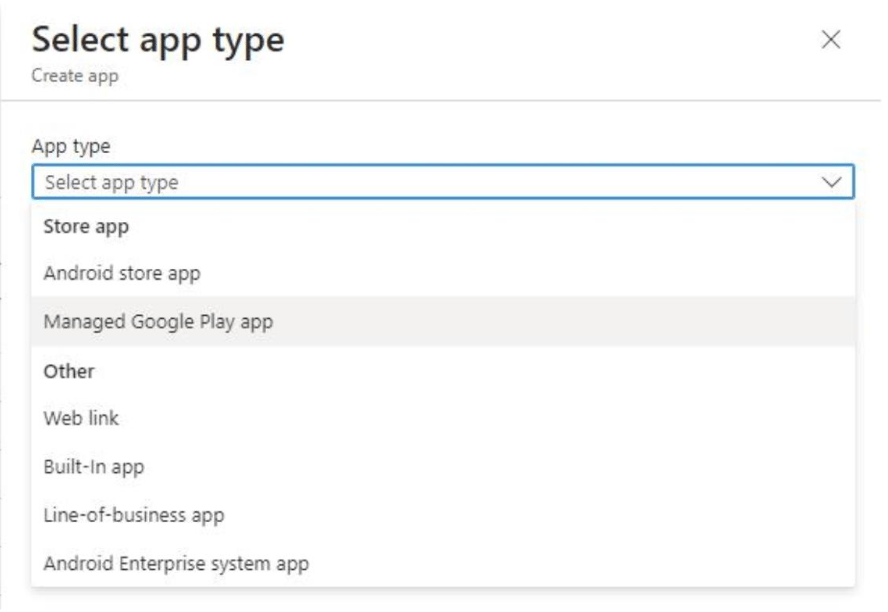
2. Seleccionar l'aplicació i sincronitzar-la:
### Sincronitzar l'aplicació a Microsoft Intune
Un cop habilitada l'aplicació a Managed Google Play:
1. Accedir al centre d'administració de Microsoft Intune.
2. Seleccionar l'aplicació i sincronitzar-la:
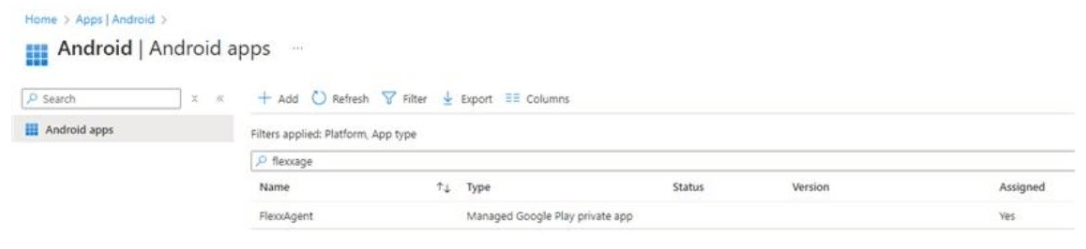
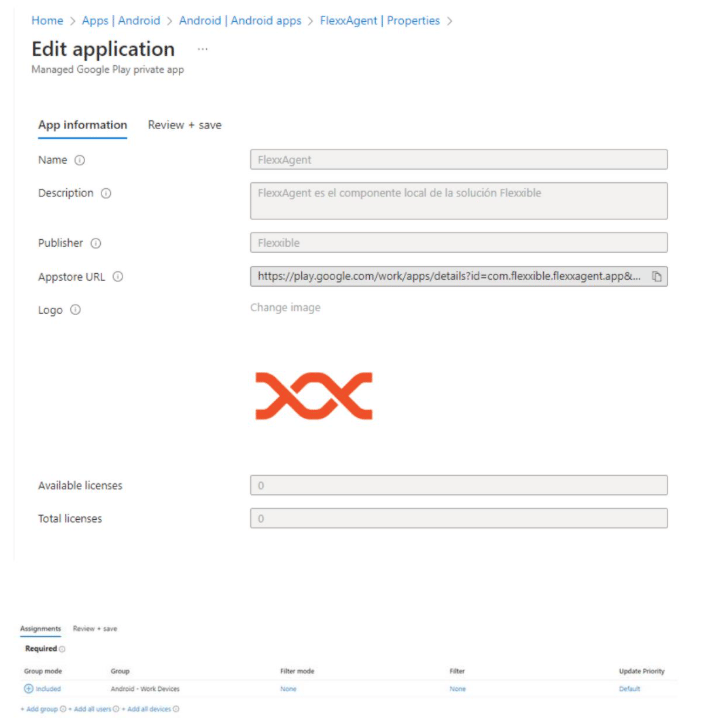
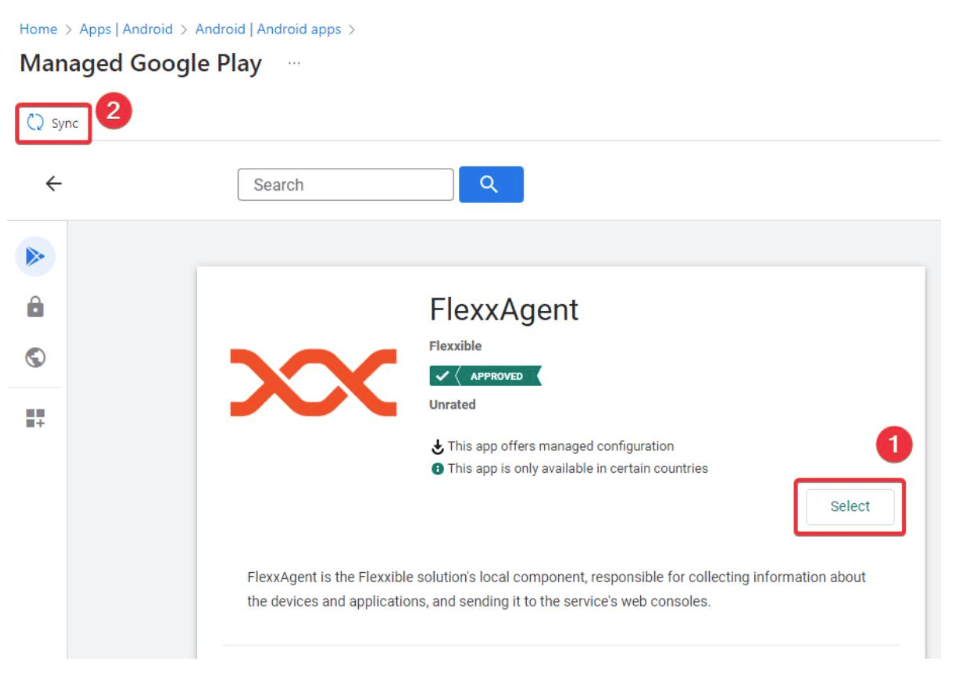 3. Després de la sincronització, FlexxAgent apareixerà al llistat d'aplicacions disponibles.
 ## Configurar l'aplicació
Seleccionar FlexxAgent i completar la configuració de desplegament segons les necessitats de l'organització.
## Configurar l'aplicació
Seleccionar FlexxAgent i completar la configuració de desplegament segons les necessitats de l'organització.
 ### Crear la política de configuració
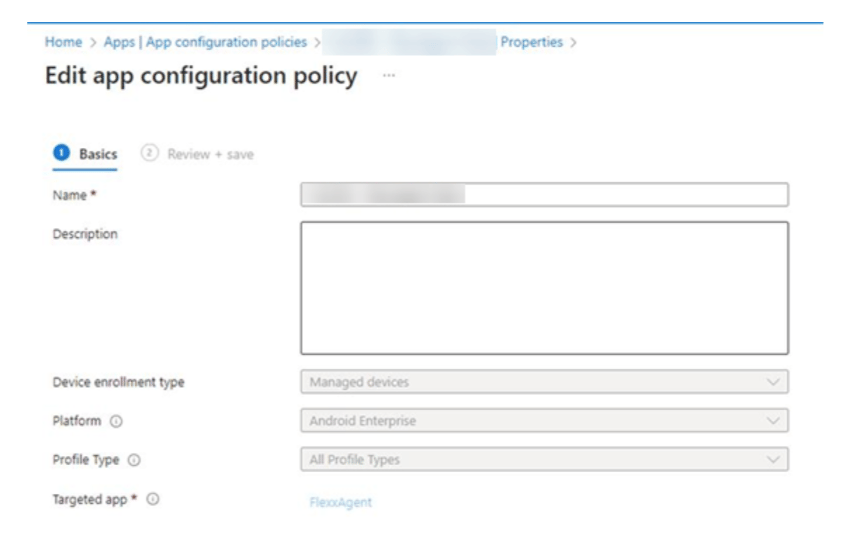
FlexxAgent requereix una política de configuració administrada per rebre els paràmetres necessaris per al seu funcionament.
Els valors de configuració es poden obtenir de dues maneres:
* Extraient-los del fitxer `.conf` generat en descarregar FlexxAgent.
* Sol·licitant-los a un contacte de Flexxible durant el procés d'implantació.
#### Obtenir els paràmetres des del fitxer de configuració
1. Descarregar FlexxAgent per a [Windows](../flexxagent/systems/windows), [Linux](../flexxagent/systems/linux) o [macOS](../flexxagent/systems/mac).
2. Obrir el fitxer de configuració (`.conf`) inclòs a la descàrrega.
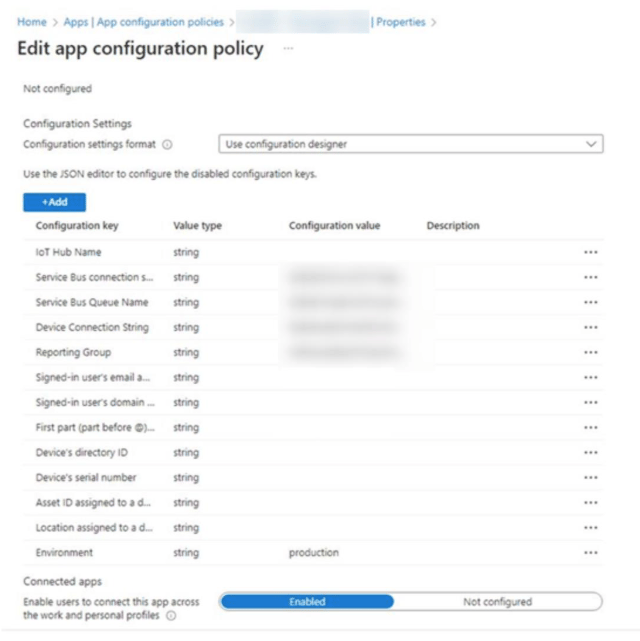
3. Extreure els valors següents:
* Paràmetres obligatoris
* IHName → iQN
* QScstr → sbCS1 + "|"+ sbCS2
* QueueServiceName → sbN
* IHcstr → iCS1 + "|"+ iCS2
* Rg → rg
* environment → production
* Paràmetres opcionals
Aquests paràmetres permeten associar informació addicional del dispositiu utilitzant els atributs proporcionats per la solució MDM.
* user\_email → `"{{userprincipalname}}"`. A Google workspace es pot utilitzar `"$LOGIN_EMAIL"`
* user\_email\_name → `"{{userprincipalname}}"`. A Google workspace es pot utilitzar `"$LOGIN_EMAIL"`
* user\_email\_domain → Domini de l'usuari
* device\_id → Identificador del dispositiu
* device\_serial → Número de sèrie del dispositiu
* device\_asset → Identificador d'inventari
* device\_location → Ubicació del dispositiu
### Configurar la política a Intune
Introduir els paràmetres obtinguts a la política de configuració administrada de Microsoft Intune.
### Crear la política de configuració
FlexxAgent requereix una política de configuració administrada per rebre els paràmetres necessaris per al seu funcionament.
Els valors de configuració es poden obtenir de dues maneres:
* Extraient-los del fitxer `.conf` generat en descarregar FlexxAgent.
* Sol·licitant-los a un contacte de Flexxible durant el procés d'implantació.
#### Obtenir els paràmetres des del fitxer de configuració
1. Descarregar FlexxAgent per a [Windows](../flexxagent/systems/windows), [Linux](../flexxagent/systems/linux) o [macOS](../flexxagent/systems/mac).
2. Obrir el fitxer de configuració (`.conf`) inclòs a la descàrrega.
3. Extreure els valors següents:
* Paràmetres obligatoris
* IHName → iQN
* QScstr → sbCS1 + "|"+ sbCS2
* QueueServiceName → sbN
* IHcstr → iCS1 + "|"+ iCS2
* Rg → rg
* environment → production
* Paràmetres opcionals
Aquests paràmetres permeten associar informació addicional del dispositiu utilitzant els atributs proporcionats per la solució MDM.
* user\_email → `"{{userprincipalname}}"`. A Google workspace es pot utilitzar `"$LOGIN_EMAIL"`
* user\_email\_name → `"{{userprincipalname}}"`. A Google workspace es pot utilitzar `"$LOGIN_EMAIL"`
* user\_email\_domain → Domini de l'usuari
* device\_id → Identificador del dispositiu
* device\_serial → Número de sèrie del dispositiu
* device\_asset → Identificador d'inventari
* device\_location → Ubicació del dispositiu
### Configurar la política a Intune
Introduir els paràmetres obtinguts a la política de configuració administrada de Microsoft Intune.
 Per obtenir més informació sobre FlexxAgent per a Android, consulta la seva [documentació](../../systems/android).